QUANTUM
™
LX EVAPORATOR CONTROL PANEL
MAINTENANCE
090.610-M (MAY 2016)
Page 15
6. Check the display. If the Q5 board is booting
but you have no display, check the following:
• Check the backlight tube. Look very
closely at the display to see if any-
thing is visible in the dark screen.
Using a beam type source of good
lighting, such as a ashlight, look for
any ghost type image. If it appears
that there is something on the screen
but very dark, the problem may be
with the backlight tube. There is
a sticker on the display mounting
plate, that will have a part number
that describes the type of display. If
there is no sticker, you must take the
display apart to identify the display
manufacturer.
• Verify that both the display cable and
the inverter cable are rmly seated.
It may be necessary to remove the
video cable from the back of the dis-
play and re-seat it to be sure it is
connected properly. Note: This is a
small connector and caution should
be observed so that it is not dam-
aged due to excessive force.
• Refer to the Operator Interface sec-
tion and check that the display, dis-
play cable, and software versions are
matched correctly.
BATTERY FUNCTION AND REPLACEMENT
The Q5 board utilizes a battery to maintain correct date
and time for the purpose of stamping warnings and
shutdowns with the date and time that they occurred.
If the date and time are not being maintained properly,
this may indicate that the battery is not functioning,
and should be replaced. The battery may be ordered
through Baltimore Parts (P/N 333Q0001786) or may be
purchased at most electronic shops (manufacturers P/N
CR-2032).
The battery is fully assessable, but is surrounded by
sensitive electronic components, so care should be
taken when changing.
To replace the battery, ensure that the Control Power
switch has been turned OFF.
Locate the Battery socket, as shown on the following
drawing:
Place your ngernail under the edge of the battery, and
gently lift up. The battery should release itself from the
socket easily. Take a new battery and place it into the
holder in the same orientation as the old battery (the
side with the writing must be facing out). Return the
Control Power switch back to ON.
Once the Q5 has rebooted, the correct Date and Time
must be set.
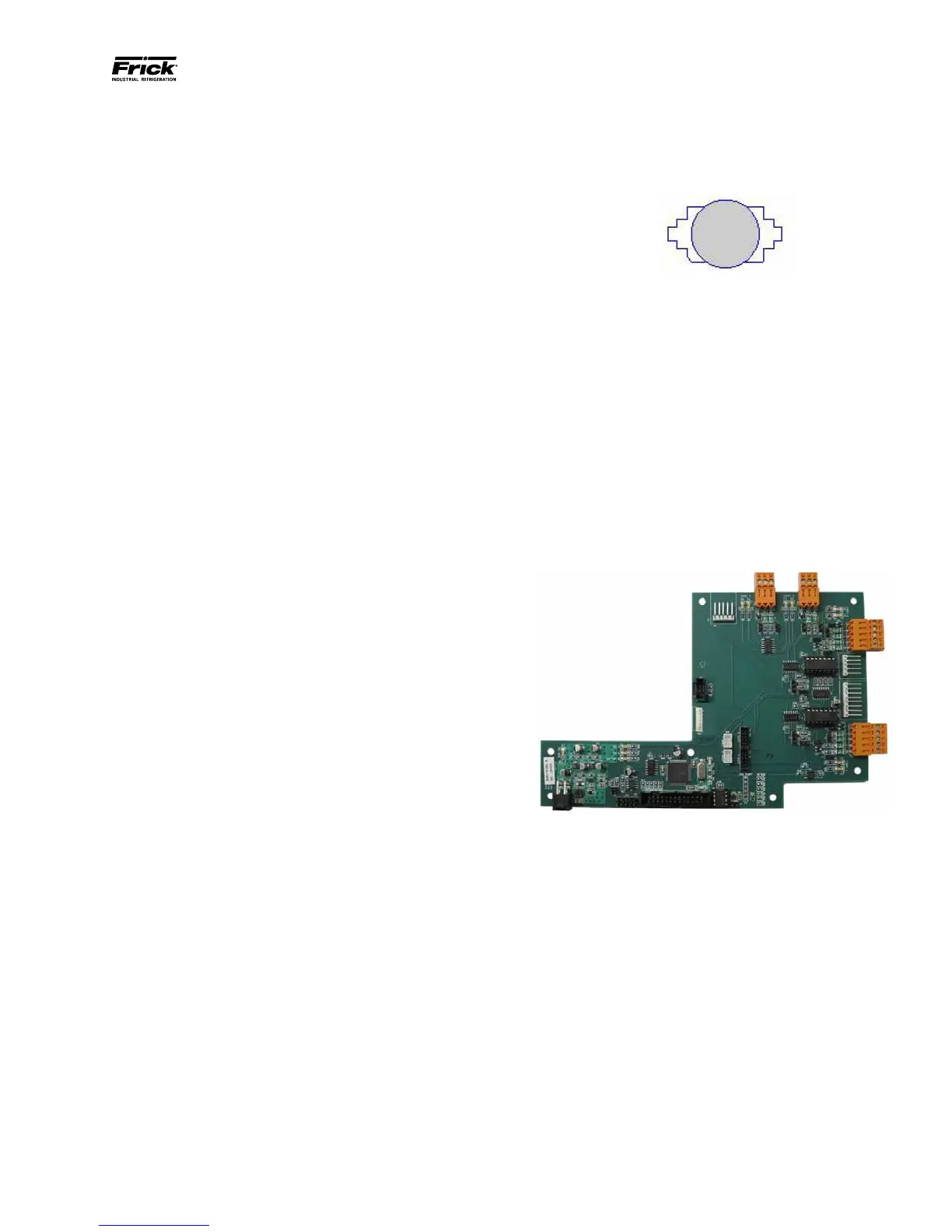
Q5 INTERFACE BOARD
An interface board has been developed by Frick con-
trols allowing the user to interface exterior connec-
tions to the Q5. A photo of this interface board is
shown here:



 To Next Page