3.7 Sleep Setting
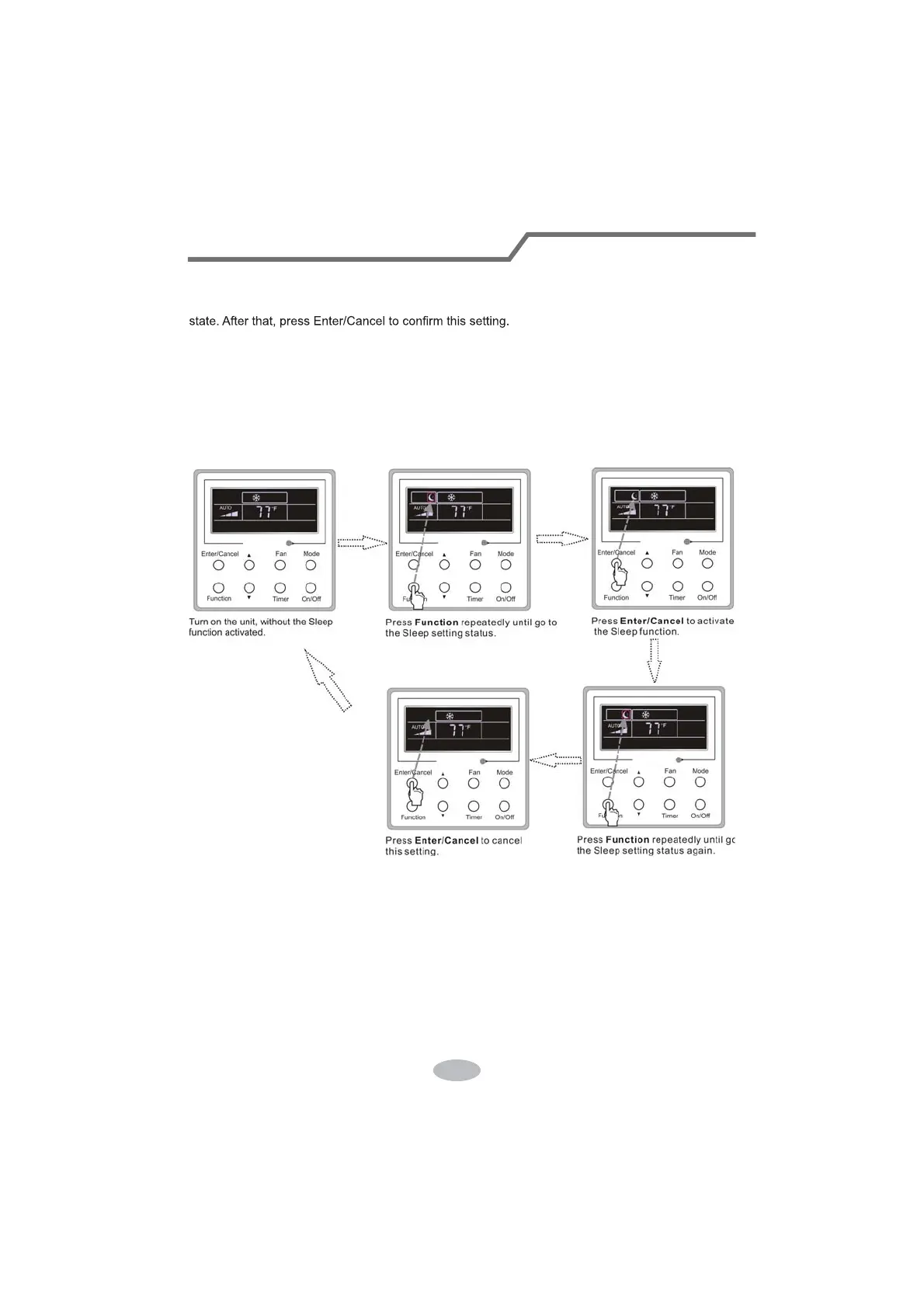
Sleep on: Press Function under the On state of the unit till the unit enters the Sleep setting
Sleep off: When the Sleep function is activated, press Function
to enter the Sleep setting
status. After that, press Enter/Cancel to cancel
this function.
In the Cooling or Dry mode, the temperature will increase by 1°C after the unit runs under
Sleep1 for 1hr and 1°C after another 1hr.After that, the unit will run at this temperature.
In the Heating mode, the temperature will decrease by 1°C after the unit runs under Sleep 1 for
1hr and 1°C after another 1hr. After that, the unit will run at this temperature.
Sleep setting is shown as Fig.3.7.1.
Fig.3.7.1. Sleep Setting
Wired Controller(Optional)




 To Next Page