24 PB
OPERATION
User Interface
The Lock Menu continued
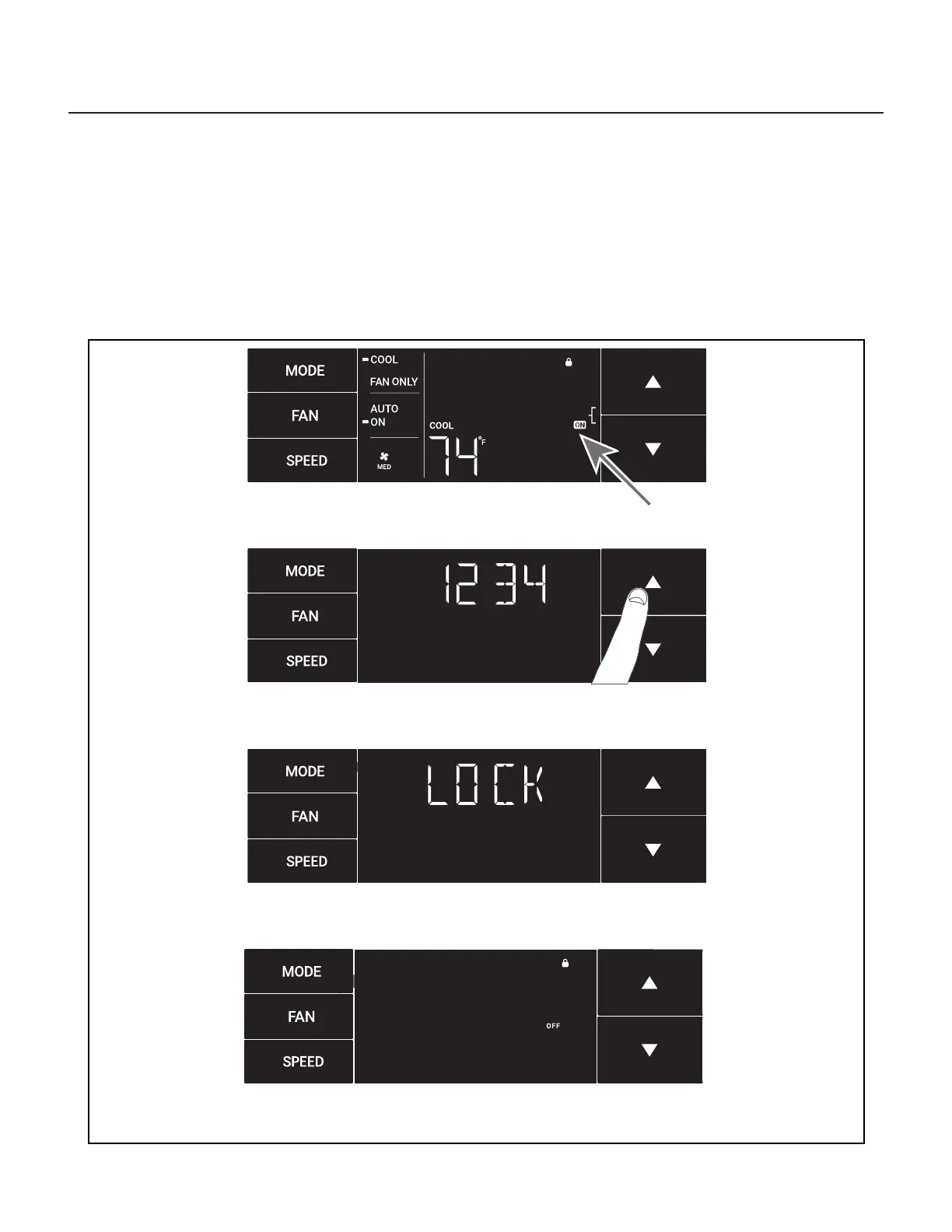
The ON on the right side of the display shows the lock function is active. See Figure 326.
To go back into the menu, select the menu button again. See Figure 306.
Enter the password in the same manner it was created. See Figure 327.
Entering the correct password will give the user access to all of the sub-menus. See Figure 328
Accessing the lock menu will allow you to toggle lock OFF if needed. See Figure 329
Figure 326
Figure 327
Figure 328
Figure 329




 To Next Page