27 PB
Wi-Fi Set Up Instructions
Below are the set-up instructions for Wi-Fi to use your unit wirelessly.
Follow the instructions below:
1. Write down the following information prior to beginning this process
(If you do not know this information you can check your router or contact
your internet provider)
a. WI-FI Network Name (SSID)__________________________
b. WI-FI Network Security Type (Open, wep, wpa, wpa2) _________
c. WI-FI Network Password ___________________________
2. Using a mobile device such as a smartphone or laptop, navigate to www.
FriedrichConnect.com.
NOTE: If you do not have an account with FriedrichConnect you will be
given the option to create a new account.
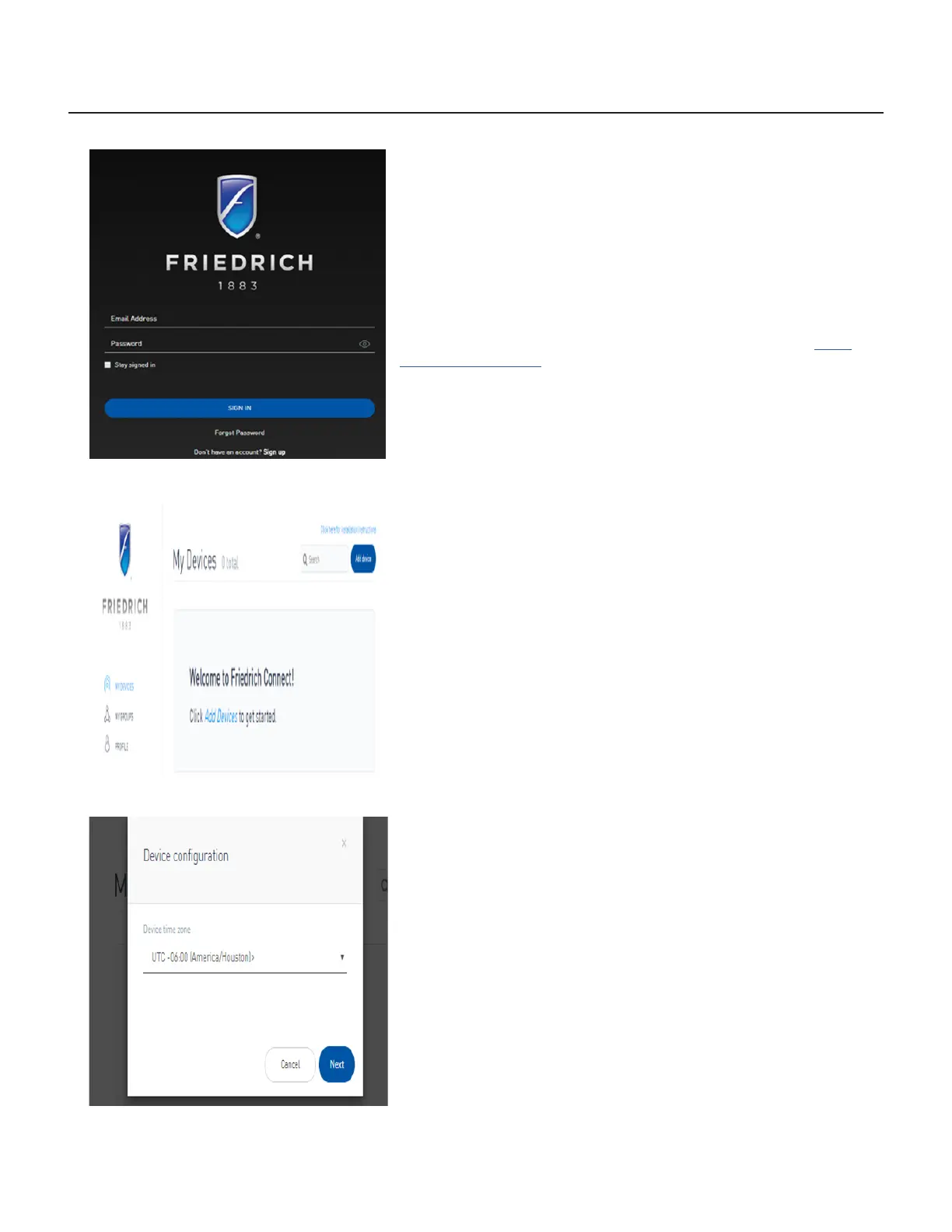
3. Sign-in using your username and password.
4. Click the “Add Device” button.
5. Select the time zone the device is located in and click the “Next” button.
OPERATION
Step 3 (Login)
Step 4 (Add Device)
Step 5 (Select Time Zone)



 To Next Page