The Batteries
First use
Before using your robot for the first
time, the batteries will need approxi-
mately 8-12 hours to achieve a full
charge.
During operation
Several events will indicate that the
batteries need to be charged:
• The Battery Light will glow red
and the robot will stop cleaning.
• An "E1" error code is displayed
When the battery power is low, all
of the safety functions of the robot will
be fully functional. The Pull-line will
also function unless an "E1" error mes-
sage is displayed. (See "Display
Messages" section)
How to charge
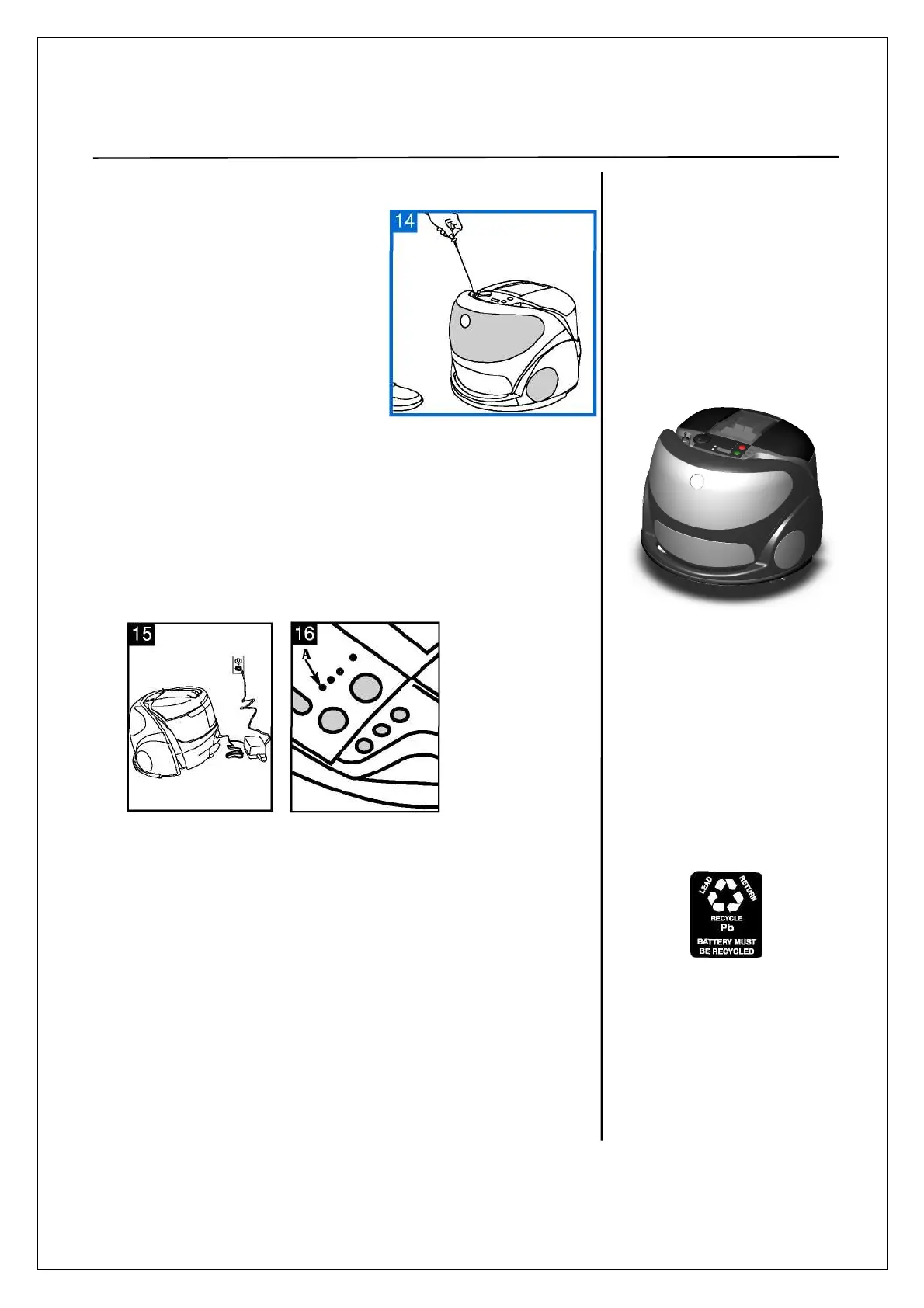
Take the robot near an electrical
outlet by using the Pull-line
feature or carrying handle.
Turn the Cleaning Mode
Selector to OFF
TIP
When the battery
power is low, all of
the safety functions
of the robot will be
fully functional.
Plug charger into
wall outlet, then into
robot.
While the batteries are
charging, the Battery
Light (A) will flash
green. When the
batteries are fully
charged, the Battery
Light will glow steady
green.
• Charging the batteries
to full power will take
approximately 8 to 12
hours.
• The robot will clean for
approximately 1 hour on
carpet and slightly longer
on hard surface floors
when fully charged.
•To maintain battery life,
charge batteries after
each use and keep fully
charged when robot is
not in use.
• If storing the robot for
more than two weeks, it
is recommended that the
batteries be fully
recharged and then
removed from the robot
to maintain battery life.
Battery Replacement/
Recycling
Your cleaner contains sealed lead
acid batteries that must be
recycled.
When these batteries no longer
recharge, the batteries must be
removed and managed in
accordance with state
(province) laws. If you want to
replace the batteries in the
robot, contact your dealer.


 To Next Page