28
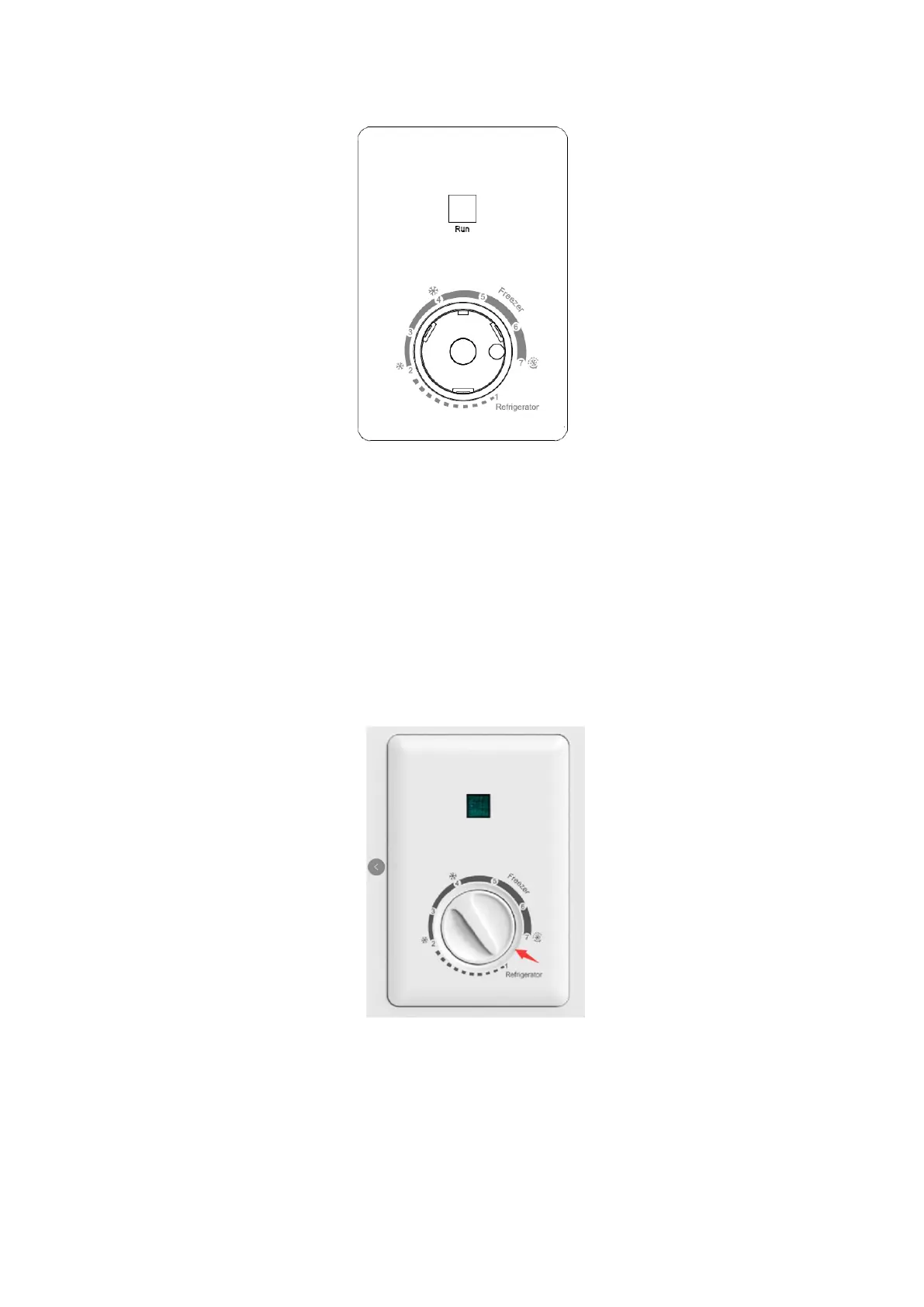
1: The appliance is running: the green light indicates that the compressor is working
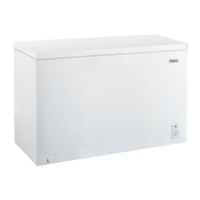
2: The thermostat adjusts the temperature inside the device
▪ Setting 1 (refrigerator): average freezer temperature 5°C
▪ Setting 2 – 4 (freezer): average freezer temperature (-12) ~ (-18) °C
▪ Setting 4 – 7 (freezer): average freezer temperature (-18) to (-24) °C
▪ Setting 7 (fast freezer): average freezer temperature is below -24°C
NOTE:
▪ • To turn off your freezer, please turn the thermostat to the empty space between
Setting 1 and Setting 7 as follows:
▪ If the unit is unplugged, lost power, or turned off; you must wait 3 to 5 minutes before
▪ Restarting the unit. If you attempt to restart before this time delay, the freezer will not
start.
▪ Large amounts of food will lower the cooling efficiency of the appliance.
▪ If you choose to change the thermostat setting, adjust thermostat control by one
numerical increment at a time. Allow several hours for temperature to stabilize between
adjustments.



 To Next Page