EasyManua.ls Logo

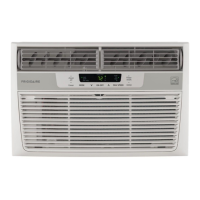
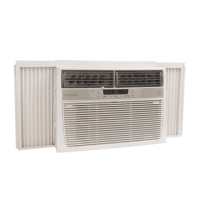
Frigidaire 2020215A0320 - User Manual

Frigidaire 2020215A0320
12 pages
Print Icon
To Next Page IconTo Next Page
Loading...
TABLE OF CONTENTS
www.frigidaire.com USA 1-800-944-9044 www.frigidaire.ca Canada 1-800-265-8352
All about the
Use &Care
Care and Cleaning
.............................................. 10
Energy Saving Ideas ........................................... 10
2020215A0320 (June 2009)
Product Registration
...........................................................
3
Packaging 3
Normal Sounds .................................................... 3
.............................................
Air Conditioner Features 4.......................................
Important Safety Instructions ............................... 2 Operating Instructions 4-9.........................................
of your
Room Air Conditioner
Before You Call ................................................... 11
Major Appliance Warranty ................................... 12
Question and Answer IconNeed help?

Do you have a question about the Frigidaire 2020215A0320 and is the answer not in the manual?

Summary

Important Safety Instructions

Operation of Current Device

Details the function and testing of the current detection device in the power cord.

Product Registration, Packaging & Normal Sounds

Product Registration

Instructions for recording model/serial numbers and registering the product.

Packaging

Guidance on removing packaging and inserts from the air conditioner unit.

Normal Sounds

Explains common sounds the air conditioner may produce during operation.

Air Conditioner Features & Operating Instructions

Air Conditioner Features

Overview of the electronic control panel and remote control features.

To Turn Unit On

Step-by-step guide to power on the air conditioner using the control panel.

To Change Temperature Setting

How to adjust the desired temperature using the control panel or remote.

To Adjust Fan Speeds

Instructions for modifying the fan speed settings for optimal comfort.

To Use Auto Fan Feature

Explanation of the automatic fan speed adjustment based on room temperature.

To Operate on Fan Only

How to use the unit for air circulation without cooling.

To Use the Energy Saver (ECON) Feature

Guide to the energy-saving mode that cycles the compressor.

Sleep Feature

Details on the sleep mode which adjusts temperature gradually over time.

Timer: Delay Stop; Start Feature

Instructions for setting timed start or stop operations for the unit.

Check Filter Feature

Information on the filter indicator light and how to reset it.

Clean Air Feature

How to activate the electronic air purifier for improved air quality.

Remote Sensing Feature

How to use the remote control to sense and set temperature at a distance.

Fault Codes

Identifies error codes displayed by the unit and their meaning.

To Change Temperature Display

How to switch the temperature display between Fahrenheit and Celsius.

To Turn Unit Off

Simple instructions on how to power down the air conditioner.

Additional Things You Should Know

Fresh Air Vent Control

Explains how to use the fresh air vent for recirculating or exchanging room air.

Air Directional Louvers

Details on how to adjust louvers for optimal air flow direction.

Care and Cleaning & Energy Saving Ideas

Care and Cleaning

Procedures for cleaning the air filter and the unit's cabinet.

Energy Saving Ideas

Tips and recommendations for maximizing energy efficiency.

Before You Call

Unit Not Operating or Cooling Issues

Troubleshooting steps for unit failure, insufficient cooling, or room temperature problems.

Operational Anomalies

Solutions for rapid cycling, noise, water dripping, or rooms being too cold.

Remote Sensing Issues

Diagnosing premature deactivation of the remote sensing feature.

Major Appliance Warranty

Exclusions

List of conditions and situations not covered by the appliance warranty.

If You Need Service

Information on how to obtain warranty service and contact Electrolux.

Summary

Important Safety Instructions

Operation of Current Device

Details the function and testing of the current detection device in the power cord.

Product Registration, Packaging & Normal Sounds

Product Registration

Instructions for recording model/serial numbers and registering the product.

Packaging

Guidance on removing packaging and inserts from the air conditioner unit.

Normal Sounds

Explains common sounds the air conditioner may produce during operation.

Air Conditioner Features & Operating Instructions

Air Conditioner Features

Overview of the electronic control panel and remote control features.

To Turn Unit On

Step-by-step guide to power on the air conditioner using the control panel.

To Change Temperature Setting

How to adjust the desired temperature using the control panel or remote.

To Adjust Fan Speeds

Instructions for modifying the fan speed settings for optimal comfort.

To Use Auto Fan Feature

Explanation of the automatic fan speed adjustment based on room temperature.

To Operate on Fan Only

How to use the unit for air circulation without cooling.

To Use the Energy Saver (ECON) Feature

Guide to the energy-saving mode that cycles the compressor.

Sleep Feature

Details on the sleep mode which adjusts temperature gradually over time.

Timer: Delay Stop; Start Feature

Instructions for setting timed start or stop operations for the unit.

Check Filter Feature

Information on the filter indicator light and how to reset it.

Clean Air Feature

How to activate the electronic air purifier for improved air quality.

Remote Sensing Feature

How to use the remote control to sense and set temperature at a distance.

Fault Codes

Identifies error codes displayed by the unit and their meaning.

To Change Temperature Display

How to switch the temperature display between Fahrenheit and Celsius.

To Turn Unit Off

Simple instructions on how to power down the air conditioner.

Additional Things You Should Know

Fresh Air Vent Control

Explains how to use the fresh air vent for recirculating or exchanging room air.

Air Directional Louvers

Details on how to adjust louvers for optimal air flow direction.

Care and Cleaning & Energy Saving Ideas

Care and Cleaning

Procedures for cleaning the air filter and the unit's cabinet.

Energy Saving Ideas

Tips and recommendations for maximizing energy efficiency.

Before You Call

Unit Not Operating or Cooling Issues

Troubleshooting steps for unit failure, insufficient cooling, or room temperature problems.

Operational Anomalies

Solutions for rapid cycling, noise, water dripping, or rooms being too cold.

Remote Sensing Issues

Diagnosing premature deactivation of the remote sensing feature.

Major Appliance Warranty

Exclusions

List of conditions and situations not covered by the appliance warranty.

If You Need Service

Information on how to obtain warranty service and contact Electrolux.

Frigidaire 2020215A0320 Specifications

General IconGeneral
BrandFrigidaire
Model2020215A0320
CategoryAir Conditioner
LanguageEnglish

Related product manuals