18
Setting convect (convection) convert
The convect convert feature allows you to convert any
baking recipe using the convect (convection) feature. The
control uses the normal recipe settings and adjusts to a
lower temperature for convection baking.
Convect convert can only be used with the convect bake
feature.
To set convect using default oven set temperature
of 350°F and adding the convect convert:
Step Press
1. Press convect.
2. Press convect convert.
NOTES
The convection fan will take 6 minutes to begin
rotating once the convect convert feature has been
activated.
When using convect convert cook time reductions may
vary depending on the oven set temperature.
The minimum amount of cook time allowed using the
convect convert feature with a bake time or a delay start
setting is 20 minutes.
Layer cakes will have better results using the normal
bake feature.
SETTING OVEN CONTROLS
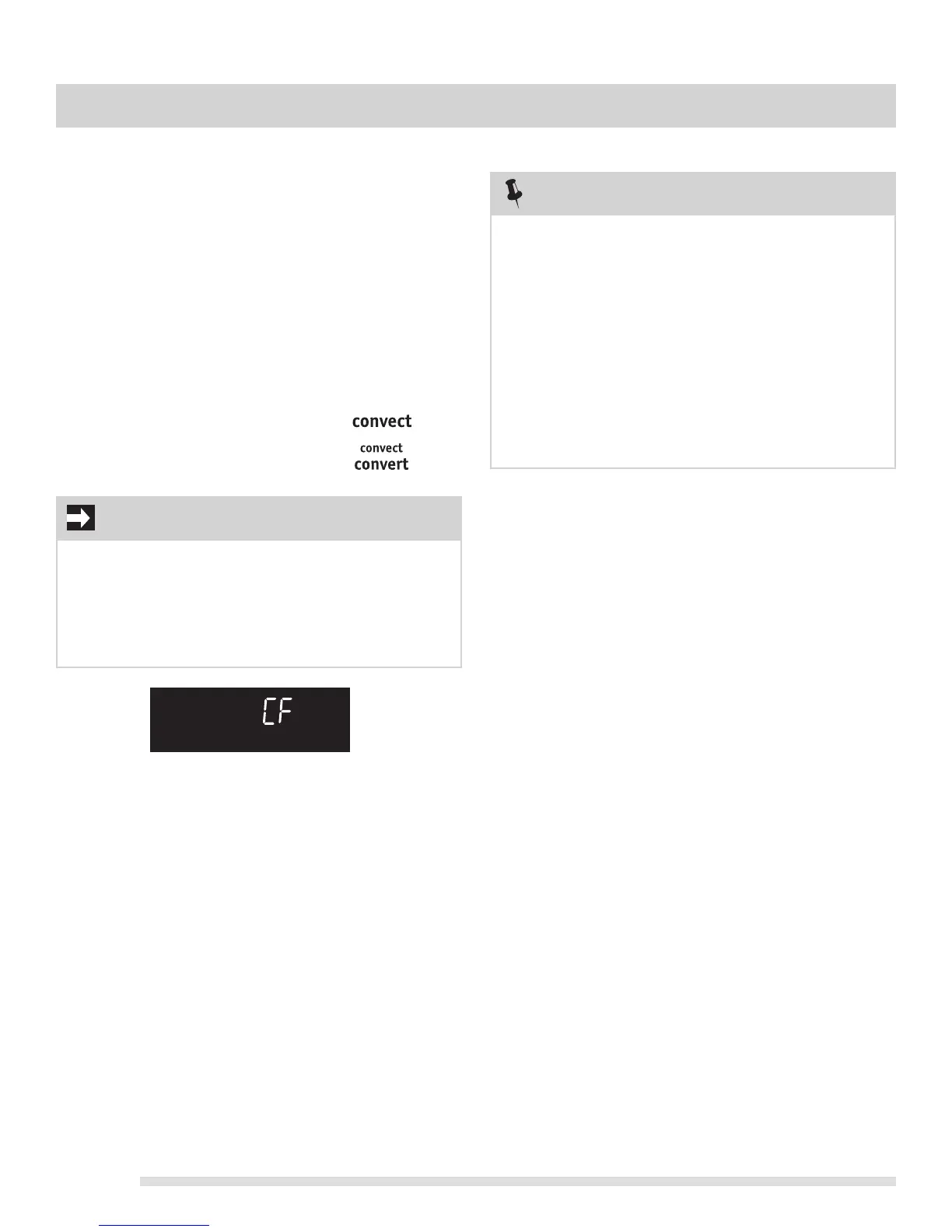
Fig. 1
IMPORTANT
When convect convert is used with a bake time or a
delay start setting, the convect convert feature will
display a "CF" for check food when the bake time is
75% complete (See Fig. 1). At this time the oven control
will sound 1 long beep at regular intervals until the set
cook time has finished or convect convert is cancelled.




 To Next Page