Surface Light (somemodels)
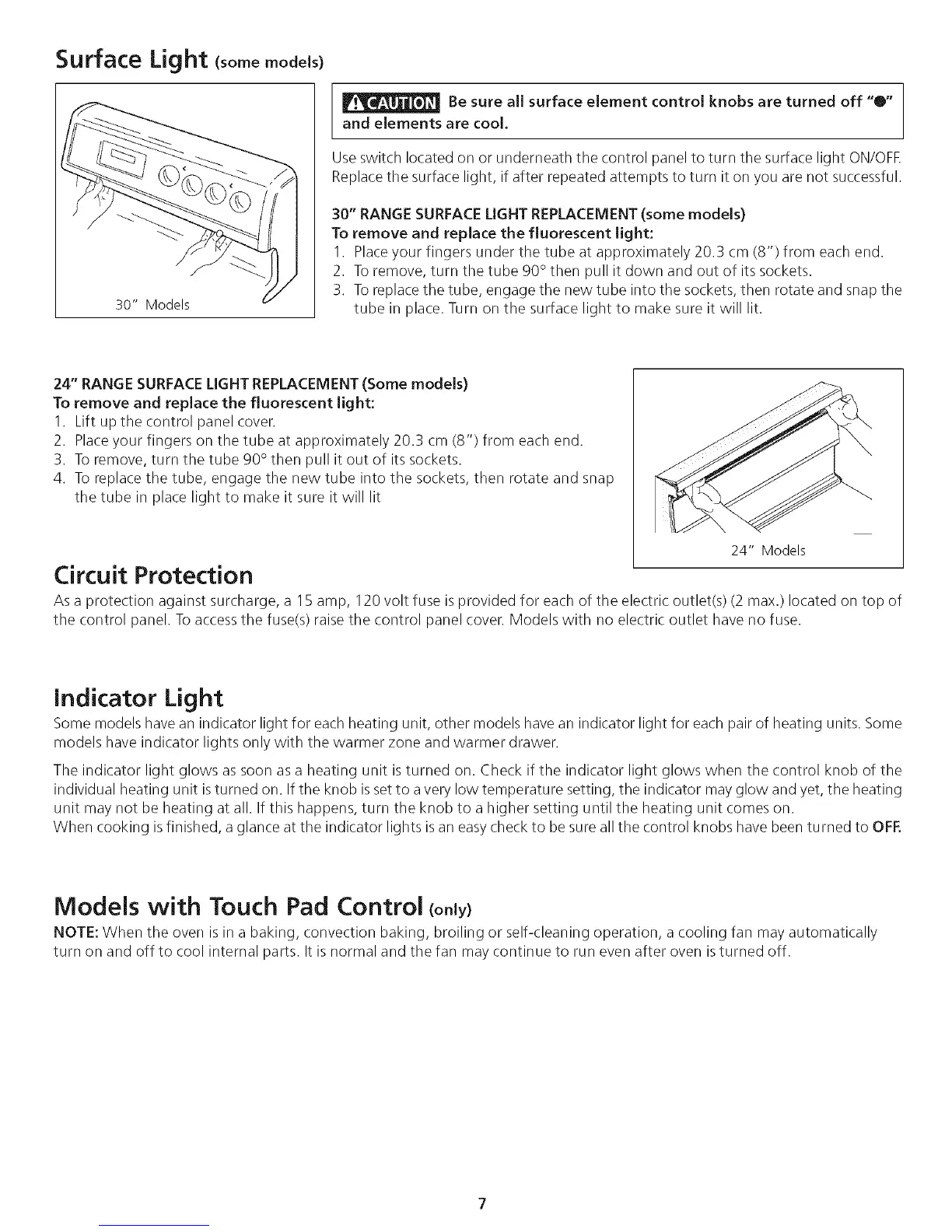
30" Models
Be sure aiJ surface element control knobs are turned off "0"
and elements are cool.
Use switch located on or underneath the control panel to turn the surface light ON/OFE
Replace the surface light, if after repeated attempts to turn it on you are not successful.
30" RANGE SURFACE LIGHT REPLACEMENT(some models)
To remove and repJace the fluorescent light:
I. Place your fingers under the tube at approximately 20.3 cm (8") from each end.
2. To remove, turn the tube 90° then pull it down and out of its sockets.
3. To replace the tube, engage the new tube into the sockets, then rotate and snap the
tube in place. Turn on the surface light to make sure it will lit.
24" RANGE SURFACELIGHT REPLACEMENT (Some models)
To remove and replace the fluorescent Jight:
1. Lift up the control panel cover.
2. Placeyour fingers on the tube at approximately 20.3 cm (8") from each end.
3. To remove, turn the tube 90° then pull it out of its sockets.
4. To replace the tube, engage the new tube into the sockets, then rotate and snap
the tube in place light to make it sure it will lit
24" Models
Circuit Protection
As a protection against surcharge, a I 5 amp, 120 volt fuse is provided for each of the electric outlet(s) (2 max.) located on top of
the control panel. To accessthe fuse(s) raise the control panel cover. Models with no electric outlet have no fuse.
Indicator Light
Some models have an indicator light for each heating unit, other models have an indicator light for each pair of heating units. Some
models have indicator lights only with the warmer zone and warmer drawer.
The indicator light glows as soon as a heating unit is turned on. Check if the indicator light glows when the control knob of the
individual heating unit isturned on. If the knob is setto avery low temperature setting, the indicator may glow and yet, the heating
unit may not be heating at all. If this happens, turn the knob to a higher setting until the heating unit comes on.
When cooking isfinished, a glance at the indicator lights is an easy check to be sure all the control knobs have been turned to OFF.
Models with Touch Pad Control (on y)
NOTE: When the oven is in a baking, convection baking, broiling or self-cleaning operation, a cooling fan may automatically
turn on and off to cool internal parts. It is normal and the fan may continue to run even after oven is turned off.




 To Next Page