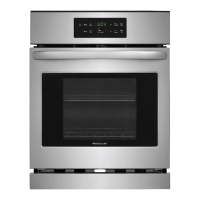
Oven Cleaning (self-cleaning oven models only)
Self-Clean or Speed Clean Cycle time length
For satisfactory results, use a 2 hour Self-Clean cycle for light soils and a 3 hour cycle for average or heavy soils.
NOTE: The kitchen area should be well ventilated using an open window, ventilation fan or exhaust hood during the Self-
Clean or Speed Clean cycle• This will help eliminate the normal odors associated with the Self-Cleaning cycles.
To Set the Controls for a Self-Clean or Speed Clean Cycle or a Delayed Start
Self-Clean or Delayed Start Speed Clean Cycle:
(Note: if you do not want to start a Delayed Self-Clean or Speed Clean Cycle, skips
steps 2 & 3.)
1. Be sure the clock shows the correct time of day.
2. _ress _,o,,re,,_
3. Press and hold _ to scroll to the time to start the delayed Self-Clean cycle.
Release the pad when the desired time is displayed.
_oy_
4. Press _,Ne.oyo_/ciea"'_...,(for a 3 hour cycle) or _pe_.\_l_,,/(fora 2 hour cycle). "- -" appears in the
display.
5. Press Aonce.
As soon as the controls are set, the motor driven lock will begin to close
automatically and the "Door Locked" indicator light will flash. DO NOT open the
oven door while the light isflashing (it takes about 15 seconds for the oven door
to lock).
6. "CLn" will appear inthe display during the Self-Clean cycle and the "Door
Locked" light will glow until the Self-Cleaning cycle is complete or cancelled and
the oven temperature has cooled•
NOTE: A smoke eliminator in the
oven vent converts most of the soil
into a colorless vapor.
To avoid possible
burns use care when opening the
oven door after the Self-Cleaning
cycle. Stand to the side of the oven
when opening the door to allow hot
air or steam to escape.
DO NOT force the
oven door open. This can damage
the automatic door locking system•
Use caution and avoid possible burns
when opening the door after the
Self-Cleaning cycle has completed•
The oven may still be VERY HOT.
When the Self-Clean or Speed Clean Cycle is Completed:
1. The time of day or "End" will appear in the display window and the "Clean" and "Door Locked" light will continue to glow.
2. Once the oven has cooled down for about 1 HOUR and the "Door Locked" light has gone out, the oven door can be opened.
3. If "End" is in the display and the Select Clean indicator light remains ON, press The time of day will appear in
the display.
NOTE: When the oven is cool, wipe away any residue or powdered ash with a damp cloth or paper towel.
Stopping or Interrupting a Self-Cleaning or Speed Cleaning Cycle
If it becomes necessary to stop or interrupt a Self-Cleaning cycle:
1 Press d !e_
• .
2. Once the oven has cooled down for about 1 HOUR and the "Door Locked" light has gone out, the oven door can be opened.
3. Restart the Self-Clean cycle once all conditions have been corrected.
Adjusting the Oven Temperature
Your oven thermostat has been precisely set at the factory. This setting may differ from your previous oven, however, so your
recipe times may not give you the results you expect. Ifyou think that the oven iscooking too hot or cool for your recipe times,
you can adjust the thermostat so that the oven cooks hotter or cooler than the temperature displayed.
To Adjust Oven Temperature:
f-..
1. Press and hold u_8 seconds. The display now indicates the amount of degrees offset between the original factory
temperature setting and the current temperature setting. Ifthe oven control has the original factory calibration, the display
will read "0".
2. The temperature can now be adjusted up or down 35°For 19°C, in 1°F or 1°C steps by pushing and holding A or V. Adjust
until the desired amount of degrees offset appears inthe display. When lowering the oven tempe rature, a minus sign (-) will
appear before the number to indicate that the oven will be cooler by the displayed amount of degrees.
3. When you have made the desired adjustment, wait 5 seconds and the display will go back to the time of day.
Note: Oven temperature adjustment made will not change the Self-Cleaning feature temperature.


 To Next Page
 Loading...