Air Conditioner Features
(continued)
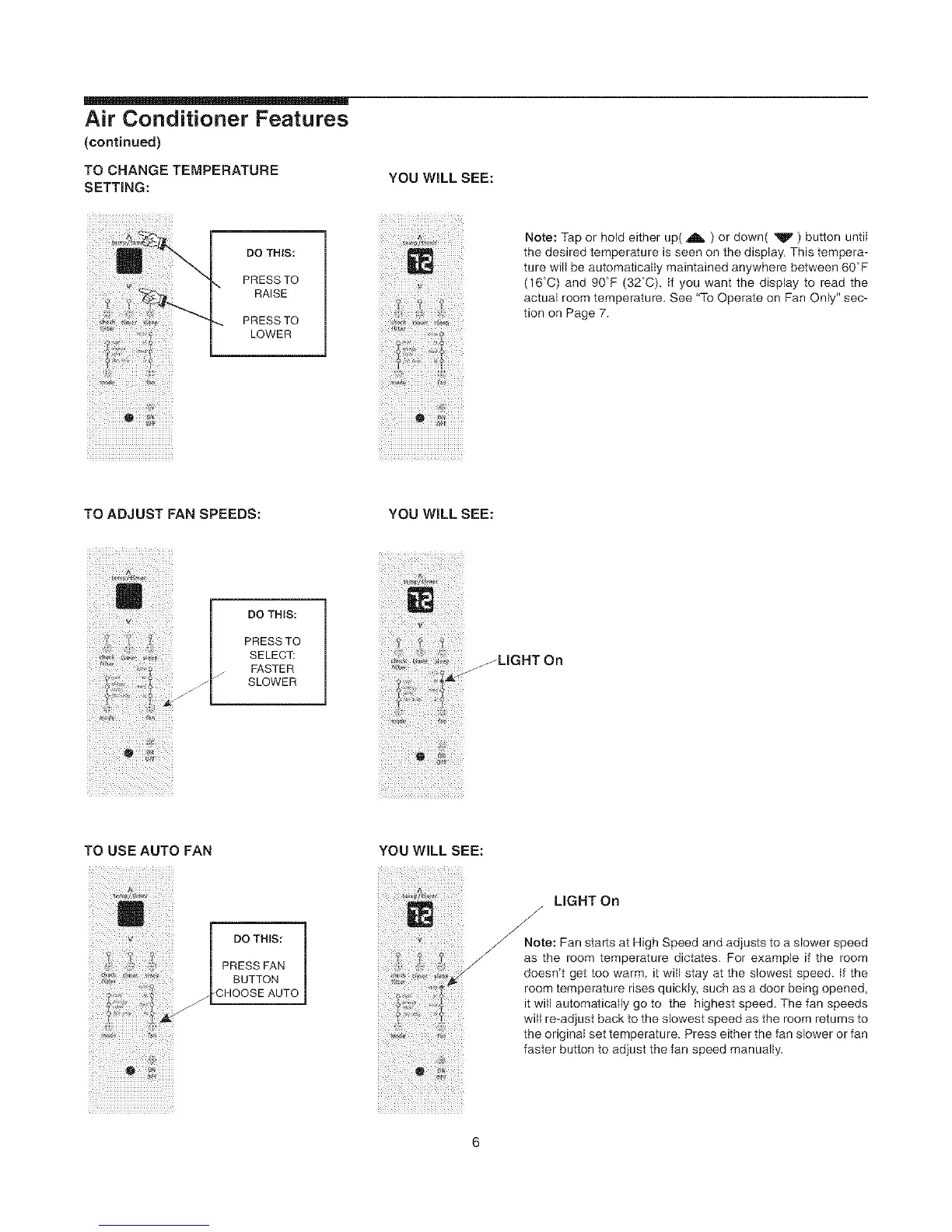
TO CHANGE TEMPERATURE
SETTING:
ii_]iiiiiiiiiiiiiiiiiiiiiiiiiiiiiiiiiiiii
DO THIS:
PRESS TO
RAISE
PRESS TO
LOWER
YOU WiLL SEE:
Note: Tap or hold either up( A ) or down( _F' ) button until
the desired temperature is seen on the display. This tempera-
ture will be automaticatly maintained anywhere between 60°F
(16C) and 90F (32°C). if you want the display to read the
actual room temperature. See '%o Operate on Fan Only" sec-
tion on Page 7.
i_i__i_!iiiiiii_i_!! _
! i !i i ii!iliiiiiiiiiiiiiiiiiiiiiiiiiiiiiiiiiiiii
TO ADJUST FAN SPEEDS: YOU WILL SEE:
DO THIS:
PRESSTO
SELEC_
FASTER
SLOWER
JLIGHT On
TO USE AUTO FAN
| PRESS FAN |
F ¸ F
b 4 i_ ¸
YOU WILL SEE:
i is _ _
J
J
J
LIGHT On
Note: Fan starts at High Speed and adjusts to a slower speed
as the room temperature dictates. For example if the room
doesn't get too warm it will stay at the siowest speed, if the
room temperature rises quickly, such as a door being opened,
it will automaticatly go to the highest speed. The fan speeds
will re-adjust back to the slowest speed as the room returns to
the original set temperature Press either the fan slower or fan
faster button to adjust the fan speed manuatly.



 To Next Page