Oven Light
(some models)
_Be sure the oven is un-
plugged and all parts are COOL before
replacing the oven light bulb.
The oven light automatically turns on when the door isopened (some models). To
turn the oven light on and off when the door is closed, use the OVEN LIGHTpad
located on the control panel.
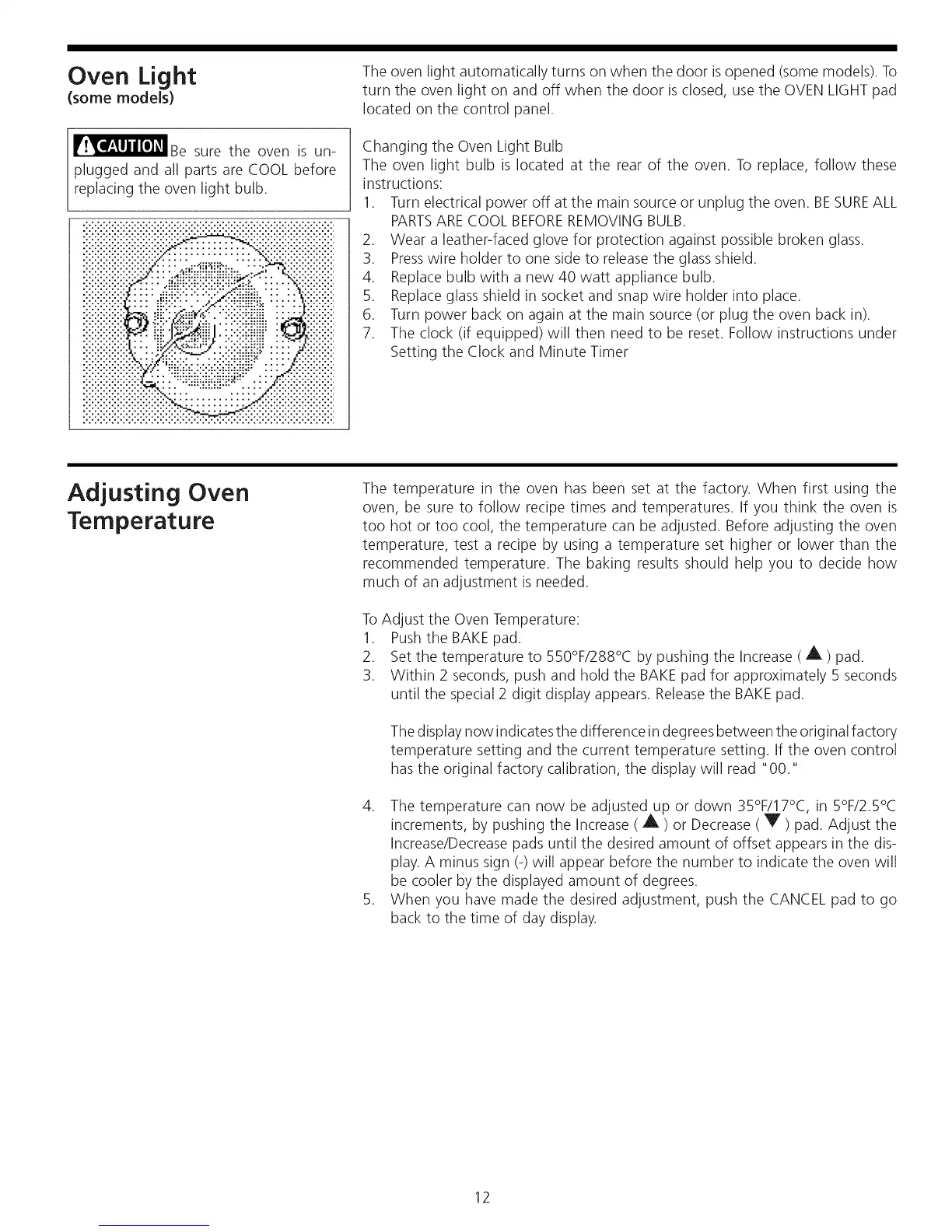
Changing the Oven Light Bulb
The oven light bulb is located at the rear of the oven. To replace, follow these
instructions:
1. Turn electrical power off at the main source or unplug the oven. BESUREALL
PARTSARECOOL BEFOREREMOVING BULB.
2. Wear a leather-faced glove for protection against possible broken glass.
3. Presswire holder to one side to release the glass shield.
4. Replace bulb with a new 40 watt appliance bulb.
5. Replace glass shield in socket and snap wire holder into place.
6. Turn power back on again at the main source (or plug the oven back in).
7. The clock (if equipped) will then need to be reset. Follow instructions under
Setting the Clock and Minute Timer
Adjusting Oven
Temperature
The temperature in the oven has been set at the factory. When first using the
oven, be sure to follow recipe times and temperatures. If you think the oven is
too hot or too cool, the temperature can be adjusted. Before adjusting the oven
temperature, test a recipe by using a temperature set higher or lower than the
recommended temperature. The baking results should help you to decide how
much of an adjustment is needed.
ToAdjust the Oven Temperature:
1. Pushthe BAKE pad.
2. Set the temperature to 550°F/288°C by pushing the Increase ( A ) pad.
3. Within 2 seconds, push and hold the BAKE pad for approximately 5 seconds
until the special 2 digit display appears. Releasethe BAKE pad.
Thedisplay now indicates the difference in degrees between the original factory
temperature setting and the current temperature setting. If the oven control
has the original factory calibration, the display will read "00."
4. The temperature can now be adjusted up or down 35°F/17°C, in 5°F/2.5°C
increments, by pushing the Increase ( A ) or Decrease ( Y ) pad. Adjust the
Increase/Decrease pads until the desired amount of offset appears in the dis-
play. A minus sign (-) will appear before the number to indicate the oven will
be cooler by the displayed amount of degrees.
5. When you have made the desired adjustment, push the CANCEL pad to go
back to the time of day display.
12




 To Next Page