EasyManua.ls Logo

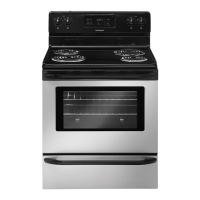
Frigidaire FFEF3015LSM - User Manual

Frigidaire FFEF3015LSM
24 pages
Print Icon
To Next Page IconTo Next Page
Loading...
TABLE OF CONTENTS
316902211 Rev C (April 2016)
Important Safety Instructions ...........................3-5
Features at a Glance .......................................... 6
Before Setting Oven Controls ...........................7-8
Before Setting Surface Controls ........................8-9
Setting Surface Controls (Coil cooktop) ..............10
Oven Control Functions (200) ............................11
Setting Oven Controls .................................. 11-15
Self-Cleaning ............................................... 16-17
Care & Cleaning .......................................... 18-21
Before You Call ........................................... 22-23
Major Appliance Warranty .................................24
Question and Answer IconNeed help?

Do you have a question about the Frigidaire FFEF3015LSM and is the answer not in the manual?

Overview

This document is a user manual for a Frigidaire electric range, covering its use, care, and maintenance.

Function Description

The Frigidaire electric range is designed for cooking food using both oven and surface elements. It features a self-cleaning oven, various cooking modes like bake and broil, and multiple surface elements for different cooking needs. The appliance includes controls for setting oven temperature, cooking time, and activating surface elements.

Important Technical Specifications

The oven operates within a temperature range of 170°F (77°C) to 550°F (287°C) for baking. The factory preset automatic bake temperature is 350°F (177°C). The oven also features a 12-Hour Energy Saving feature, which automatically shuts off the oven if it has been left on for more than 12 hours. The surface elements are controlled by rotary knobs, with indicator lights to show when they are on. The appliance requires a specific electrical connection, and users are advised to consult a qualified technician for installation. The oven racks are designed to be removable and can be placed in various positions to accommodate different food types and cooking needs. The appliance is covered by a one-year limited warranty from the original date of purchase.

Usage Features

Oven Controls:

  • Setting the Clock: The clock can be set by pressing the "clock" pad, then using the up or down arrow pads to adjust the time.
  • Setting the Minute Timer: The timer can be set for up to 11 hours and 59 minutes. It does not start or stop cooking.
  • Timer On-Off Pad: Used to set or cancel the minute timer.
  • Clean Pad: Used to set a Self-Clean cycle.
  • Bake Pad: Used to select the bake feature.
  • Broil Pad: Used to select the variable broil feature.
  • Up and Down Arrow Pads: Used to adjust the oven temperature, clean time, and minute timer.
  • Clear Off Pad: Used to clear any oven function previously entered, except the time of day and minute timer. Also used to clear off an oven lockout feature.
  • Setting Bake: To set the oven to bake, press the "bake" pad, then use the up or down arrow pads to adjust the temperature. The preheat indicator light turns OFF when the oven is ready.
  • Setting Broil: To set the oven to broil, press the "broil" pad, then use the up or down arrow pads to select the desired broil level (HI or LO). The broil pan and insert should be used for broiling.
  • Adjusting Oven Temperature: The oven temperature can be adjusted in 5°F increments during baking.
  • Oven Lockout: The control can be programmed to lock the oven door and lockout the oven control pads.
  • Oven Light: The interior oven light can be turned ON or OFF using the oven light switch.

Surface Controls:

  • Setting Surface Elements: The surface elements are controlled by rotary knobs. Turn the knob to the desired setting (Lo, Med, Hi) to activate the element.
  • Proper Cookware: Use flat-bottomed cookware that matches the size of the surface element for even heating and energy efficiency. Cookware should be made of materials that conduct heat well, such as stainless steel or cast iron. Aluminum cookware is also suitable.
  • Suggested Surface Element Settings: The manual provides a table of suggested surface element settings for various cooking tasks, such as starting most foods, boiling, simmering, and keeping warm.

Safety Features:

  • Tip Over Hazard: The range must be installed with the anti-tip bracket to prevent tipping.
  • Child Safety: Do not leave children alone or unattended when the appliance is in use.
  • Hot Surfaces: Surface elements and areas near them can become hot, even when the element is off.
  • Flammable Materials: Do not store flammable materials in or near the range.
  • Oven Vent: Do not block the oven vent, located under the left rear surface element.

Maintenance Features

Self-Cleaning Oven:

  • Setting a Self-Clean Cycle: The oven can be set to self-clean for 2, 3, or 4 hours. The oven door will lock during the cycle and unlock once the oven has cooled.
  • Stopping a Self-Clean Cycle: The cycle can be stopped at any time by pressing "clear off."
  • Cleaning Before Self-Clean: Remove all oven racks and any aluminum foil before starting a self-clean cycle.
  • Cleaning After Self-Clean: Wipe away any residue or powdered ash with a damp cloth or paper towel.

Care & Cleaning:

  • Surface Type Recommendations:
    • Control Knobs, Painted Body Parts, Painted Decorative Trim, Aluminum/Plastic/Vinyl Trim Pieces: Use hot, soapy water and a soft cloth. For stubborn soil, use a liquid detergent.
    • Stainless Steel: Use hot, soapy water and a soft cloth. For heavier soil, use a mild liquid cleaner or a solution of ammonia and water. Do not use harsh scrubbing cleansers.
    • Porcelain Enamel Broiler Pan and Broiler Pan Insert: Use a non-abrasive scouring pad and hot, soapy water.
    • Oven Racks: Remove from the oven and clean with a mild, abrasive cleaner.
    • Oven Door: Use soap & water or a glass cleaner on the outside glass. Do not spray water or glass cleaner into the door vents.
    • Surface Elements and Drip Bowls: Do not use spray oven cleaners on the cooktop.
  • Cleaning Drip Bowls: Remove drip bowls and wash in hot, soapy water. For stubborn soil, use a mild liquid cleanser or a solution of ammonia and water.
  • Replacing the Interior Oven Light Bulb: Turn off electrical power to the range. Open the oven door, remove the glass shield, replace the bulb with a new 40-watt appliance bulb, and replace the glass shield.
  • Removing and Replacing the Lift-Off Oven Door: The door is heavy and requires careful handling. The manual provides detailed steps for removing and replacing the oven door.
  • Raising the Cooktop: The cooktop can be raised for cleaning underneath by grasping the sides and lifting up.

Frigidaire FFEF3015LSM Specifications

General IconGeneral
BrandFrigidaire
ModelFFEF3015LSM
CategoryRanges
LanguageEnglish

Related product manuals