EasyManua.ls Logo

Frigidaire FGMO3067UD - User Manual

Frigidaire FGMO3067UD
27 pages
Print Icon
To Next Page IconTo Next Page
Loading...
TABLE OF CONTENTS
www.frigidaire.com USA 1-800- - www.frigidaire.ca Canada 1-800-265-8352
All about the
Use & Care
o f your
WELCOME & CONGRATULATION ............................2
IMPORTANT SAFETY INSTRUCTIONS ......................2
PART NAMES ........................................................8
BEFORE OPERATING ...........................................10
MANUAL COOKING .............................................. 11
SENSOR COOKING . ............................................
1
AUTO COOKING ..................................................
CLEANING AND CARE ..........................................
SERVICE CALL CHECK .........................................
SPECIFICATIONS.................................................
WARRANTY .........................................................
CONVENIENT FEATURES......................................2
CONTROL PANEL ..................................................9
4
374 4432
A06823505
(
2018
)
Buil -in
Microwave
Oven
August
t
25
26
26
2
20
2
7
Question and Answer IconNeed help?

Do you have a question about the Frigidaire FGMO3067UD and is the answer not in the manual?

Summary

Welcome and Contact Information

Welcome Message and Contact Information

Welcomes the user and provides contact details for questions.

Important Safety Instructions

Microwave Energy Exposure Precautions

Details precautions to avoid potential exposure to excessive microwave energy.

General Safety Warnings and Usage Guidelines

Provides essential safety warnings and guidelines for using the appliance safely.

Arcing and FCC Interference Information

Explains arcing causes and provides FCC radio frequency interference statement.

Unpacking and Grounding Instructions

Guides on unpacking the oven and essential grounding procedures for safe installation.

Microwave Cooking Best Practices

Provides tips and techniques for effective and safe microwave cooking.

Safety Tips for Food and Children

Covers safety regarding food temperatures, handling, and supervision of children.

About Your Microwave Oven

Understanding Your Microwave Oven

Offers general advice and notes for operating the microwave oven.

About Utensils and Coverings

Safe Utensil and Covering Guidelines

Lists recommended and not recommended utensils and coverings for microwave use.

Part Names

Microwave Components Identification

Identifies and describes key components of the microwave oven.

Control Panel

Control Panel Overview and Display Features

Details the layout and functionality of the microwave control panel buttons and display.

Before Operating

Setting the Clock and Timer

Instructions for setting the oven's clock and using the timer functions.

Stop and Clear Functions

Explains how to use the STOP/CLEAR buttons for various operations.

Manual Cooking

One Touch Start and Add 30 Sec Functions

Guides on using quick start features for automatic cooking.

Timed Cooking with Power Level Adjustment

How to set cooking time and adjust power levels for manual cooking.

Setting Two-Stage Cooking Cycles

Instructions for programming cooking cycles with multiple power levels.

Microwave Power Level Settings and Usage

Details power levels, their corresponding numbers, and recommended uses.

Auto Cooking

Using the Auto Defrost Feature

Guides on using the auto defrost feature for various foods and weight conversions.

Auto Defrost Table for Meats

Specific instructions for defrosting different types of meat.

Auto Defrost Table for Poultry and Fish

Specific instructions for defrosting poultry, fish, and shellfish.

Defrosting Tips and Popcorn Setting

Provides defrosting tips and instructions for using the popcorn quick touch pad.

Setting the Veggies Function

How to use the Veggies quick touch pad for cooking fresh and frozen vegetables.

Setting the Melt;Soften Function

Instructions for using the Melt/Soften feature for various food items.

Setting the Beverage Function

How to select beverage amounts using the Beverage touch pad.

Setting the Bake Potato Function

Instructions for baking potatoes using the dedicated touch pad.

Sensor Cooking

Sensor Cooking Operating Instructions

General guidelines for using the sensor cooking and reheating features.

Using Sensor Cook for Foods

How to use sensor cook for various food categories like bacon or rice.

Using Sensor Reheat for Soups and Sauces

How to use sensor reheat for reheating items like soup and sauce.

Sensor Cook Category Guidelines

Details specific categories and amounts for sensor cooking.

Sensor Reheat Category Guidelines

Details specific categories and amounts for sensor reheating.

Convenient Features

User Reference and General Settings

Overview of user reference, preference settings, and their customization options.

Energy Savings, Control Lock, and Audio Settings

How to manage energy savings, control lock, and audio preferences.

Setting Weight Units (Lbs;Kg)

How to switch between pounds and kilograms for weight-related functions.

Setting Language Mode

Instructions for changing the oven's display language.

Setting Demo Mode

How to activate or deactivate the demonstration mode for feature preview.

Cleaning and Care

Exterior, Door, and Special Finish Cleaning

Instructions for cleaning the oven's exterior, door, and special finishes.

Interior and Waveguide Cover Cleaning

Guidance on cleaning the oven's interior surfaces and waveguide cover.

Odor Removal and Control Panel Care

Methods for removing odors and cleaning the touch control panel.

Service Call Check

Troubleshooting Before Calling Service

A checklist to verify basic functions before contacting customer service.

Specifications

Technical Specifications and Certifications

Lists technical data, dimensions, power, and safety certifications for the oven.

Major Appliance Warranty Information

Warranty Exclusions and Coverage Details

Details what is and is not covered under the appliance's limited warranty.

Obtaining Service and Warranty Support

Provides information on how to get service and contact Electrolux for warranty claims.

Disclaimer of Warranties and Remedies

Legal disclaimers regarding implied warranties and limitations of remedies.

Summary

Welcome and Contact Information

Welcome Message and Contact Information

Welcomes the user and provides contact details for questions.

Important Safety Instructions

Microwave Energy Exposure Precautions

Details precautions to avoid potential exposure to excessive microwave energy.

General Safety Warnings and Usage Guidelines

Provides essential safety warnings and guidelines for using the appliance safely.

Arcing and FCC Interference Information

Explains arcing causes and provides FCC radio frequency interference statement.

Unpacking and Grounding Instructions

Guides on unpacking the oven and essential grounding procedures for safe installation.

Microwave Cooking Best Practices

Provides tips and techniques for effective and safe microwave cooking.

Safety Tips for Food and Children

Covers safety regarding food temperatures, handling, and supervision of children.

About Your Microwave Oven

Understanding Your Microwave Oven

Offers general advice and notes for operating the microwave oven.

About Utensils and Coverings

Safe Utensil and Covering Guidelines

Lists recommended and not recommended utensils and coverings for microwave use.

Part Names

Microwave Components Identification

Identifies and describes key components of the microwave oven.

Control Panel

Control Panel Overview and Display Features

Details the layout and functionality of the microwave control panel buttons and display.

Before Operating

Setting the Clock and Timer

Instructions for setting the oven's clock and using the timer functions.

Stop and Clear Functions

Explains how to use the STOP/CLEAR buttons for various operations.

Manual Cooking

One Touch Start and Add 30 Sec Functions

Guides on using quick start features for automatic cooking.

Timed Cooking with Power Level Adjustment

How to set cooking time and adjust power levels for manual cooking.

Setting Two-Stage Cooking Cycles

Instructions for programming cooking cycles with multiple power levels.

Microwave Power Level Settings and Usage

Details power levels, their corresponding numbers, and recommended uses.

Auto Cooking

Using the Auto Defrost Feature

Guides on using the auto defrost feature for various foods and weight conversions.

Auto Defrost Table for Meats

Specific instructions for defrosting different types of meat.

Auto Defrost Table for Poultry and Fish

Specific instructions for defrosting poultry, fish, and shellfish.

Defrosting Tips and Popcorn Setting

Provides defrosting tips and instructions for using the popcorn quick touch pad.

Setting the Veggies Function

How to use the Veggies quick touch pad for cooking fresh and frozen vegetables.

Setting the Melt;Soften Function

Instructions for using the Melt/Soften feature for various food items.

Setting the Beverage Function

How to select beverage amounts using the Beverage touch pad.

Setting the Bake Potato Function

Instructions for baking potatoes using the dedicated touch pad.

Sensor Cooking

Sensor Cooking Operating Instructions

General guidelines for using the sensor cooking and reheating features.

Using Sensor Cook for Foods

How to use sensor cook for various food categories like bacon or rice.

Using Sensor Reheat for Soups and Sauces

How to use sensor reheat for reheating items like soup and sauce.

Sensor Cook Category Guidelines

Details specific categories and amounts for sensor cooking.

Sensor Reheat Category Guidelines

Details specific categories and amounts for sensor reheating.

Convenient Features

User Reference and General Settings

Overview of user reference, preference settings, and their customization options.

Energy Savings, Control Lock, and Audio Settings

How to manage energy savings, control lock, and audio preferences.

Setting Weight Units (Lbs;Kg)

How to switch between pounds and kilograms for weight-related functions.

Setting Language Mode

Instructions for changing the oven's display language.

Setting Demo Mode

How to activate or deactivate the demonstration mode for feature preview.

Cleaning and Care

Exterior, Door, and Special Finish Cleaning

Instructions for cleaning the oven's exterior, door, and special finishes.

Interior and Waveguide Cover Cleaning

Guidance on cleaning the oven's interior surfaces and waveguide cover.

Odor Removal and Control Panel Care

Methods for removing odors and cleaning the touch control panel.

Service Call Check

Troubleshooting Before Calling Service

A checklist to verify basic functions before contacting customer service.

Specifications

Technical Specifications and Certifications

Lists technical data, dimensions, power, and safety certifications for the oven.

Major Appliance Warranty Information

Warranty Exclusions and Coverage Details

Details what is and is not covered under the appliance's limited warranty.

Obtaining Service and Warranty Support

Provides information on how to get service and contact Electrolux for warranty claims.

Disclaimer of Warranties and Remedies

Legal disclaimers regarding implied warranties and limitations of remedies.

Overview

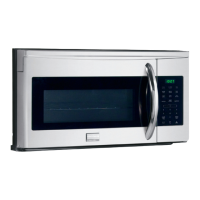
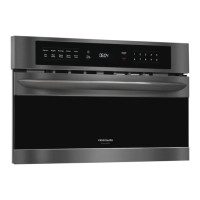
This document describes the Frigidaire Built-in Microwave Oven, a kitchen appliance designed for heating, cooking, and drying food using microwave energy. It is not intended for industrial or laboratory use.

Function Description

The microwave oven offers various cooking modes to suit different needs:

  • Manual Cooking: This mode allows users to program specific cook times and power levels. There are 11 power level settings, ranging from 0% (no power) to 100% (High). Lower power levels result in slower cooking. The oven also features a "One Touch Start" for quick cooking from 1 to 9 minutes at 100% power, and an "Add 30 Sec." function to quickly set and start microwave cooking at 100% power for 30 seconds, which can be extended up to 99 minutes and 99 seconds. For recipes requiring different power levels during a cook cycle, a "Two-Stage Cooking" feature allows programming two distinct power level stages.

  • Auto Defrost: This feature provides three preset defrost sequences for frozen foods: Meat, Poultry, and Fish. The oven uses a built-in beep mechanism to remind users to check, turn over, separate, or rearrange food for optimal defrosting results. Weights can be entered in pounds and tenths of a pound, with a conversion table provided for ounces to decimals. For best results, food should be removed from its original packaging, rolled into a ball (for ground meat), and placed in shallow containers to catch drippings. Shielding thin or fatty areas with small pieces of aluminum foil can prevent overcooking.

  • Auto Cooking: This mode includes quick-touch pads for common microwave-prepared foods.

    • Popcorn: Designed for commercially packaged microwave popcorn bags (3.3, 3.0, or 1.75 ounces). Only one package should be popped at a time, and the oven should not be left unattended.
    • Veggies: Allows cooking of fresh or frozen vegetables (1-4 cups). Users can switch between "Fresh" and "Frozen" selections.
    • Melt/Soften: Uses low power to melt or soften items like butter (1 or 2 sticks), chocolate (2, 4, or 8 oz.), ice cream (1 pint or 1/2 gallon), and cream cheese (3 or 8 oz.).
    • Beverage: Heats 1, 2, or 3 cups of beverage.
    • Bake Potato: Bakes potatoes without requiring manual time or power level selection.
  • Sensor Cooking: This advanced feature allows cooking of favorite foods without manually selecting cooking times and power levels. The oven's internal sensor detects humidity from the food to determine and display the remaining cooking time. For optimal results, food should be at normal storage temperature, placed in microwavable containers (at least half full), and covered with plastic wrap, waxed paper, or a lid (avoid tight-sealing covers). The oven door should not be opened during the sensing time. Sensor Cook options include Bacon, Frozen Dinner, White Rice, Frozen Breakfast, Fish/Seafood, and Frozen Pizza.

  • Sensor Reheat: Similar to Sensor Cooking, this feature reheats common microwave-prepared foods without manual time or power level programming. Options include Soup/Sauce, Pizza, Dinner Plate, Casserole/Pasta, and Roll/Muffin.

Usage Features

The microwave oven incorporates several user-friendly features:

  • Control Panel: An auto-touch control panel with a digital display showing time (up to 99 minutes, 99 seconds) and function indicators.
  • Clock Setting: Allows setting the correct time of day (A.M. or P.M.).
  • Timer: A separate timer function that counts down without pausing if the door is opened.
  • STOP/CLEAR Button: Used to erase mistakes, stop the signal after cooking, return to the time of day display, or stop a program during cooking.
  • Turntable: A glass microwave tray that rotates clockwise and counterclockwise, ensuring even cooking. It should always be used with food in the oven to absorb microwave energy.
  • Oven Light: Turns off after one minute with the door open to save energy; closes and reopens the door to reactivate.
  • Safety Door Latches: The oven will not operate unless the door is securely closed.
  • User Preferences (User Pref): A customizable setting menu that includes:
    • Control Lock: Locks the control panel to prevent accidental operation, especially by children.
    • Energy Savings: Turns off the time of day clock display to conserve energy.
    • Audio: Adjusts the sound level (Low, Med, High, or OFF) for beeps and signals.
    • Weight: Toggles between pounds (Lbs) and kilograms (KG) for weight input.
    • Language: Selects the display language (English or French).
    • Demo Mode: Allows programming functions to work in a rapid countdown mode without actual cooking power, useful for demonstration purposes.

Maintenance Features

Proper maintenance ensures the longevity and safe operation of the microwave oven:

  • Exterior Cleaning: The precoated steel and plastic exterior should be cleaned with mild soap and water, rinsed, and dried with a soft cloth. Abrasive or harsh cleaners should be avoided.
  • Door Cleaning: The window should be wiped with a soft cloth to remove spills. Metal parts can be maintained by frequent wiping with a soft cloth. Spray and harsh chemical cleaners should be avoided to prevent staining or dulling.
  • Stainless Steel/Black Stainless Steel Cleaning: For models with these finishes, use warm soapy water and a clean sponge or cloth, rinse with clean water, and dry with a soft cloth. Avoid abrasive cleaners, chlorides, chlorines, or ammonia. A mild dish soap and water or 50/50 water and vinegar solution is recommended.
  • Interior Cleaning: The interior surfaces should be wiped with a soft cloth and warm water. Abrasive or harsh cleaners and scouring pads are not recommended. For heavier soil, baking soda or mild soap can be used, followed by thorough rinsing with hot water. The rack can be cleaned with hot soapy water, rinsed, and dried.
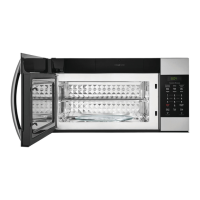
  • Waveguide Cover: Located on the ceiling of the oven cavity, this mica cover requires careful cleaning. Food spatters should be wiped immediately with a damp cloth to prevent overheating, smoke, or fire. The waveguide cover should NOT be removed.
  • Odor Removal: To eliminate cooking odors, a mixture of water, lemon peel and juice, and whole cloves can be boiled in the oven, then allowed to cool before wiping the interior.
  • Touch Control Panel Cleaning: The panel should be wiped with a slightly dampened cloth (water only) and dried with a soft cloth. Avoid scrubbing or using chemical cleaners. It is advisable to open the oven door before cleaning the panel.

Frigidaire FGMO3067UD Specifications

General IconGeneral
Stylebuilt-in
Colorblack stainless steel
Total Capacity1.6 cubic feet
Power Levels9
Sensor Cookingyes
Child Lockyes
Timeryes
Max Power Consumption1650 watts
Microwave Power950 watts
Voltage120 volts
Current15 amperes
Weight and Dimensions IconWeight and Dimensions
Depth22 1/5 inches
Height19 1/4 inches
Width30 inches
Net Weight77.4 pounds

Related product manuals