EasyManua.ls Logo

Frigidaire FHPC082AC1 - User Manual

Frigidaire FHPC082AC1
18 pages
Print Icon
To Next Page IconTo Next Page
Loading...
Care and Cleaning.............................................15
Before You Call..................................................16
Major Appliance Limited Warranty................. ...17
Operating Instruction......................................8-14
Air Conditioner Features.....................................8
Installation Instructions.......................................6-7
Important Safety Instructions..............................2-3
Product Registration...............................................4
Normal Sounds.......................................................4
Unit Description......................................................5
Accessories Included.............................................5
Question and Answer IconNeed help?

Do you have a question about the Frigidaire FHPC082AC1 and is the answer not in the manual?

Summary

Important Safety Instructions

General Safety Precautions & Warnings

Comprehensive safety advice, warnings, and precautions for safe operation.

Power Cord Safety Features

Product Registration and Expected Sounds

Register Your Product and Record Details

Instructions for recording model/serial numbers and registering the product with the manufacturer.

Understanding Normal Operating Sounds

Describes expected sounds from the air conditioner during operation and their causes.

Appliance Overview and Included Accessories

Portable Air Conditioner Component Identification

Identifies and labels the main components and controls of the portable air conditioner.

List of Included Installation and Use Accessories

Lists and quantifies all accessories provided with the portable air conditioner for installation and use.

Air Conditioner Installation Guide

Exhausting Hot Air Setup

Details the setup for ducting warm exhaust air outside, including clearances and hose connections.

Double-Hung Window Installation

Sliding Sash Window Installation

Air Conditioner Features & Operating Instructions

Control Panel Overview and Buttons

Identifies and explains the functions of the buttons and indicators on the air conditioner's control panel.

Operating in Cool Mode

Instructions on how to select and operate the air conditioner in cooling mode, including fan speed and temperature.

Operating Modes: Dry, Fan, and Auto

Using Dry Mode for Dehumidification

Details how to operate the unit in Dry mode for moisture removal, including limitations.

Using Fan Mode for Air Circulation

Instructions for using the unit solely as a fan, without cooling, and available fan speeds.

Automatic Operation with Auto Mode

Explains the Auto mode operation for automatic cooling/fan control based on set temperature.

Operating Features: Filter Reset and Units

Filter Reset Indicator Guide

Procedure to reset the filter indicator light after cleaning or replacing the air filter.

Switching Temperature Units (°F;°C)

How to switch the temperature display between Fahrenheit and Celsius.

Remote Control and Battery Management

Remote Control Layout and Functions

Details the functions of the remote control and its buttons for operating the air conditioner.

Remote Control Battery Installation and Safety

Guides on installing and replacing the remote control battery, including safety warnings.

Using the Remote Control for Operation

Remote Control Mode Selection Guide

Step-by-step guide on using the remote control for various modes like Cool, Dry, Fan, and Auto.

Advanced Operating Modes and Faults

Activating and Using Sleep Mode

Instructions for activating and using the Sleep mode for gradual temperature adjustment over time.

Setting Startup and Shutdown Timers

Guide on setting delay startup and shutdown timers for the air conditioner using the remote.

Understanding Air Conditioner Fault Codes

Explains common fault codes displayed by the unit and troubleshooting steps.

Drainage Procedures for Your Air Conditioner

Setting Up Continuous Drainage System

Steps for setting up continuous drainage using a garden hose, especially for Dry mode.

Winter Storage Condensate Draining

Procedure for draining residual condensate before storing the unit, especially for winter.

Care and Cleaning Guide

Cleaning the Air Conditioner Exterior

Instructions on how to clean the exterior cabinet and front of the air conditioner.

Air Filter Cleaning and Maintenance

Steps for cleaning the air filters for efficient operation, including washing or vacuuming.

Preparing for Winter Storage

Guidelines for preparing and storing the air conditioner for extended periods, especially during winter.

Before You Call for Service

Troubleshooting Common Air Conditioner Issues

A guide to common problems and their solutions to avoid unnecessary service calls.

Major Appliance Limited Warranty Information

Appliance Warranty Coverage Exclusions

Lists situations and conditions not covered by the limited warranty for the appliance.

How to Obtain Warranty Service

Provides contact details and instructions for obtaining warranty service or support.

Overview

This document is a Use & Care Manual for a Frigidaire Portable Air Conditioner, providing instructions for its operation, installation, and maintenance.

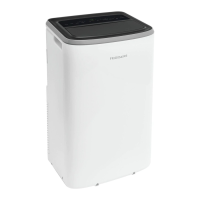
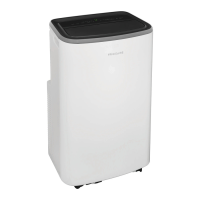
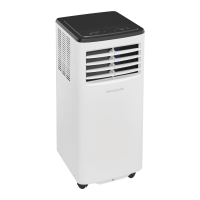
The portable air conditioner is designed to cool a room by exhausting warm air outside. It features a control panel on the unit and a remote control for convenient operation. The unit is equipped with castors for easy mobility and includes a window kit for proper installation.

Function Description:

The portable air conditioner offers multiple operating modes:

  • Cool Mode: This is the primary cooling function. Users can select the desired temperature and fan speed (hi, low, or auto) to achieve optimal comfort. The unit will cool the room to the set temperature.
  • Dry Mode: In this mode, the unit functions as a dehumidifier, continuously draining moisture from the room. The fan speed is automatically set to "low" and cannot be adjusted. The display shows the room temperature. Continuous drainage is required in this mode, and instructions for connecting a garden hose for this purpose are provided.
  • Fan Mode: This mode operates the fan without engaging the cooling or dehumidifying functions. Users can select either "hi" or "low" fan speed. The air exhaust hose is not required to be connected in this mode. The display shows the room temperature.
  • Auto Mode: In Auto mode, the unit automatically selects between cooling, heating (if applicable to the model), or fan-only operation based on the set temperature and the current room temperature. The unit will maintain the room temperature around the user-defined set point. Fan speed cannot be manually selected in this mode.
  • Sleep Mode: This mode is available in Cool, Heat, or Auto modes. When activated, the fan speed is automatically set to "Auto." In Cool/Heat mode, the selected temperature will gradually increase/decrease by 2°F over 30 minutes, and then by another 2°F after an additional 30 minutes. This new temperature will be maintained for 7 hours before returning to the originally selected temperature. Sleep mode can only be activated via the remote control.
  • Timer Mode: This feature allows users to program a delayed startup or shutdown of the unit. The timer can be set in 0.5-hour increments up to 10 hours, and then in 1-hour increments up to 24 hours. This function is also primarily controlled via the remote.
  • °F / °C Function: The unit allows switching the temperature display between Fahrenheit and Celsius by pressing the "A" and "V" buttons simultaneously for more than 3 seconds. This function is not available in Dry/Fan mode.

Usage Features:

  • Current Detection Device: The power supply cord includes a current detection device to reduce fire risk. Users are instructed to test this device by pressing the "TEST" and "RESET" buttons on the plug head.
  • Remote Control: A remote control is included, offering full functionality to operate the air conditioner from a distance. It allows users to turn the unit on/off, select modes, adjust temperature, set fan speed, and activate sleep and timer functions.
  • Fault Code Display: The unit's display can show fault codes (e.g., "AS" for room temperature sensor failure, "ES" for pipe temperature sensor failure, "E4" for communication error between PCBs, "P1" for condensate residue) to indicate specific issues, guiding users on troubleshooting or when to call for service.
  • Portable Design: Equipped with castors, the unit can be easily moved to different locations as needed.
  • Window Kit: The included window kit facilitates the proper installation of the exhaust hose in both double-hung and sliding sash windows, ensuring warm air is effectively vented outside.

Maintenance Features:

  • Filter Reset Indicator: The unit features a filter indicator that illuminates after 250 hours of fan operation, serving as a reminder to clean the air filter for efficient performance. A "filter reset" button is available to clear this indicator after cleaning.
  • Air Filter Cleaning: The manual provides detailed instructions for cleaning the two air filters (Filter A and Filter B) weekly. This involves removing the filters, washing them with liquid dishwashing detergent and warm water, rinsing, and allowing them to dry thoroughly before reinstallation. Vacuuming is also suggested as an alternative cleaning method.
  • Condensate Drainage: Instructions are provided for both continuous drainage (using a garden hose in Dry mode) and emptying condensate residue for winter storage. For winter storage, users are advised to completely drain the water collection tank from both the continuous drain outlet and the bottom drain outlet, tilting the unit to ensure all residue is removed.
  • Unit Cleaning: The cabinet and front of the unit can be dusted with an oil-free cloth or wiped with a cloth dampened in a solution of warm water and mild liquid dishwashing detergent. Users are cautioned against using harsh cleaners or allowing excess water near the controls.
  • Winter Storage Preparation: Comprehensive steps are outlined for preparing the unit for extended storage, including draining water, cleaning and reinstalling filters, removing remote control batteries, and storing the unit in a cool, dry place away from direct sunlight, extreme temperatures, and excessive dust.
  • Pre-Use Checks: Before using the air conditioner again after storage, users are reminded to ensure filters and drain caps are in place, check the power cord for damage, install new batteries in the remote control, and follow installation instructions.

Frigidaire FHPC082AC1 Specifications

General IconGeneral
TypePortable Air Conditioner
Cooling Capacity8000 BTU
Energy Efficiency Ratio (EER)9.5
Power Supply115V / 60Hz
Weight61.7 lbs
Room CoverageUp to 350 sq. ft.
Operating Current7.5 A
RefrigerantR410A

Related product manuals