Air Conditioner Features & Operating Instructions
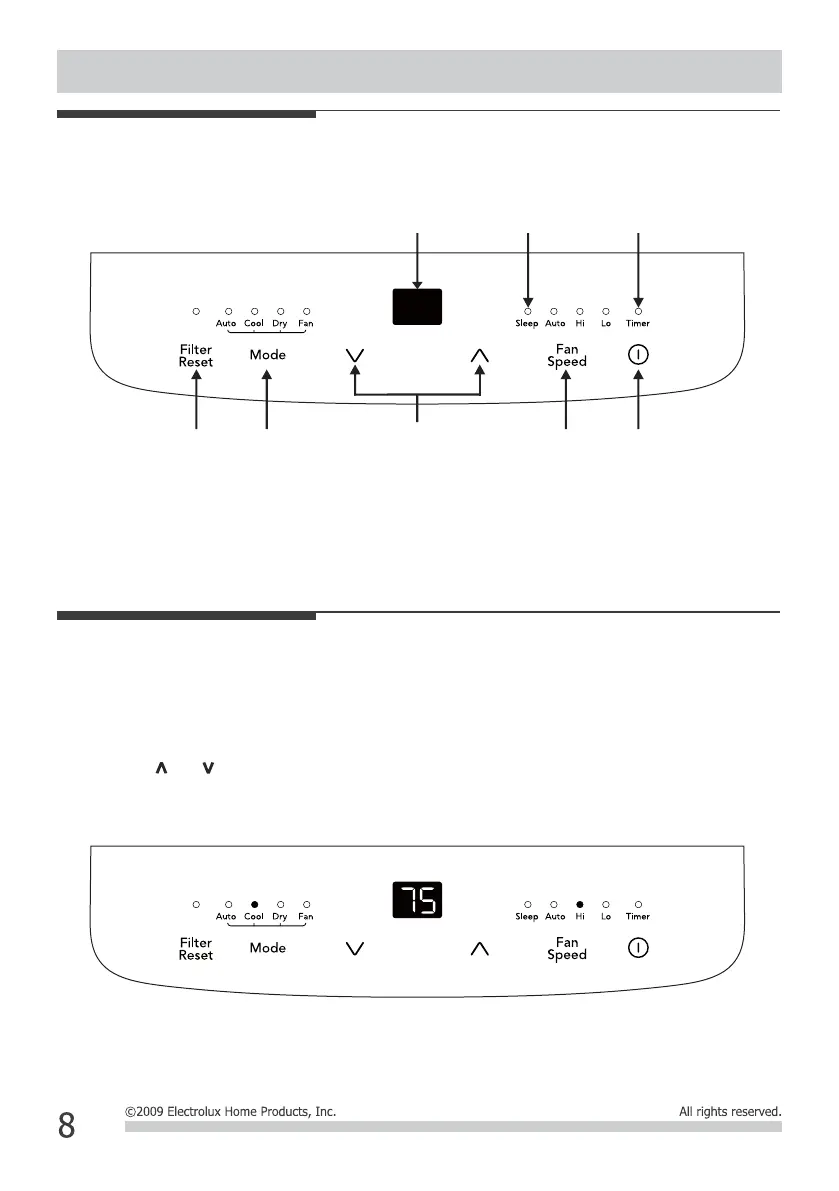
Control Panel
Cool mode
Press the “mode” button until the Cool mode indicator lights.
Press the "fan speed" button to choose the fan speed according to the illumination of the fan speed indicator.
Press the “ ” or “ ”button to choose the temperature you want.
Operating Instruction
Display
Temperature/Timer
Timer indicator
Filter
Reset
Sleep
indicator
Adjust
Temperature
or Timer
Mode
Selection
Fan
Speed
Power
on/off
You can choose the “hi”, “low”, or “auto” fan speed setting.



 To Next Page