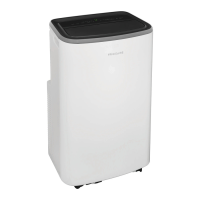
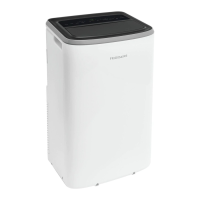
This document describes the Frigidaire Portable Air Conditioner, a versatile appliance designed to provide cooling, heating (on heat pump models), dehumidification, and fan-only operation for your home. It emphasizes user safety, proper installation, and regular maintenance to ensure optimal performance and longevity.
Function Description
The Frigidaire Portable Air Conditioner is a multi-functional unit capable of adjusting room temperature and improving air quality. Its primary functions include:
- Cool Mode: This mode provides cooling by circulating refrigerant and expelling warm air through an exhaust hose. Users can select a desired temperature between 60°F and 90°F (16°C and 32°C) and choose from "Auto," "Lo," "Med," or "Hi" fan speeds.
- Heat Mode (for Heat & Cool models only): In this mode, the unit provides heating, also requiring the exhaust hose to be connected. Similar to cool mode, users can set a desired temperature and select fan speeds from "Hi," "Med," "Lo," or "Auto." This mode utilizes a built-in condensate pump to manage excess condensate, which requires drainage via a supplied hose.
- Dry Mode: Designed for dehumidification, this mode continuously drains moisture from the room. The fan speed is automatically set to "Lo" and cannot be changed. The display shows the room temperature, and temperature adjustment buttons are disabled. Continuous drainage using a garden hose is required in this mode.
- Fan Mode: This mode circulates air without cooling or heating. Users can select "Lo," "Med," or "Hi" fan speeds. The air exhaust hose is not needed for this mode, and the display shows the room temperature.
- Auto Mode: In Auto mode, the unit automatically selects between cooling or fan-only operation based on the set temperature and the current room temperature. The air conditioner will maintain the room temperature around the user-defined set point. Fan speed is automatically set to "Auto" and cannot be changed in this mode.
- Sleep Mode: Available in Cool or Auto mode, Sleep mode adjusts the fan speed to "Auto" and gradually increases (in Cool mode) or decreases (in Heat mode) the set temperature by 2°F over two 30-minute intervals. This new temperature is maintained for 7 hours before returning to the original setting. This mode helps reduce noise and energy consumption during sleep. The brightness of indicators is reduced by half in Sleep mode.
- Timer Mode: This feature allows users to program a delayed startup or shutdown of the unit. The timer can be set in 0.5-hour increments up to 10 hours, and then in 1-hour increments up to 24 hours.
- Louver Swing Function: The "Swing" button enables the louver on the top panel to swing up and down, distributing air more evenly throughout the room. Pressing the button again disables this function.
- Ionizer Function: Equipped with an internal air cleaning device, the ionizer can be activated to generate ions that attract and remove impurities from the air, providing cleaner, healthier air. This function is activated by pressing and holding the "Swing" button for 2 seconds.
- °F/°C Function: Users can switch the temperature display between Fahrenheit and Celsius by simultaneously pressing the "V" and "∧" buttons for more than 3 seconds. This function is not available in Dry/Fan mode.
Usage Features
The portable air conditioner is designed for ease of use with both a control panel on the unit and a remote control.
- Control Panel: The top-mounted control panel features buttons for Swing, Timer, Sleep, Mode, Fan Speed, Dust Filter, and PureAir™, along with a display for temperature and status indicators.
- Remote Control: A comprehensive remote control allows for convenient operation from a distance. It includes buttons for Timer, Mode, Temp/Timer Setting, On-Off, Fan Speed, Swing, and Sleep, along with an LCD screen to display current settings.
- Installation: The unit requires proper installation, especially for exhausting hot air. It must be placed near a window or opening to duct warm exhaust air outside. The manual provides detailed instructions for installing the window slider kit in both double-hung and sliding sash windows, including cutting foam seals and securing the kit with screws. Minimum clearances of 31.5" in front/back and 19.7" on left/right sides are necessary for optimal airflow.
- Power Supply: The unit must be plugged into a properly grounded wall receptacle. The power supply cord includes a current detection device to reduce fire risk. Users are instructed to test this device by pressing the "TEST" and "RESET" buttons on the plug head. Extension cords or adapter plugs should not be used.
- Operating Temperature Range: For optimal performance, the unit should be operated in a temperature range of 60°F - 95°F (16°C - 35°C) in Cool mode and 41°F - 90°F (5°C - 32°C) in Heat mode. Performance may be reduced outside these ranges.
- Fault Codes: The unit displays specific fault codes (e.g., "AS" for room temperature sensor failure, "E4" for communication error, "ES" for pipe temperature sensor failure, "P1" for condensate residue) to alert users to issues, prompting them to consult the manual or contact service.
Maintenance Features
Regular maintenance is crucial for the efficient and safe operation of the air conditioner.
- Filter Cleaning: The unit has two air filters (Filter A and Filter B) that should be cleaned weekly. Instructions involve removing the filters, washing them with liquid dishwashing detergent and warm water, rinsing thoroughly, and allowing them to dry completely before reinstallation. Alternatively, filters can be vacuumed clean.
- Dust Filter Reset Indicator: After 250 hours of fan operation, the "Clean" indicator illuminates as a reminder to clean the air filter. Users can reset this by pressing and holding the "Dust Filter" button for 3 seconds after cleaning.
- Advanced Filter Replacement Indicator: For models with an advanced filter (sold separately), the "Replace" indicator illuminates after 4000 hours of fan operation. This reminds users to replace the advanced filter, and the indicator can be reset by pressing and holding the "PureAir™" button for 3 seconds.
- Condensate Drainage:
- Continuous Drainage (Dry Mode): A garden hose (sold separately) is required to continuously drain condensate. The hose connects to the continuous drain outlet and must be positioned lower than the unit.
- Heat Pump Drainage (Heat Mode): A 1/4" drainage hose (packed with the unit) is used to drain condensate during heating. This hose connects to the heat pump drain outlet.
- Winter Storage Drainage: Before storing the unit for winter, the water collection tank must be completely drained. This involves removing the bottom drain cap and rubber plug, allowing all condensate to flow out into a drip tray (not supplied). The unit should be tilted slightly upwards from the front to ensure all residue is removed.
- Unit Cleaning: The cabinet and front can be dusted with an oil-free cloth or wiped with a cloth dampened in a solution of warm water and mild liquid dishwashing detergent. Harsh cleaners, wax, or polish should be avoided. Care must be taken to wring excess water from the cloth to prevent damage to controls.
- Winter Storage: For extended periods of non-use, the unit should be completely drained, filters cleaned and reinstalled, batteries removed from the remote control, and the unit stored in a cool, dry location away from direct sunlight, extreme temperatures, and excessive dust.
- Pre-Use Check (After Storage): Before using the air conditioner again, ensure filters and drain caps are in place, check the power cord for damage, install new batteries in the remote control, and reinstall the unit according to instructions.
The manual also provides a "Before You Call" troubleshooting guide to help users resolve common issues, such as the unit not operating, insufficient cooling, or unusual noises, before contacting customer service.

 Need help?
 General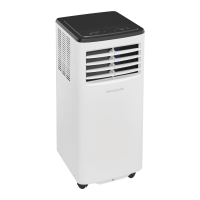


 To Next Page