12 OPERATING INSTRUCTIONS
AIR CONDITIONER FEATURES
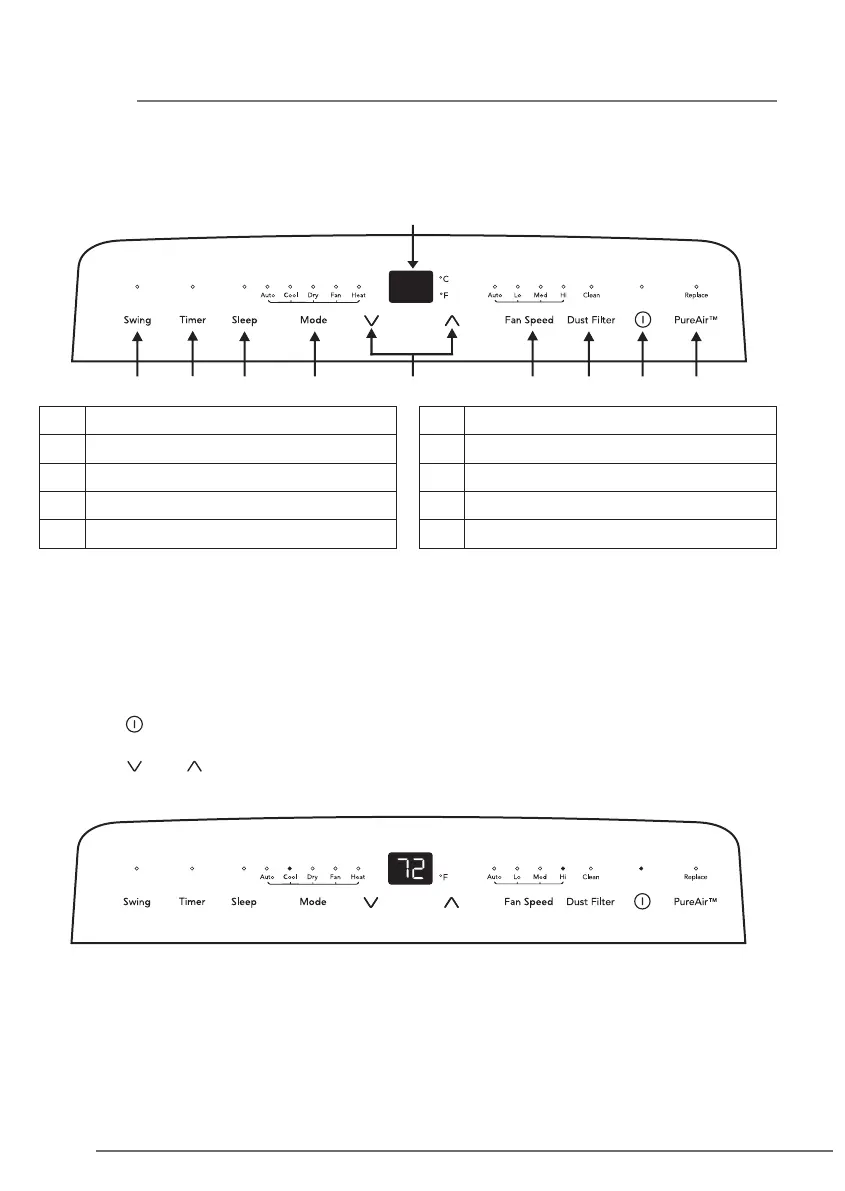
Control Panel
A Swing
B Display Temperature/Timer
C PureAir Button
D Power on·o
F Fan Speed
G Adjust Temperature or Timer
H Mode Selection
E Dust Filter J Timer Indicator
I Sleep Button
B
A J CI H G F E D
Note: “Heat” mode is only for heat and cool models.
OPERATING INSTRUCTION
To change temperature setting
Press the “ ” button to turn the unit ON.
The unit will run in "Cool" mode with a set temperature of 72°F.
Press the “ ” or “ ” button to choose the temperature in a range of 60°F - 90°F (16°C -
32°C).



 To Next Page