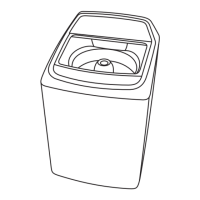
EasyManua.ls Logo

Frigidaire FWAC16B3MSGKW - User Manual

Frigidaire FWAC16B3MSGKW
26 pages
Go to English
Print Icon
To Next Page IconTo Next Page
Loading...
MANUAL DE INSTRUCCIONES /
INSTRUCTIONS MANUAL
LAVADORA DE ROPAS /
WASHING MACHINE
MODELOS / MODELS:
FWAC16B3MSGK(W,S)
FWAC16B5MSGK(W,S)
FWAC16B2MSGK(W,S)
FWAC16B3MEGK(W,S)
FWAC16B1MEGK(W,S)
FWAC16B5MEGK(W,S)
FWAC16B2MEGK(W,S)
W1(43,48)F_BILING_110617P
Lea todas las instrucciones antes de utilizar
el aparato y guardelas para futuras referencias.
Read all instructions prior to using
appliance and keep this manual for future reference.
Question and Answer IconNeed help?

Do you have a question about the Frigidaire FWAC16B3MSGKW and is the answer not in the manual?

Summary

Safety Precautions

Product Description

Installation

Remove Package

Remove the appliance from its packaging and take out bottom board and accessories.

Installation of Bottom Cover

Tilt the washing machine forward and insert the bottom cover.

Installation of Drain Hose

Completely sleeve the drain hose over the sewer and fix with a hoop.

Installation of Water Inlet Hose

Preparation Before Washing

Adjust the Adjustable Foot

Adjust the feet to ensure the washer is stable and all corners contact the ground.

Connect with Power Source

Connect the power plug securely to the power outlet.

Open the Water Tap

Ensure the water inlet pipe is connected and the water tap is open.

Control Panel

Water Temperature

Turn the knob to select the water temperature: Hot, Hot/Cold, or Cold.

Program Selection

Choose from five washing modes: OFF, NORMAL, HEAVY, DELICATE, OPTION.

Water Level

Select one of three water levels: Low, Medium, or High.

Lid Lock

Use as a key for appointment, setting delay start time from 0-12 hours.

Start;Pause

Press this button to start or pause the washing cycle.

Operation

Inlet Water Temperature Selection

Select water temperature (Hot, Hot/Cold, Cold) for washing and rinsing.

Program Selection

Choose from OFF, Normal, Heavy, Delicate, or Option modes.

Washing Water Level Selection

Select the water level: Low, Medium, or High.

Lid Lock Button

Use for appointment setting (0-12 hours) or program change.

Pause;Start Button

Manages program transition between halt and operation states.

Display in the Process of Program

Procedures for Display

Shows program status, time, standby, delay, running, or error states.

Alarm Display

Displays error codes (E1-E4, F8, F6, Fd) and non-digital pipe errors.

Control of Program Running Time

Drainage Time

Details program drainage time calculation and delay.

Water Replenishing

Explains how the machine measures and adjusts water level during washing.

Soak

Specifies immersion times for different fabric types.

Washing

Describes washing process, flow beats, and balance washing.

Drift Off and Spin Process

Details operation of spin process, including drain and braking.

Prewashing Process

Outlines the steps involved in the prewashing cycle.

Program Run Time Parameter List

Provides a table of cycle times for wash, rinse, and spin.

Door Lock Control

Unbalanced Rectification Process

Automatic Jump Electricity Process

Dry Tune

Display and Buzzing Check

Checks display and buzzing functions by pressing specific buttons.

Washing Check

Tests the washing function by filling water and running a short cycle.

Spin Check

Tests the spin function by initiating a spin cycle.

Flooding Water Check

Tests the water inlet valve function by opening water flow.

Quick Start

Programme Selection

Select the program, water level, or attached functions.

The Wash Stops

Details what happens when the wash stops and safety precautions.

Cleaning and Maintenance

Cleaning of Water Inlet Hose Joint

Unscrew and clean the filtering screen of the water inlet hose joint.

Identify Usual Trouble of Washer

Malfunction Display and Solutions

Abnormal Display and Alarm of the Washer

Provides solutions for common error codes and abnormal indications.

Technical Informations

Summary

Safety Precautions

Product Description

Installation

Remove Package

Remove the appliance from its packaging and take out bottom board and accessories.

Installation of Bottom Cover

Tilt the washing machine forward and insert the bottom cover.

Installation of Drain Hose

Completely sleeve the drain hose over the sewer and fix with a hoop.

Installation of Water Inlet Hose

Preparation Before Washing

Adjust the Adjustable Foot

Adjust the feet to ensure the washer is stable and all corners contact the ground.

Connect with Power Source

Connect the power plug securely to the power outlet.

Open the Water Tap

Ensure the water inlet pipe is connected and the water tap is open.

Control Panel

Water Temperature

Turn the knob to select the water temperature: Hot, Hot/Cold, or Cold.

Program Selection

Choose from five washing modes: OFF, NORMAL, HEAVY, DELICATE, OPTION.

Water Level

Select one of three water levels: Low, Medium, or High.

Lid Lock

Use as a key for appointment, setting delay start time from 0-12 hours.

Start;Pause

Press this button to start or pause the washing cycle.

Operation

Inlet Water Temperature Selection

Select water temperature (Hot, Hot/Cold, Cold) for washing and rinsing.

Program Selection

Choose from OFF, Normal, Heavy, Delicate, or Option modes.

Washing Water Level Selection

Select the water level: Low, Medium, or High.

Lid Lock Button

Use for appointment setting (0-12 hours) or program change.

Pause;Start Button

Manages program transition between halt and operation states.

Display in the Process of Program

Procedures for Display

Shows program status, time, standby, delay, running, or error states.

Alarm Display

Displays error codes (E1-E4, F8, F6, Fd) and non-digital pipe errors.

Control of Program Running Time

Drainage Time

Details program drainage time calculation and delay.

Water Replenishing

Explains how the machine measures and adjusts water level during washing.

Soak

Specifies immersion times for different fabric types.

Washing

Describes washing process, flow beats, and balance washing.

Drift Off and Spin Process

Details operation of spin process, including drain and braking.

Prewashing Process

Outlines the steps involved in the prewashing cycle.

Program Run Time Parameter List

Provides a table of cycle times for wash, rinse, and spin.

Door Lock Control

Unbalanced Rectification Process

Automatic Jump Electricity Process

Dry Tune

Display and Buzzing Check

Checks display and buzzing functions by pressing specific buttons.

Washing Check

Tests the washing function by filling water and running a short cycle.

Spin Check

Tests the spin function by initiating a spin cycle.

Flooding Water Check

Tests the water inlet valve function by opening water flow.

Quick Start

Programme Selection

Select the program, water level, or attached functions.

The Wash Stops

Details what happens when the wash stops and safety precautions.

Cleaning and Maintenance

Cleaning of Water Inlet Hose Joint

Unscrew and clean the filtering screen of the water inlet hose joint.

Identify Usual Trouble of Washer

Malfunction Display and Solutions

Abnormal Display and Alarm of the Washer

Provides solutions for common error codes and abnormal indications.

Technical Informations

Frigidaire FWAC16B3MSGKW Specifications

General IconGeneral
BrandFrigidaire
ModelFWAC16B3MSGKW
CategoryWasher
LanguageEnglish

Related product manuals