18
6
Adjusting Temp
Illuminates when you change
temperatures on the display and will
remain illuminated until the desired
temperatures are reached inside
the refrigerator and freezer. Press
either the + or — to adjust to desired
temperature setting.
Freezer temp
Control temperatures range from
-6°F / -21°C to +6°F / -15°C.
Refrigerator temp
Control temperatures range from
+34°F / +1°C to +44°F / +7°C. This
unit is designed to operate at 37°F
Refrigerator/0°F Freezer. The unit
should stabilize temperatures within
24 hours of installation.
7
Door Open
Illuminates whenever you open the
doors. If you leave a door open for
5 minutes or more, an alarm will
sound and the display will illuminate
until you shut the door. Pressing any
button mutes the alarm temporarily.
Check to make sure no food is
blocking the doorway.
8
Replace Water Filter
Illuminates every 6 months or when
the filter needs replacing. After
you replace with an authentic filter
and complete the authentication
process, the warning on the display
should disappear. See FILTER
REPLACEMENT for more information.
9
Replace Air Filters
Display illuminates every 6 months
or when filter needs replacing.
Replace the filter and then press
and hold Reset Air Filter for 3
seconds to deactivate warning on
display. See FILTER REPLACEMENT
for more information.
10
Water
Press Water to dispense water. An
indicator light illuminates above the
active feature.
11
Cube
Press Cube to dispense cubed ice.
An indicator light illuminates above
the active feature.
12
Crush
Press Crush to dispense crushed ice.
An indicator light illuminates above
the active feature.
13
°F/°C
To toggle between Fahrenheit (°F)
and Celsius (°C), simultaneously
press and hold + and — for 5 seconds
on the refrigerator side of display.
14
Chill Boost
Chill Boost is a faster rate for chilling
food in the refrigerator compartment.
Use this feature when loading several
items into the refrigerator at one
time. It deactivates after 6 hours.
15
Reset Air Filters
After replacing the filter, press and
hold for 3 seconds to reset.
16
Water Filter
Your appliance is equipped with
an electronically authenticated
water filter. If an error relating to
authentication occurs, press and hold
Water Filter for 3 seconds to delay
the alert. See FILTER REPLACEMENT
for more information.
17
Toggles dispenser light On and
O. Press and hold for 5 seconds
to enable ambient lighting. Once
enabled, press and hold for 2
seconds to disable ambient lighting
IMPORTANT
If food is freezing in the fresh food
compartment, increase the temperature
setting 1 or 2 degrees.
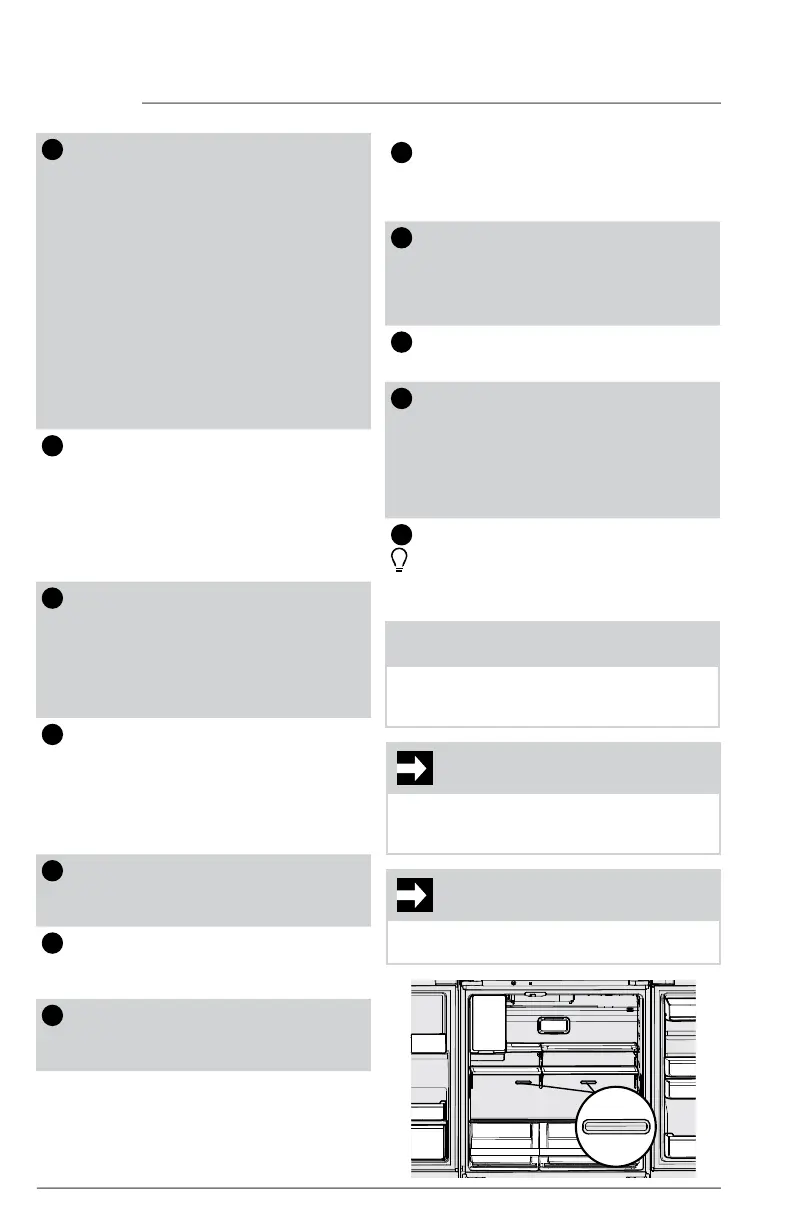
IMPORTANT
Placing food within 1 inch in front of the
air ports may cause food to freeze.
NOTE
The recommended settings for a product
installed in a kitchen is 37˚F for the fresh
food compartment and 0˚F for the freezer.
CONTROLS AND SETTINGS



 To Next Page