FRIGID&IRE
-_llu z4,
III
mdm
n mllml
__ _/_
Options Selections (*available on
select models)
* Hi-Temp Wash
When HI-TEMP WASH option isselected, the dishwasher
heats water in the main wash to approximately 140°F
(60°C).
This increase in water temperature helps
dishwasher detergent remove food grease and soil from
dishes more effectively and aids in drying. HI-TEMP WASH
option can be used with all cycles except RINSEONLY. HI-
TEMP WASH is automatically provided when the HEAVY
WASH cycle is selected.
When HI-TEMP WASH option is selected, the light above
the pad will come on and remain on until end of cycle. To
turn off the HI-TEMP WASH option, press the pad a second
time. The light above the pad will turn off.
Heat Dry
The HEAT DRY option in combination with rinse aid will
enhance drying performance. The energy required to use
the HEAT DRYoption costs pennies per cycle. You may
choose not to select the HEAT DRYoption; however you will
have items in your dish load that will not be completely dry
at the end of the cycle.
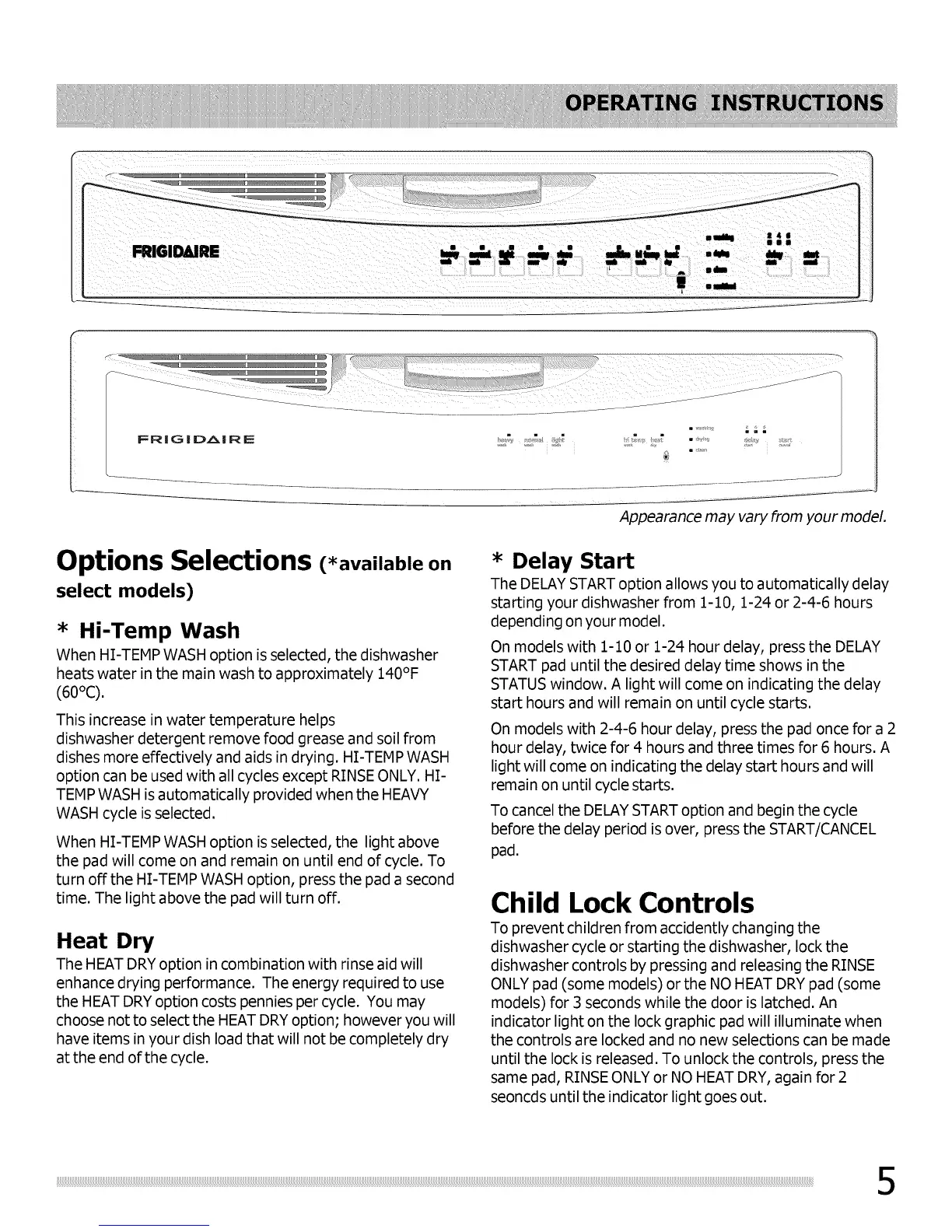
Appearance may vary from your model.
* Delay Start
The DELAY STARToption allows you to automatically delay
starting your dishwasher from 1-10, 1-24 or 2-4-6 hours
depending on your model.
On models with 1-10 or 1-24 hour delay, press the DELAY
START pad until the desired delay time shows in the
STATUS window. A light will come on indicating the delay
start hours and will remain on until cycle starts.
On models with 2-4-6 hour delay, press the pad once for a 2
hour delay, twice for 4 hours and three times for 6 hours. A
light will come on indicating the delay start hours and will
remain on until cycle starts.
To cancel the DELAYSTARToption and begin the cycle
before the delay period is over, press the START/CANCEL
pad.
Child Lock Controls
To prevent children from accidently changing the
dishwasher cycle or starting the dishwasher, lock the
dishwasher controls by pressing and releasing the RINSE
ONLY pad (some models) orthe NO HEAT DRY pad (some
models) for 3 seconds while the door is latched. An
indicator light on the lock graphic pad will illuminate when
the controls are locked and no new selections can be made
until the lock is released. To unlock the controls, press the
same pad, RINSEONLY or NO HEAT DRY,again for 2
seoncds until the indicator light goes out.





 To Next Page