EasyManua.ls Logo

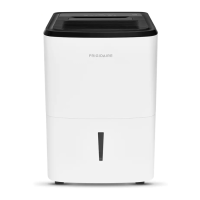
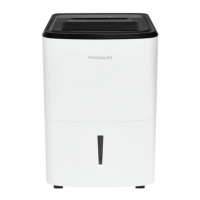
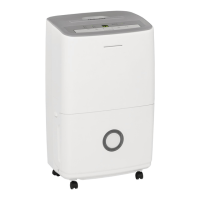
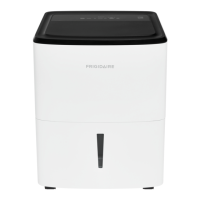
Frigidaire R-FFAD3033R1 - User Manual

Frigidaire R-FFAD3033R1
10 pages
Print Icon
To Next Page IconTo Next Page
Loading...
TABLE OF CONTENTS
All about the
Use & Care
of your Refurbished
Dehumidifier
R-FFAD3033R1
R-FFAD5033R1
R-FFAD7033R1
3...........................................................
Important Safety Instructions 2...............................
Care And Cleaning .............................................. 9
Storage .............................................................
Before You Call ................................................... 10
Major Appliance Limited Warranty ........................ 11
9
Location
.......................................................
3
3 skroW tI woH
..............................................................
4-8Operating Instructions ..........................................
Installation
Question and Answer IconNeed help?

Do you have a question about the Frigidaire R-FFAD3033R1 and is the answer not in the manual?

Summary

Important Safety Instructions

Avoid Serious Injury or Death

Covers critical safety risks like inserting objects, power cord damage, and handling malfunctions.

Avoid Injury or Damage to Property

Details precautions against unit damage, airflow blockage, and use near flammable substances.

Installation, Location & How It Works

Location

Guidance on optimal placement for effective dehumidifier operation and airflow.

How It Works

Explains the dehumidification process involving coils, fan, and water collection.

Operating Instructions

Initial Operation and Humidity Setting

Steps to turn on the unit and set desired humidity levels.

Fan Speed and Timer Functions

How to adjust fan speed and use the timer for delay start/stop operations.

Unit Shutdown and Fault Codes

Procedures for turning off the unit and understanding common error codes.

Emptying the Water Bucket

Instructions for emptying the water bucket and resetting the indicator light.

Continuous Drainage Setup

Guide to connecting a garden hose for continuous water removal.

Care and Cleaning & Storage

Filter Maintenance

Instructions for cleaning and replacing the air filter.

Cabinet and Bucket Cleaning

How to clean the unit's exterior cabinet and the removable water bucket.

Storage Guidelines

Recommendations for properly storing the dehumidifier when not in use.

Before You Call

Troubleshooting Common Issues

Solutions for common occurrences like unit not operating or room not drying.

Understanding Unit Behavior

Explanations for noise, frost on coils, and water flow into the bucket.

Summary

Important Safety Instructions

Avoid Serious Injury or Death

Covers critical safety risks like inserting objects, power cord damage, and handling malfunctions.

Avoid Injury or Damage to Property

Details precautions against unit damage, airflow blockage, and use near flammable substances.

Installation, Location & How It Works

Location

Guidance on optimal placement for effective dehumidifier operation and airflow.

How It Works

Explains the dehumidification process involving coils, fan, and water collection.

Operating Instructions

Initial Operation and Humidity Setting

Steps to turn on the unit and set desired humidity levels.

Fan Speed and Timer Functions

How to adjust fan speed and use the timer for delay start/stop operations.

Unit Shutdown and Fault Codes

Procedures for turning off the unit and understanding common error codes.

Emptying the Water Bucket

Instructions for emptying the water bucket and resetting the indicator light.

Continuous Drainage Setup

Guide to connecting a garden hose for continuous water removal.

Care and Cleaning & Storage

Filter Maintenance

Instructions for cleaning and replacing the air filter.

Cabinet and Bucket Cleaning

How to clean the unit's exterior cabinet and the removable water bucket.

Storage Guidelines

Recommendations for properly storing the dehumidifier when not in use.

Before You Call

Troubleshooting Common Issues

Solutions for common occurrences like unit not operating or room not drying.

Understanding Unit Behavior

Explanations for noise, frost on coils, and water flow into the bucket.

Overview

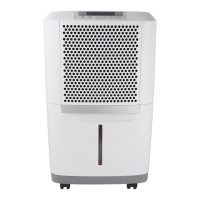
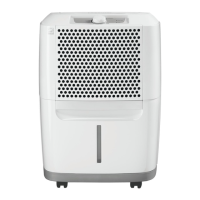
This document describes the Frigidaire Refurbished Dehumidifier models R-FFAD3033R1, R-FFAD5033R1, and R-FFAD7033R1, covering their use, care, and maintenance.

Function Description

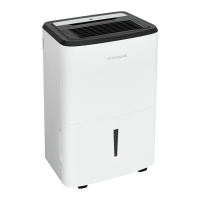
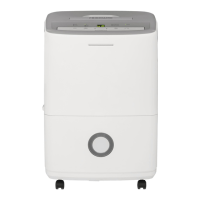
The Frigidaire dehumidifier is designed to remove moisture from the air in enclosed spaces. When the unit is started, a fan pulls moisture-laden air across dehumidifying coils. These coils condense the moisture, which is then collected in a bucket at the rear of the unit. Dry, warm air is then discharged into the room through the top louvers. The unit is intended for use in an enclosed area to maximize its effectiveness, with performance depending on the rate at which new moisture-laden air enters the room. It is particularly useful for reducing dampness and associated odors.

Important Technical Specifications

  • Operating Temperature Range: The unit is designed to operate effectively between 41 °F (5°C) and 90 °F (32 °C). Operation outside this range may significantly reduce performance.
  • Electrical Requirements: The dehumidifier must be plugged directly into a properly grounded and polarized 115-volt AC, three-prong receptacle. Extension cords or adapter plugs should not be used.
  • Compressor Delay: The compressor circuit includes an automatic 3-minute time-delayed start to prevent overheating and potential circuit breaker tripping if the unit is turned off and on quickly.
  • Safety Features: Equipped with a three-prong grounding plug. Users are warned against cutting, removing, or bypassing the grounding prong. Child safety precautions include destroying packing materials immediately, not leaving children unattended, and preventing them from sitting or standing on the appliance.
  • Error Codes: The unit displays specific error codes (F1, F2, L1, H3, F0) to indicate malfunctions or operating conditions outside the normal range.

Usage Features

  • Installation:
    • The unit must be placed on a level floor capable of supporting it when the bucket is full of water.
    • A minimum of 12 inches clearance around the dehumidifier is required to ensure proper airflow.
    • It should not be operated in small, confined spaces like closets, as overheating may occur.
    • For optimal performance, all doors, windows, and other outside openings to the room should be closed.
    • If operating in a basement, an adjacent enclosed storage area (like a closet) may require a separate dehumidifier if air circulation is insufficient.
  • Operating Modes:
    • ON/OFF: The unit is turned on and off using the ON/OFF button.
    • CONTINUOUS Mode: Upon initial startup, the unit defaults to CONTINUOUS mode with high fan speed. In this mode, the display shows "CO" instead of room humidity. This mode is recommended for the first three to four days of operation to address significant dampness and odors.
    • Humidity Setting: After initial continuous operation, users can set a desired relative humidity level between 35% and 85% in 5% increments using the HUMIDITY ▲ or ▼ buttons. The display will then show the actual room humidity. Pressing the ▼ button repeatedly will cycle back to CONTINUOUS mode ("CO").
    • Fan Speed: The FAN SPEED button allows users to select HIGH, Medium, or LOW fan speeds, indicated by a light. Higher fan speeds result in quicker moisture removal.
    • Timer Function: The TIMER function allows for either a Delay Start or Delay Stop, ranging from 0.5 to 24 hours. This is set in 0.5-hour increments up to 10 hours, then 1-hour increments up to 24 hours. The control counts down the remaining time.
    • Button Lock: Pressing the ▲ and ▼ buttons simultaneously for 3 seconds locks the control panel, indicated by a blinking "LC" on the display. Repeating this action unlocks the buttons.
  • Water Collection:
    • Bucket Full Indicator: When the collection bucket is full, the unit automatically shuts down, and the "BUCKET FULL" indicator light illuminates and blinks. An additional indicator light is present on the front of the unit.
    • Bucket Removal: The bucket is gently unclipped from the unit by pressing its sides, then removed and emptied. The unit will restart once the empty bucket is correctly re-seated, accompanied by an audible click.
    • Continuous Drainage: The unit supports continuous drainage using a garden hose (not supplied). A drainage adapter is provided to facilitate this. The hose is screwed onto the threaded drainage connector, ensuring no leaks or kinks, and directed towards a drain. The bucket should be removed to better see the connection. If continuous drainage is stopped, the drain cover must be replaced to prevent leakage.
  • Power Outage Memory: After a power outage, the unit will remember its last settings and resume operation with those settings once power is restored.

Maintenance Features

  • Filter Cleaning:
    • The "CLEAN FILTER" light illuminates after 250 hours of operation, indicating it's time to clean the air filter.
    • To clean, pull the tabs to remove the filter, wash it with clean water, and allow it to dry. Do not use an electric hair dryer.
    • Once dry, replace the filter on the rear of the unit and snap it into place. Press the FILTER button to extinguish the light.
  • Cabinet Cleaning: The cabinet should be dusted with an oil-free cloth or a damp cloth. The grill can be vacuumed using a brush attachment.
  • Water Bucket Cleaning: The collection bucket should be cleaned with warm water and detergent.
  • Storage: When not in use for an extended period, the unit should be unplugged, and the power cord tidied as shown in the manual.
  • Troubleshooting: The manual provides a "Before You Call" section with common occurrences and solutions for issues like the dehumidifier not operating, running too much, not drying the room sufficiently, frost on coils, noise, or water flowing into the bucket despite continuous drainage setup. For persistent issues or specific error codes (F1, F2, L1, H3, F0), users are advised to contact an Authorized Frigidaire Service Center.

Frigidaire R-FFAD3033R1 Specifications

General IconGeneral
BrandFrigidaire
ModelR-FFAD3033R1
CategoryDehumidifier
LanguageEnglish

Related product manuals