EasyManua.ls Logo

Frigidaire FFAD2233W1 - User Manual

Frigidaire FFAD2233W1
11 pages
Print Icon
To Next Page IconTo Next Page
Loading...
www.frigidaire.com USA 1-800-944-9044 www.frigidaire.ca Canada 1-800-265-8352
Use & Care
of your
Dehumidifier
All about the
16120100A12518
TABLE OF CONTENTS
......................................................
3
3
..............................................................
2...............................
Care And Cleaning............................................... 9
Before You Call ................................................... 10
Major Appliance Limited Warranty ........................ 11
Normal Sounds ................................................... 9
Storage .............................................................. 9
Important Safety I nstructions
Location
How I t Works
4..........................................
Dehumidifier Features
Operating I nstructions ......................................... 4-8
Question and Answer IconNeed help?

Do you have a question about the Frigidaire FFAD2233W1 and is the answer not in the manual?

Summary

Important Safety Instructions

General Safety Warnings

Covers fire hazard, electric shock, extension cords, flammable liquids, and water disposal.

Electrical Safety Precautions

Details on grounding, plugs, power cords, and outlet requirements.

Operational Safety Dangers

Addresses serious injury risks like servicing, cord handling, malfunctions, and wet hands.

Location and Operation Basics

Selecting an Optimal Location

Guidance on choosing the best placement for effective dehumidification.

Unit Features and Initial Setup

Operating Instructions

Troubleshooting and Water Management

Understanding Fault Codes

Explanations for display error codes like AS, ES, EC, and E4.

Water Drainage Options

Troubleshooting Guide

Unit Not Operating or Running Excessively

Solutions for common issues like no power, excessive run time, or not drying.

Room Not Drying or Performance Issues

Solutions for insufficient drying, frost on coils, or fan noise.

Summary

Important Safety Instructions

General Safety Warnings

Covers fire hazard, electric shock, extension cords, flammable liquids, and water disposal.

Electrical Safety Precautions

Details on grounding, plugs, power cords, and outlet requirements.

Operational Safety Dangers

Addresses serious injury risks like servicing, cord handling, malfunctions, and wet hands.

Location and Operation Basics

Selecting an Optimal Location

Guidance on choosing the best placement for effective dehumidification.

Unit Features and Initial Setup

Operating Instructions

Troubleshooting and Water Management

Understanding Fault Codes

Explanations for display error codes like AS, ES, EC, and E4.

Water Drainage Options

Troubleshooting Guide

Unit Not Operating or Running Excessively

Solutions for common issues like no power, excessive run time, or not drying.

Room Not Drying or Performance Issues

Solutions for insufficient drying, frost on coils, or fan noise.

Overview

This document is a comprehensive Use & Care Manual for a Frigidaire dehumidifier, designed to guide users through its operation, maintenance, and troubleshooting. The manual emphasizes safety, proper installation, and efficient use to ensure optimal performance and longevity of the appliance.

Function Description

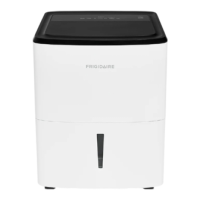
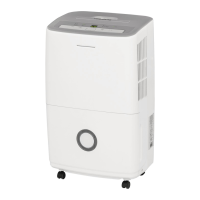
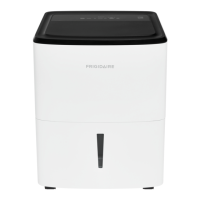
The Frigidaire dehumidifier is designed to remove excess moisture from the air in enclosed areas, creating a more comfortable and healthier indoor environment. By pulling moisture-laden air across dehumidifying coils, the unit condenses water vapor into liquid, which is then collected in a front-mounted bucket. The dry, warm air is subsequently released back into the room through air outlet louvers. This process helps to prevent issues such as dampness, mold growth, and musty odors. The unit is engineered to operate effectively within a temperature range of 41°F (5°C) to 89°F (32°C), with performance significantly impacted if temperatures fall outside this range. A built-in "Compressor" circuit includes an automatic 3-minute time-delayed start to prevent overheating and circuit breaker tripping, especially if the unit is turned off and on quickly. For continuous operation, the dehumidifier can be set up for continuous drainage using a garden hose, eliminating the need to frequently empty the water bucket.

Usage Features

The dehumidifier features an electronic control panel that allows users to easily manage its settings. Key indicators and buttons on the panel include:

  • BUCKET FULL Indicator: Illuminates when the water collection bucket is full, prompting the user to empty it.
  • HUMIDITY Display: Shows the current room humidity or the desired humidity setting.
  • Filter Reset Light: Illuminates after 250 hours of operation, signaling that the air filter needs cleaning.
  • Timer Function: Enables users to set a delay start or delay stop for the unit, ranging from 0.5 to 24 hours. This feature allows for automated operation, turning the unit on or off after a specified period.
  • Humidity Adjustment Buttons (A or V): Used to select a desired relative humidity level between 35% and 85% in 5% increments. The display will show "CO" for continuous mode, which is recommended for the initial days of operation to remove significant dampness.
  • Fan Speed Button: Allows users to select between Hi, Med, or Lo fan speeds. A higher fan speed results in quicker moisture removal.
  • ON/OFF Button: Powers the unit on or off.

Upon initial startup, the unit defaults to CONTINUOUS mode and high fan speed. It is recommended to run the unit in CONTINUOUS mode for the first three to four days to effectively reduce initial dampness and odors. The unit must be placed on a level floor with a minimum of 12 inches clearance around it to ensure proper airflow and prevent overheating. It's crucial to ensure the water collection bucket is correctly fitted for the unit to operate. In case of a power outage, the unit is designed to memorize the last settings and resume operation with those settings once power is restored.

The manual also details fault codes that may appear on the display:

  • "AS" or "ES": Indicates a sensor failure, requiring contact with an authorized service center.
  • "EC": Suggests issues with operating conditions such as outlet voltage or room temperature. Users are advised to check these conditions and, if the code persists, contact a service center.
  • "E4": Signifies a communication fault between the display PCB and the main control PCB, also requiring professional service.

Maintenance Features

Regular maintenance is essential for the dehumidifier's efficient operation and longevity. The manual outlines several key maintenance tasks:

  • Filter Cleaning: The air filter should be cleaned every two weeks under normal operating conditions. To clean, open the back grille, pull out the filter, wash it with clean water, dry it, and then re-install. The "Filter reset" light will illuminate after 250 hours of operation to remind users to perform this task. After cleaning and re-installation, pressing the Filter reset button will extinguish the light.
  • Cabinet Cleaning: The exterior cabinet can be dusted with an oil-free cloth or wiped with a damp cloth. The grill can be cleaned using a vacuum cleaner with a brush attachment.
  • Water Bucket Cleaning: The water collection bucket should be cleaned with warm water and detergent to prevent mold and mildew buildup.
  • Storage: When the unit is not in use for an extended period, it should be unplugged, and the power cord should be wrapped using the designated cord wrap.

The manual also provides information on normal sounds the dehumidifier may produce during operation, such as the sound of rushing air from the fan, dripping water during dehumidification, gurgling or hissing due to refrigerant flow, and a high-pitched chatter from the compressor. These sounds are normal and do not indicate a malfunction.

Safety precautions are heavily emphasized throughout the manual, including warnings against using extension cords or adapter plugs, removing the grounding prong, and operating the unit with wet hands. It also advises against inserting fingers or objects into air discharge areas and stresses the importance of contacting an authorized servicer for any repairs. Child safety precautions are also included, advising against leaving children unattended near the operating appliance and ensuring they do not play with the unit or its packing materials.

Frigidaire FFAD2233W1 Specifications

General IconGeneral
TypeDehumidifier
Model NumberFFAD2233W1
Dehumidifying Capacity22 pints per day
Energy Star CertifiedYes
Noise Level51 dB
ColorWhite
Control TypeElectronic
Automatic DefrostYes
Filter TypeWashable Filter
Operating Temperature41°F to 89°F

Related product manuals