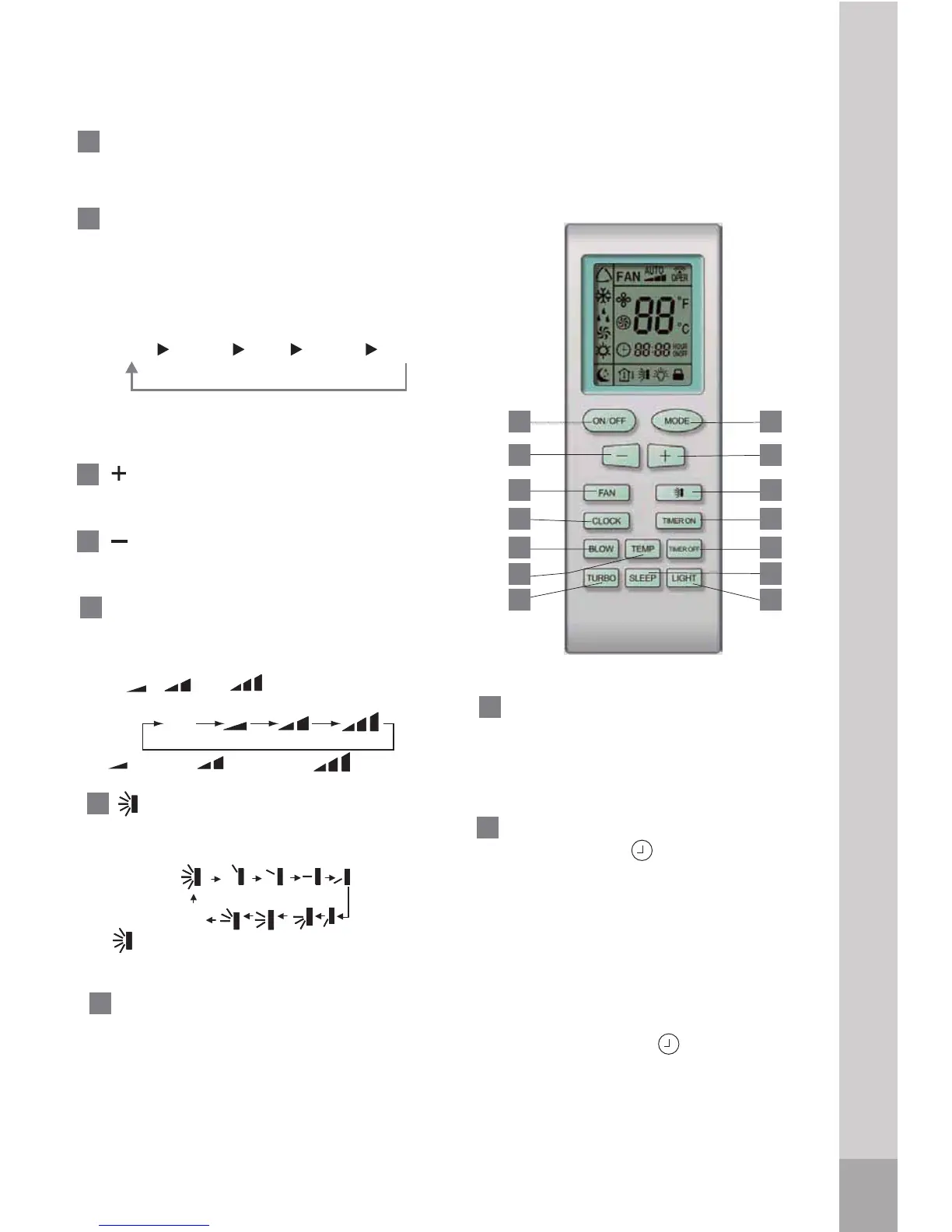
Remote control description
1
2
3
5
6
-
+:
:Press the button to decrease
4
AUTO
COOL DRY
HEAT*FAN
button, a mode is selected in a
sequence that goes from AUTO,
COOL, DRY,
HEAT*
NAF dna, , as
the following figure indicates:
MODE: Each time you press the
* Note: Only for models with heating
function
Cooling and heating model
1
2
8
9
10
3
4
11
12
7
6
13
14
5
ON/OFF: Press this button to start
the unit operation. Push the button
again to stop the unit operation.
Press the button to increase
the indoor temperature setting.
8
FAN : This button is used
for setting Fan Speed in the
sequence that goes from AUTO,
, to , then back to
Auto.
TIMER ON: Press this button to
initiate the auto-on timer.
T
o cance
l
the
auto-timer program, simply
press this
button again.
7
TIMER OFF: Press this button to
initiate the auto-off timer.
To cancel
the auto-timer program,sinply press the
9
Press this button, the clock can
be set up, icon blinks. Within 5
seconds, the value
can be adjusted by
pressing "+
" button, if continuously
press this button for 2 seconds above,
in every 1/2 seconds, one minute will be
increased, if you are still pressing the
button after ten minutes increased,ten
minutes will be increased every 1/2
seconds. Druing blinking, repress the
Clock button, icon will be constantly
displayed and it denotes the setting
succeeded
CLOCK:
Middle fan
Low fan
High fan
the indoor temperature setting.
Auto
OFF
:Press this button, to set up swing
angle and swing range,which
circularly changes as below:
which indicates the
hozizontal louver
will swing up and
down
automatically
.
button again.
Remote control description
32




 To Next Page