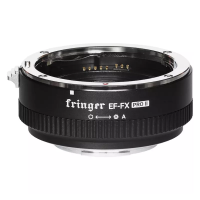
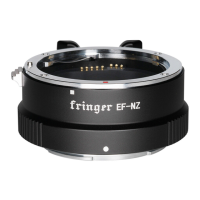
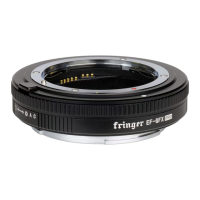
system and there are so many different lens models. A lot of them have not been tested and optimized,
yet. Most of them would work on the adapter. However, the AF performance may be lower as PDAF
may not work at all. And a small amount of them may not be compatible. If you encounter a poor AF
performance or compatibility issues, please wait for us to test and optimize that lens and support it in
future firmware updates.
See the attached list at the end for tested and optimized lens models. The Ultra version doesn’t
support EF-S lenses even though they are listed. The lens may failed to be installed or there may be
dark corners. These are physical limitations rather than adapter failures.
3. Function descriptions
3.1 Lens self-test
When you install a lens on the adapter and power on the camera for the first time, the adapter
may drive lens’ AF module to the close end and then to infinity to do a self-test and calibration. All
lenses not on the optimized lens list and some of lenses on that list will do the self-test. During this
procedure, please do not touch the MF ring of the lens. Or you may interfere with the calibration. If
there is something wrong with the self-test procedure, the AF function may not be in a normal state. If
that happens, turning on and then turning off the camera at once will clear the defective calibration
data. Installing another lens and power on the camera will do the same.
3.2 Setting aperture and shutter speed value
The pro version is equipped with an electronic aperture ring similar to some Fujifilm XF lenses.
Looking down to the top of the camera, turning it left increases aperture while turning it right
decreases it. When it is turned to the smallest aperture setting, one more step brings it to the Auto
mode under which the aperture will be decided by the camera. Each step of movement is 1/3 EV
which is the same as XF lenses.
Like some XC lenses, the standard and Ultra versions need the camera’s command dial to set the
aperture value. Please refer to the camera’s manual for more details.
On pro version, if you want to set the aperture value through the camera body as on standard
version, you may install standard version’s firmware for it. See sector 4 for detailed procedures. Be
noted that the electronic aperture ring will be totally disabled after you do that. If you want to restore
its function, just reinstall the pro version firmware.
For newer camera models released after X-H1 and X-T3, you may set “A” of aperture ring to
“Command” (“BUTTON/DIAL SETTING” -> “APERTURE RING SETTING (A)” -> “COMMAND”). After
doing this, turning the aperture ring to the end to “A” position activates camera body’s command dial
(default is front dial) for the aperture setting. Now you can switch between aperture ring and
command dial freely without flashing different firmware version.


 To Next Page
 Loading...