FRITZ!Powerline 1000E 10
Buttons, LEDs and LAN Ports
4 Buttons, LEDs and LAN Ports
4.1 Buttons and LEDs
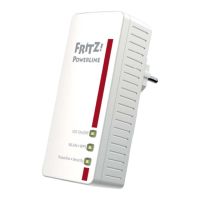
FRITZ!Powerline has one button and three LEDs
One LED is built in to the “Powerline • Security” button.
4.2 Button Functions
The “Powerline • Security” button can be used to perform var-
ious functions:
Power
LAN
Powerline • Security
Power
LAN
Powerline • Security
Press the button ... Function
for 0.5 to 3 seconds to integrate FRITZ!Powerline in an exist-
ing powerline network
for 5 to 8 seconds to disconnect FRITZ!Powerline from the
powerline network
for 10 to 15 seconds to restore factory settings to FRITZ!Pow-
erline



 To Next Page
 Loading...