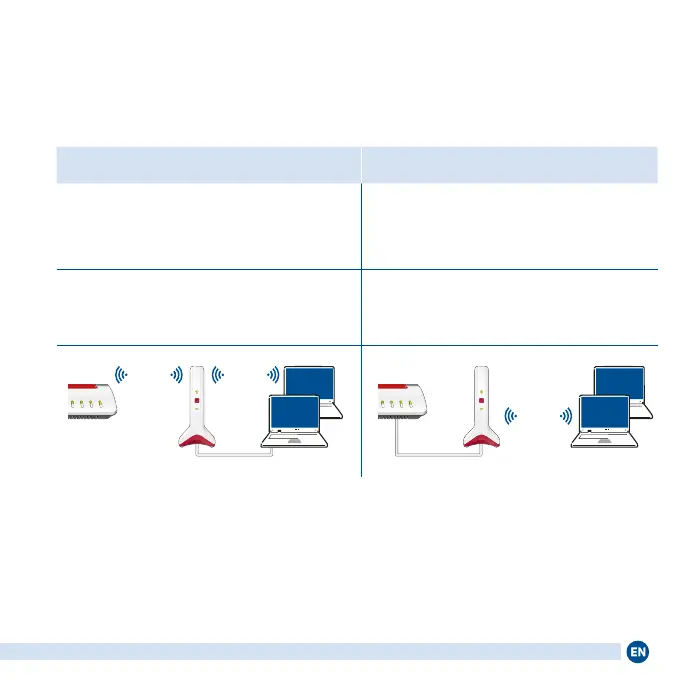
Connection Possibilities
You can connect the FRITZ!Repeater6000 with a FRITZ!Box via Wi-Fi or using
a LAN cable.
Wi-Fi connection to the FRITZ!Box if LAN connection to the FRITZ!Box if
the FRITZ!Repeater is to be deployed within
the Wi-Fi range of the FRITZ!Box
the FRITZ!Repeater is to be deployed out-
side the Wi-Fi range of the FRITZ!Box or
another repeater in the home network
multiple network devices without Wi-Fi are
to be integrated into the home network on
the LAN ports of the repeater
it is possible to establish a LAN con-
nection (for example using the existing
cabling in your home)
Connect
Info
Connect/WPS
Fon/DECT
WLAN
Wi-FiWi-Fi
LAN
Connect
Info
Connect/WPS
Fon/DECT
WLAN
Wi-Fi
LAN
Continue reading at “Setting Up the Wi-Fi
Connection” on page8.
Continue reading at “Conguring a LAN
Connection” on page9.
7















 To Next Page