Setting Up the Wi-Fi Connection
Action Illustration
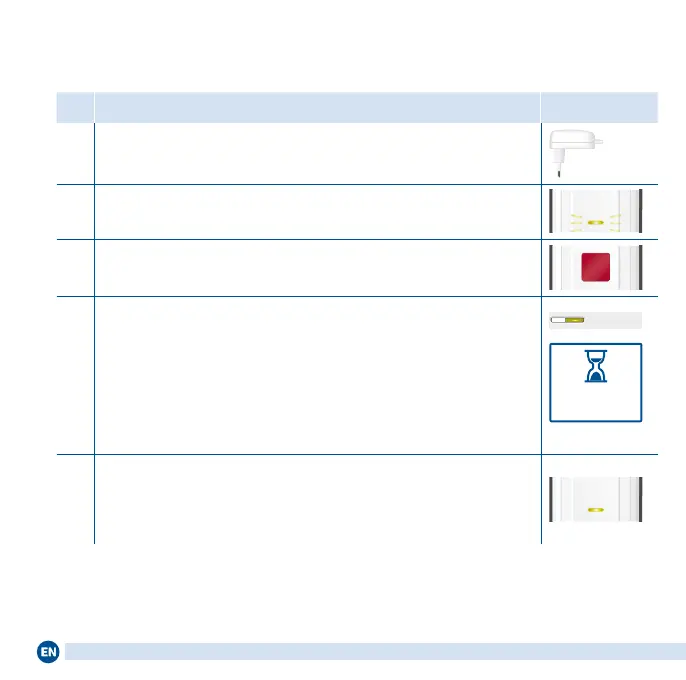
1 Connect the FRITZ!Repeater to an outlet close to the FRITZ!Box.
2 Wait until the Connect LED starts ashing slowly.
Connect
3
Start the connection to the FRITZ!Repeater: Press the Connect
button. The Connect LED ashes quickly.
4
Start the connection to your FRITZ!Box:
• FRITZ!Box with Connect/WPS, Connect or WPS button:
Press button briey. The WLAN or Connect LED ashes.
• On a FRITZ!Box with WLAN/WPS or WLAN button: Press the
button for about 6seconds until WLAN starts ashing.
• On another wireless router, press the button that starts WPS.
Connect/ WPS
within
2 minutes
5
As soon as the Connect LED on the FRITZ!Repeater lights up
permanently, the connection has been established.
If the Connect LED on the FRITZ!Repeater starts ashing slow-
ly again, repeat steps 3 and 4 of these instructions.
Connect
When the wireless connection has been established, move the FRITZ!Repeater
to the desired location. Continue reading on pageSeite 10.
If the Wi-Fi connection cannot be established at the touch of a button, alterna-
tiveinstructions are presented in the PDF manual at en/avm.de/service.
8















 To Next Page