Need help?
Do you have a question about the Frizzlife PD1000-TAM4 and is the answer not in the manual?
Inspect the system components upon unboxing for missing or damaged parts.
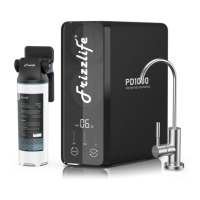
Details the front and back views of the PD1000-TAM4 system and its components.
Illustrates the typical plumbing connections for the reverse osmosis system.
Provides guidance on cutting, connecting, and disconnecting tubing, and drilling sink holes.
Lists precautions for installation, covering water safety, testing, freezing, and regulations.
Details the process of preparing the 3/8" tubing by cutting and softening it.
Explains how to connect the 3/8" tubing to the three-way feed water valve.
Guides on shutting off water, disconnecting pipes, and attaching the feed water valve.
Describes connecting the 3/8" tubing to the "Supply" port on the system.
Outlines the procedure for installing the drain saddle onto the drain pipe.
Details connecting the 1/4" tubing to the "Waste" port on the system.
Explains connecting the 1/4" tubing to the "Filtered" port and the TAM4 filter.
Guides on connecting the inlet and outlet tubing to the TAM4 filter unit.
Covers mounting the faucet onto the sink top and connecting tubing.
Instructs on turning on the water supply and connecting the power adapter to the system.
Explains the system's behavior upon initial power-up, including beeps and flushing.
Describes the indicator behavior when the system is actively producing water.
Details how the TDS sensor tests and displays water quality readings.
Explains the meaning of different indicator colors for filter lifespan.
Covers the system's auto-protection feature for continuous operation.
Describes the system's automatic flushing sequences upon power-on and after water production.
Explains how to manually initiate and stop the flushing process.
Guides on resetting the filter life indicator after replacing a cartridge.
Details the types of filter cartridges and their recommended replacement periods.
Provides step-by-step instructions for replacing the filter cartridges.
Explains flushing the filter after replacement and notes on usage time.
Explains the presence of white bubbles in water during initial RO system use.
Discusses the initial high TDS readings in RO systems and their normalization.
Explains why TDS tester pens may show higher results than the machine display.
Describes the TDS sensor's operation and how it displays water quality readings.
Provides instructions on how to disconnect the TAM4 filter without removing tubing.
Offers a solution for installing the faucet on thick granite countertops.
Addresses issues with the system not powering on after connecting the power cord.
 General
| Brand | Frizzlife |
|---|---|
| Model | PD1000-TAM4 |
| Category | Water Filtration Systems |
| Language | English |

 To Next Page