EasyManua.ls Logo

Frontier FiOS TV - FIOS TV Remote Guide; Remote Button Functions Explained; Remote Navigation Overview

Frontier FiOS TV
32 pages
Print Icon
To Next Page IconTo Next Page
To Previous Page IconTo Previous Page
Loading...
4
FiOS
®
remote—
everything you need to do it all.
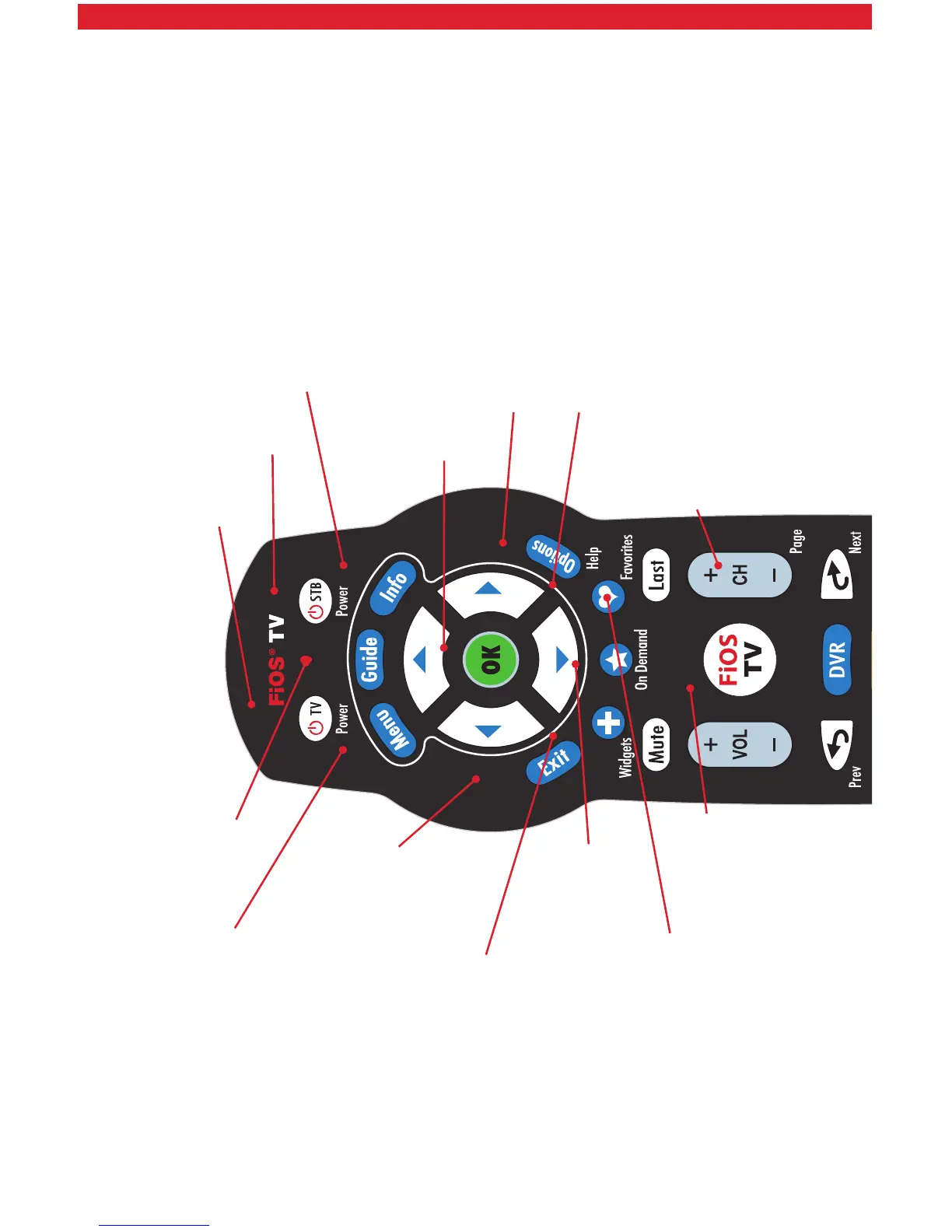
This is FiOS TV. It’s so easy, all you have to do is “Press the button.
These are the buttons and what they do.
Guide
accesses
the TV
listing
Menu shows the
Main Menu
Widgets provides
instant access to
local weather, traffic
updates and more
On Demand
provides access
to Video On
Demand
Exit closes any on-screen
display and returns you
to regular viewing
Last returns to last
selected channel;
press again to return
to current channel
FiOS TV returns
to live TV
programming
Favorites displays
your favorite
channel listings
CH +/- changes
channels or moves up/
down through menu
screens and TV listings
Options provides
service options
OK selects item
highlighted in blue
Info displays description
of show you are watching
STB activates
set-top box
Power turns
devices on
or off