8
Widgets
These handy little windows can give you up-to-the-minute information in your
area—weather, community events and more. Setting them up is easy:
• Press the button on your remote to launch the Main Menu.
• Enter your Zip Code using the remote’s buttons.
• Press OK.
• Choose the Widgets you want the first time you use them.
• Press button or button to turn the Widgets on or off.
Audible Navigation on FiOS Quantum TV
To enable Audible Navigation on FiOS Quantum from the remote:
• Select Menu button.
• Press up arrow to select Settings.
• Press right arrow three time to select System.
• Press down arrow twice to select Accessibility.
• Press right arrow to select Audible Navigation.
• Press down arrow to select On.
• Press OK button to save.
• Press Exit button.
• To turn audible navigation off, follow same steps above.
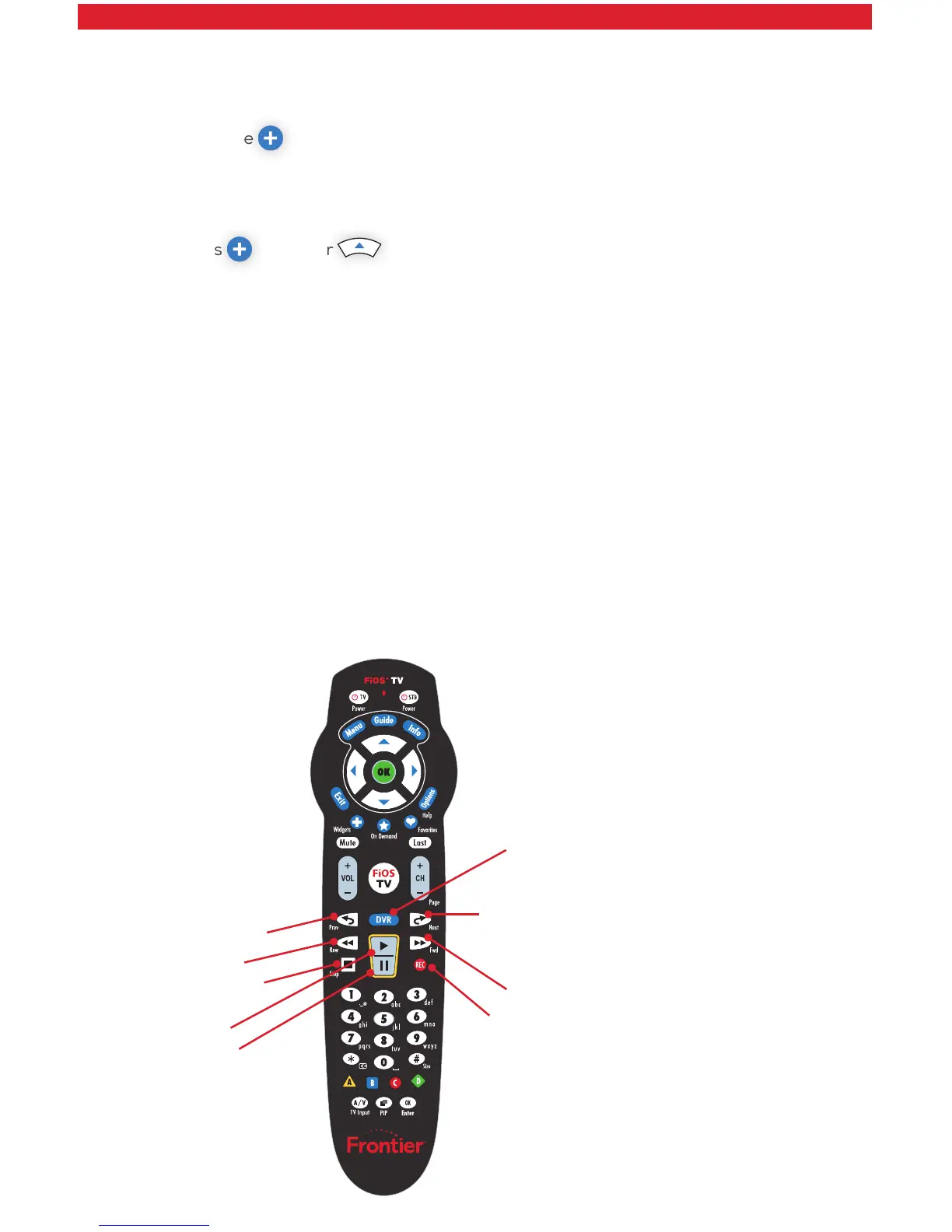
Your Remote = Digital Video Recorder
Record
Skip Back
Pause
Rewind
Stop
Play
Fast Forward
Skip Forward
DVR



 To Next Page