
 Need help?
Do you have a question about the Frontpoint Smart Thermostat and is the answer not in the manual?
Lists all items included in the thermostat package.
Details the tools required for thermostat installation.
Explains the functions of the thermostat's control buttons.
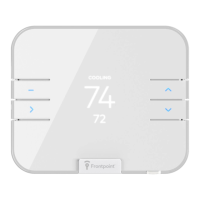
Describes the information shown on the thermostat display.
Outlines the available operating modes for the thermostat.
Instructions on how to activate the thermostat display.
How to configure the screen to wake with nearby motion.
Steps to adjust the thermostat's operating mode and temperature.
Guide to selecting different fan operating modes.
How to set the thermostat for humidity control.
Adjusting the target humidity level for dehumidification.
Adjusting the target humidity level for humidification.
Information on battery and AC power sources for the thermostat.
Steps to switch temperature units between F and C.
Solutions for the thermostat not detecting connected wires.
How to bypass automatic wire detection if it fails.
Troubleshooting low battery or unresponsive screen issues.
Explains the "Safety Delay" message and its purpose.
Explains the "System Protect" message and its causes.
How to keep the thermostat screen illuminated.
Addresses the need for an isolation relay for specific systems.
Steps to take when heating/cooling fails to activate.
Resolving incorrect heating/cooling operation for heat pumps.
Troubleshooting Z-Wave repeater functionality.
Procedure for removing the thermostat from a Z-Wave network.
Steps to perform a factory reset on the thermostat.
How to reconfigure thermostat settings after changes or errors.
Verifying heating system operation after reconfiguration.
Verifying cooling system operation after reconfiguration.
 General
| Brand | Frontpoint |
|---|---|
| Model | Smart Thermostat |
| Category | Thermostat |
| Language | English |

 To Next Page