FrSky is continuously adding features and improvements to our products. To get the most from your product, please check
the download section of the FrSky website www.frsky-rc.com for the latest update firmware and manuals
Version
1.0
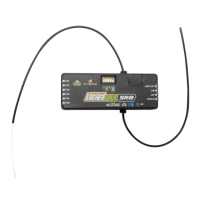
Instruction Manual for FrSky ARCHER PLUS SR8 Receiver
FrSky Electronic Co., Ltd. www.frsky-rc.com Contact us : frsky@frsky-rc.com
Add: F-4,Building C, Zhongxiu Technology Park, No.3 Yuanxi Road, Wuxi, 214125, Jiangsu, China Technical Support: sales4tech@gmail.com
1. This device complies with Part 15 of the FCC Rules. Operation is subject to the following two conditions:
1) This device may not cause harmful interference.
2) This device must accept any interference received, including interference that may cause undesired
operation.
2. Changes or modifications not expressly approved by the party responsible for compliance could void the
user's authority to operate the equipment.
NOTE: This equipment has been tested and found to comply with the limits for a Class B digital device, pursuant
to Part 15 of the FCC Rules. These limits are designed to provide reasonable protection against harmful interfer-
ence in a residential installation. This equipment generates uses and can radiate transmitter frequency energy
and, if not installed and used in accordance with the instructions, may cause harmful interference to transmitter
communications. However, there is no guarantee that interference will not occur in a particular installation. If this
equipment does cause harmful interference to transmitter or television reception, which can be determined by
turning the equipment off and on, the user is encouraged to try to correct the interference by one or more of the
following measures:
- Reorient or relocate the receiving antenna.
- Increase the separation between the equipment and receiver.
- Connect the equipment into an outlet on a circuit different from that to which the receiver is connected.
- Consult the dealer or an experienced transmitter/TV technician for help.
FCC STATEMENT
Note:
●
If the failsafe is not set, the model will always work with the last working status before the signal is
lost. That could cause potential damage.
●
When the failsafe is disabled on the RF module side, the receiver defaults to Hold mode.
●
When in No Pulses Mode, do not set the Failsafe to No Pulses Mode for the SBUS port as it will keep
the signal output continuously,Please set "Hold" or "Custom" mode for the SBUS port.



 To Previous Page