3-3
4
3.3 Setting Local Time
1
2
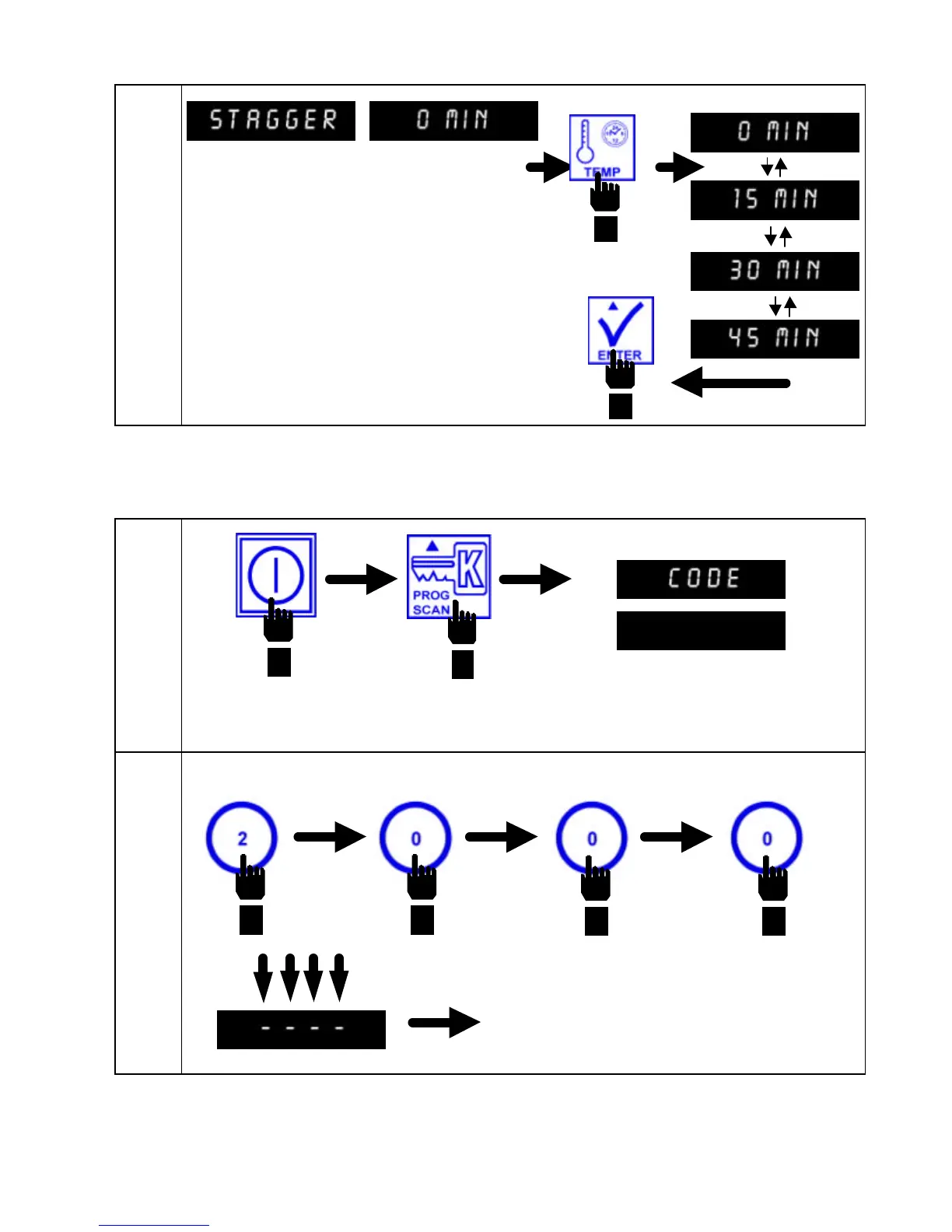
Enter Code #: 2 0 0 0, in that sequence.
Press ON/OFF button to turn computer OFF.
Press PROG SCAN button to enter CODE.
Computer displays CODE
in the left display and
(Blank) in the right
display.
As each number is entered, dashes appear in the
right display. The computer is ready for time entry
after the last number is entered.
Computer displays STAGGER in the left display
and 0 MIN in the right display.
Press TEMP button to toggle between 0,
15, 30 or 45 MIN. Press ENTER to lock
in choice.


 To Next Page