Page 4 of 4
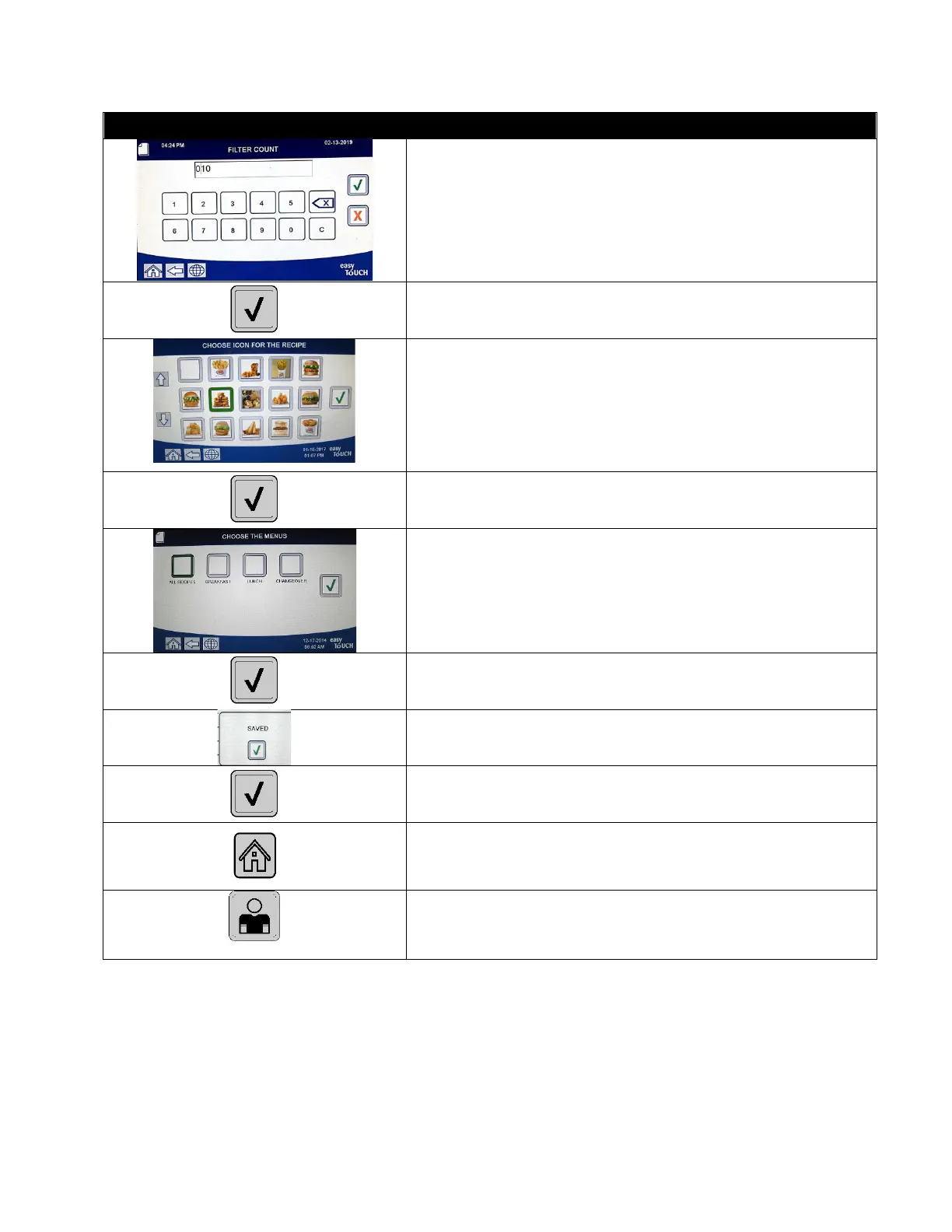
35. Enter the number of cooking cycles which occur for
this product before the filtration prompt is displayed.
This is for product only and is not to be confused with
a global filter count. If no prompts are desired set to 0
to disable.
36. Press the √ (check) button.
37. Choose the icon to associate with the product recipe
that is being entered or edited.
38. Press the √ (check) button.
39. Choose the menu(s) to associate with the product
recipe that is being entered or edited.
40. Press the √ (check) button.
41. The controller displays SAVED.
42. Press the √ (check) button.
43. Select another product to edit or press the + key to
add additional products. If finished press the home
button.
44. Press the Crew Mode button to return to main screen.



 To Previous Page