UHC-HD
3-10
Change Temperature Range Display
1. With the cabinet in Program mode, press the timer
button next to the Locale display.
2. The left cabinet displays become Language and
Degrees. The adjacent displays show the current
settings.
3. Language and Degrees are displayed with
the current setting shown on the adjacent slot.
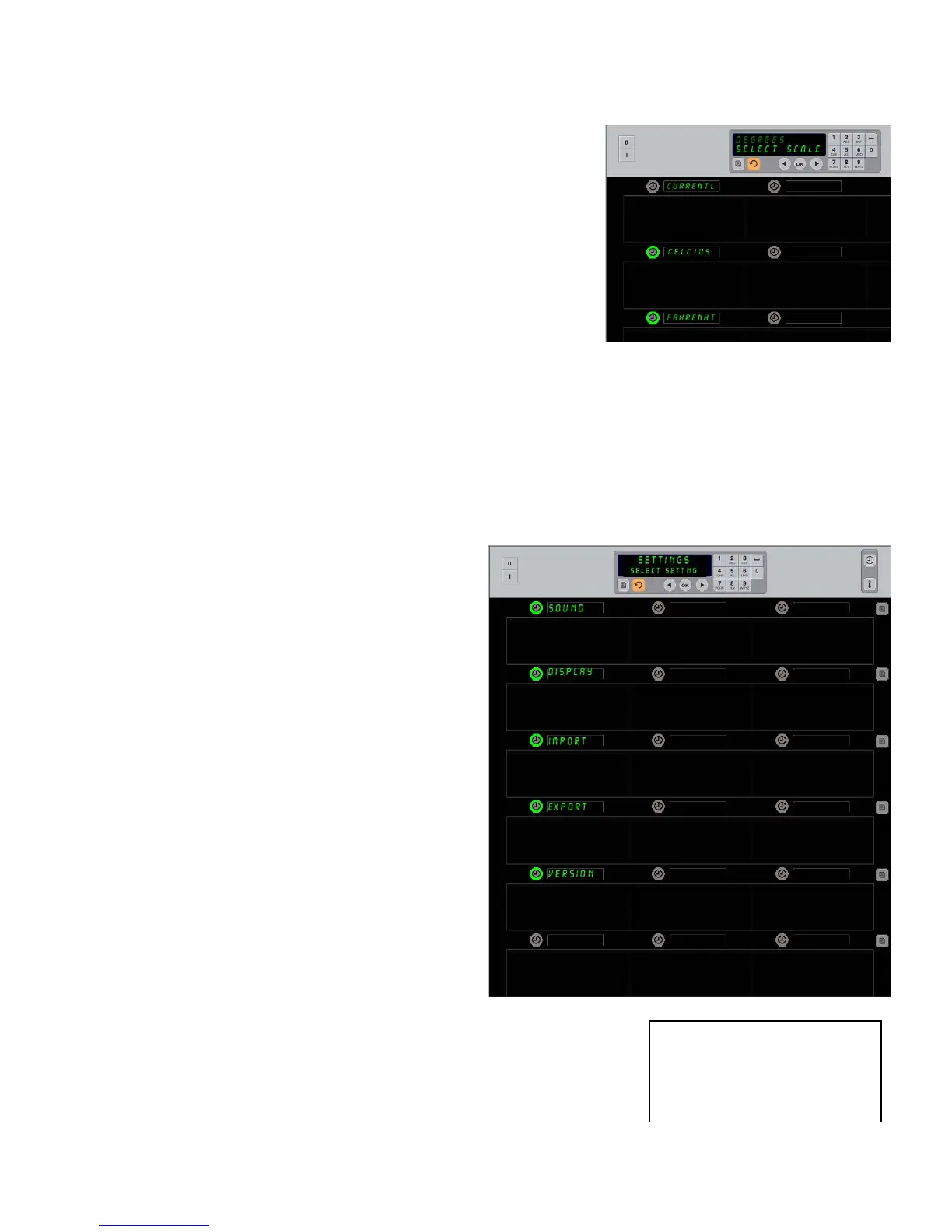
4. Press the timer next to Degrees.
5. Fahrenheit and Celsius are displayed, one
over the other.
6. Press the timer key next to the desired scale.
7. The chosen degree scale is displayed in the top left
row position; all others are blank.
8. Press OK on the keypad to confirm choice.
9. Press the key to return the cabinet to operation in the new temperature scale.
Settings
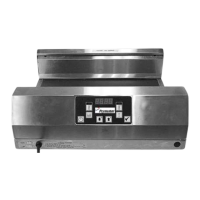
The Settings menu introduces several options:
sound level adjustment, a display adjustment,
which adds remaining hold time to the row
position display, configuration import from the
McDonald’s Web-based cabinet configuration site
and exporting configuration files for use in other
cabinets. You can also view software versions.
The features are described below in the order they
appear on the cabinet.
Sound
1. With the cabinet in Program mode, press
the timer button next to the
Setting
display.
2. The current sound setting is displayed at
the top left; other sound levels are
displayed on the row positions directly
below.
3. Keypad display scrolls instructions.
4. Press the timer key next to the desired
setting.
5. The chosen setting is displayed in the top left; all other displays
are blank.
6. Press OK to confirm choice.
7. Press the return arrow key to return the cabinet to operation with
the new sound level.
Pressing the timer adjacent to
Degrees
produces the display shown above.
Press the time button next to the desired
temperature range.
Entering Programming Mode
Presstheprogrambutton.
Enteraccesssequenceisdisplayed.
Enter1955.
PressOKkey.


 To Next Page