Ÿ Texecom premier range (panel uploads and downloads can
also be done)
Ÿ Paradox SP & MG Series
Ÿ Pima
Ÿ IDS
Ÿ DSC Neo Series
Ÿ Sherlotronics Mb4000
Ÿ DSC Power Series
Ÿ IDS805 FSK Key-Bus
Ÿ Risco LightSYS 2
Ÿ Orisec
Refer to Appendix A
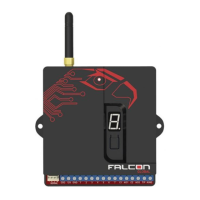
To change the serial port format:
Ÿ Remove the power from the Falcon Global
Ÿ Hold down the push-button and re-apply the power
Ÿ Release the button then push the button to cycle through the
panel serial port settings until the correct serial port is
displayed
Ÿ Leave the button for 15 seconds. The Falcon Global will
remember the new serial port format
See table on next page.
GLOBAL
I Falcon Global Installation and Operation Manual
12


 To Next Page