4
Serial Port
The TXC+ can receive alarms from the following alarm panels on its serial port:
• Texecom premier range (panel uploads and downloads can also be done)
• Paradox E65, SP6000 and MG5050
• Pima
Relay Outputs
• Two dry-contact relay outputs are available on the TXC+. These outputs can be commanded
to turn on and off via the GSM network or by using the option of the on-board remote control
receiver.
• The outputs are rated to 24V AC or DC, up to a maximum of 5A.
• Do not connect the relay outputs to the mains supply
Indicators and Controls
The TXC+ has a seven segment display which indicates the current operating status and the SIM
card being used.
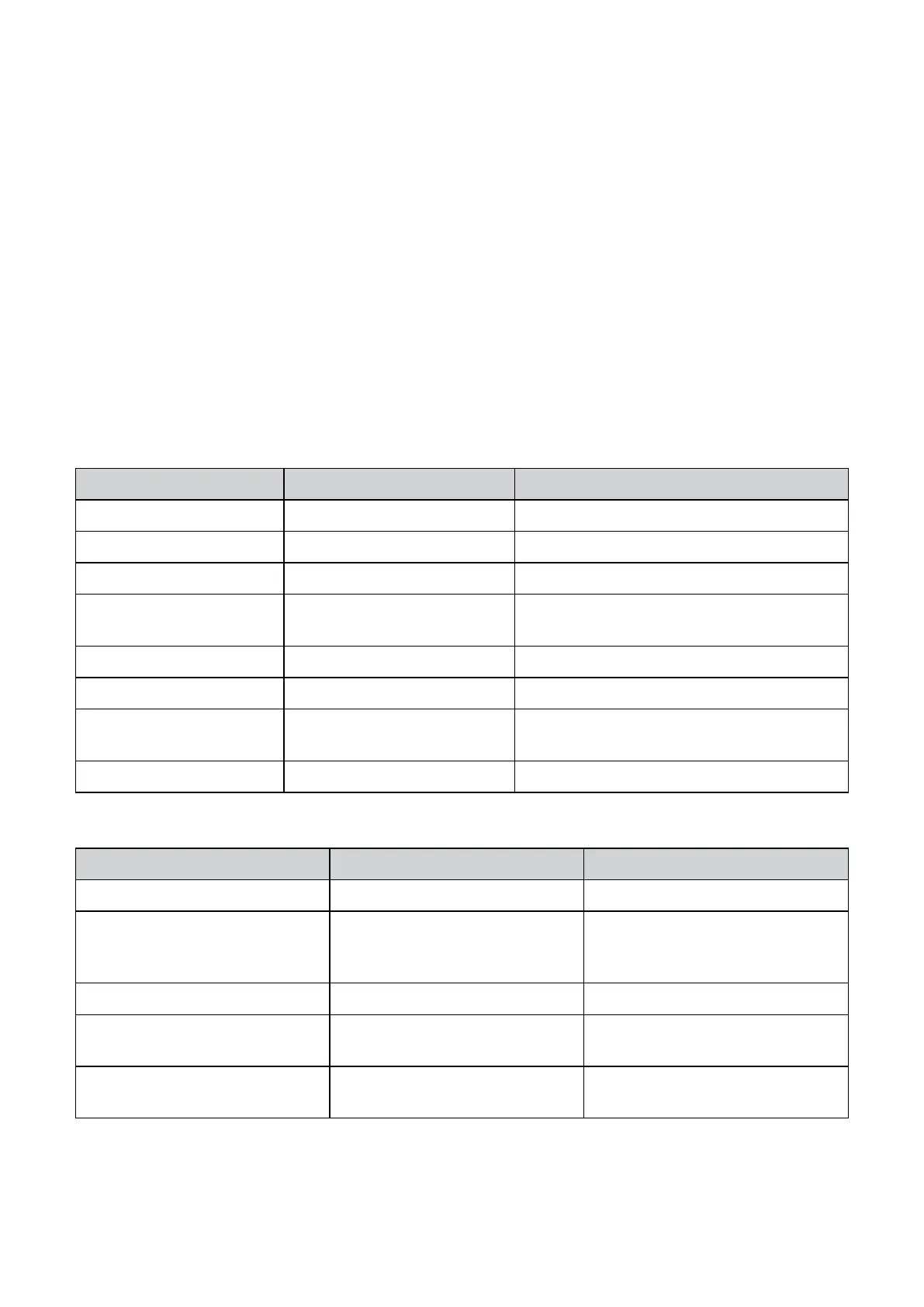
TXC+ Status
CHARACTER FLASHED STATUS DESCRIPTION
i 1 or 2 Initialising (using SIM 1 or SIM 2) The TXC+ is starting the GSM modem
r 1 or 2 Restarting The TXC+ is re-starting the GSM modem
c (lower case) 1 or 2 Connecting The TXC+ is connecting to the GSM network
C (upper case) 1 or 2 Connected The TXC+ is connected to the GSM network and
is ready to send alarms
C S Connecting to server Sending GPRS alarms
d S Disconnecting from server All alarms sent, disconnecting from the server
F 2 Send SMS Sending an SMS to the control room or a cell-
phone
L Learn Mode The TXC+ is learning remote controls
TXC+ Errors - If the TXC+ detects an error, it will ash the error code on the seven segment display
CHARACTER FLASHED STATUS DESCRIPTION
E 0 Stunned The TXC+
E 1 SIM card not found The TXC+ has not detected a SIM
card which it has been programmed
to use
E 2 Reserved
E 3 SMS Sending has Failed The TXC+ cannot send the message
via SMS
E 4 Connection to Server has failed The TXC+ cannot connect to the
server to send the alarms


 To Next Page