31
10/2021
32:(5
5(&25'
&$3785(
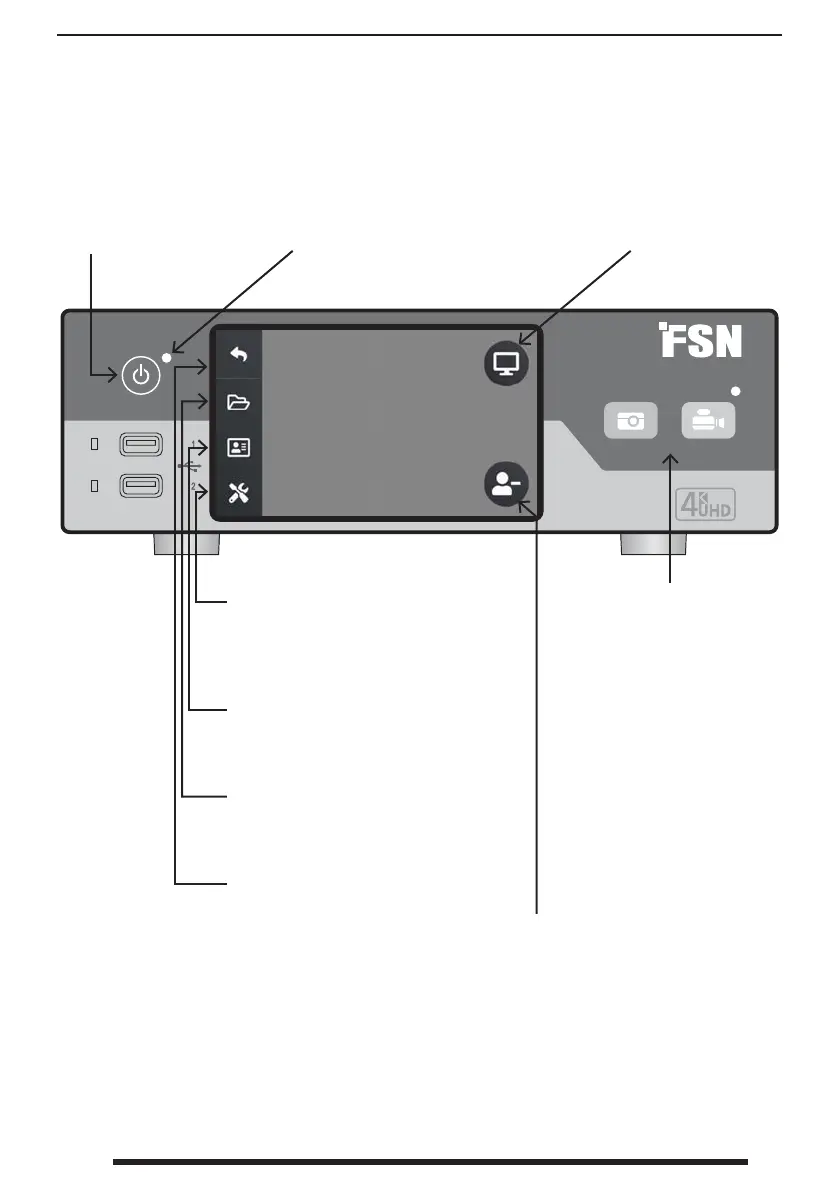
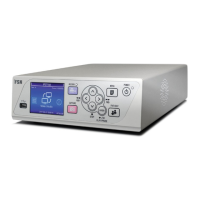
Front Panel IPS740 series
Create a new TASK when plus
(+) symbol is shown, or close
an active task when minus (-)
symbol is shown.
Select the MONITOR icon to
switch to the connected ex-
ternal monitor. When in this
mode, touchscreen can also
be used as a touchpad.
CAPTURE button. Capture
can also be initiated by
using an attached monitor
(touchscreen or mouse), or
with VACS software.
RECORD button. Video
recording can also be
initiated by using an attached
monitor (touchscreen
or mouse), or with VACS
software.
POWER on/off button.
With the back panel
power switch in the ON
position, press to start
the initialization process.
LED indicator when the back
panel power switch in the ON
position:
Green = standby
Off = Unit is working normally
SETUP icon opens settings for input
sources, le types, DICOM, server, net-
work, local time, foot pedal, printing
layout, and system options.
WORKLIST
icon retrieves patient in-
formation that is stored on the worklist
server.
FILE icon manages tasks, including:
search, modify, copy, delete, DICOM
store, and print.
Return to HOME screen icon.


 To Next Page