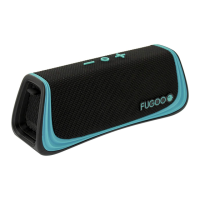
User Manual Fugoo Style Bluetooth Speaker Model F6SP page 3 1/10/2020
POWERING UP AND CONNECTIONS
Power On / Off .................... Hold 1 second
Battery status ..................................... Click
Pair with a device ............... Hold 3 seconds
Disconnect device ............................... Click
Clear all paired devices .... Hold 10 seconds
Reset ................................ Hold O 10 seconds
TWS pair/unpair .................... Double-click
PLAYBACK CONTROL
Play / Pause ....................................... Click O
Volume up / down ....................... Click
+ / –
Previous track ......................... Click
O and –
Next track ................................ Click
O and +
Voice Control....................... Hold O 1 second
SPEAKERPHONE
Answer / end call ..................................... Click O
Reject a call ................................ Double-click O
Mute microphone in a call ............. Click
+ and –
PAIR TWO SPEAKERS TOGETHER
Place 1
st
unit in Pairing Mode .... ...Click and +
Place 2
nd
unit in Pairing Mode .......Click and -
Toggle between Double/Stereo Mode...............
.............................................Click and
+ and –
• CAUTION: Never connect a cable to any of the connectors on the speaker if they are
wet, or are at risk of getting wet.
Charging and battery charge status
Checking the battery level
• With the speaker powered on, click
the (Power) button momentarily
. The LED
indicator blinks green one to six times to indicate the charge status of the battery.
• If voice prompts are enabled, the speaker responds with "Battery is low
• If the battery charge gets very low, the LED indicator will blink red, and after several
minutes, the speaker will say “Please recharge the battery. Powering off.”, and the
speaker will turn off.
LED indicator Voice
prompt
six green blinks
five green blinks
four green blinks
three green blinks


 To Next Page