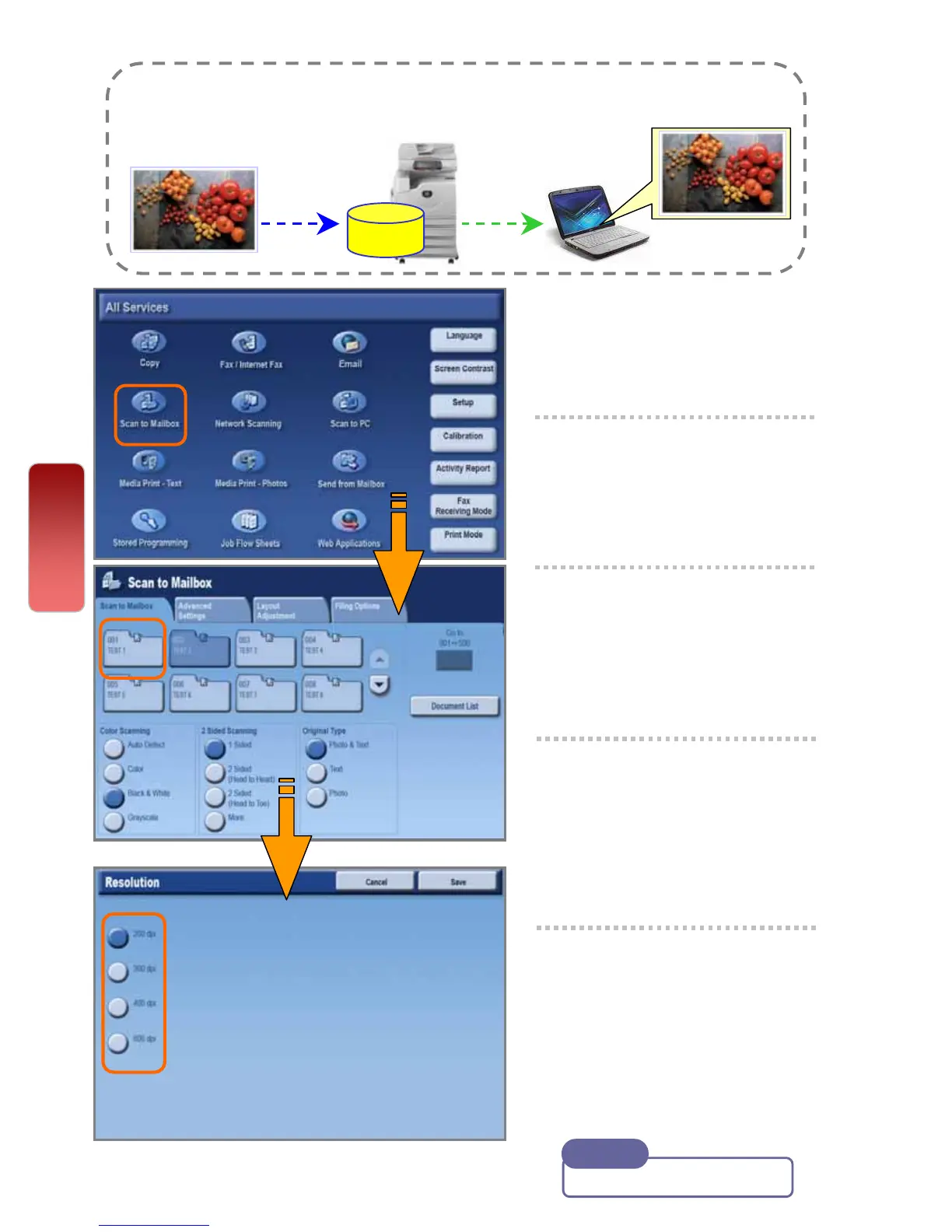
1 Select [Scan to Mailbox]
2 Select required mailbox.
* Enter password if any
3 Select ‘Color Scanning’
Select ‘2 Sided Original’
if necessary.
4 On the [Layout
Adjustment] tab, select
‘Resolution’ if necessary.
5 Press the <Start> button.
Documents are scanned
and stored at the selected
mailbox.
You can scan and save the scanned data to a pre-registered mailbox
and import to the computer using Mailbox Viewer application.
Scan
To Scan document to Mailbox
Mailbox
User Guide P.208
Note
21
21


 To Next Page
 Loading...




