50
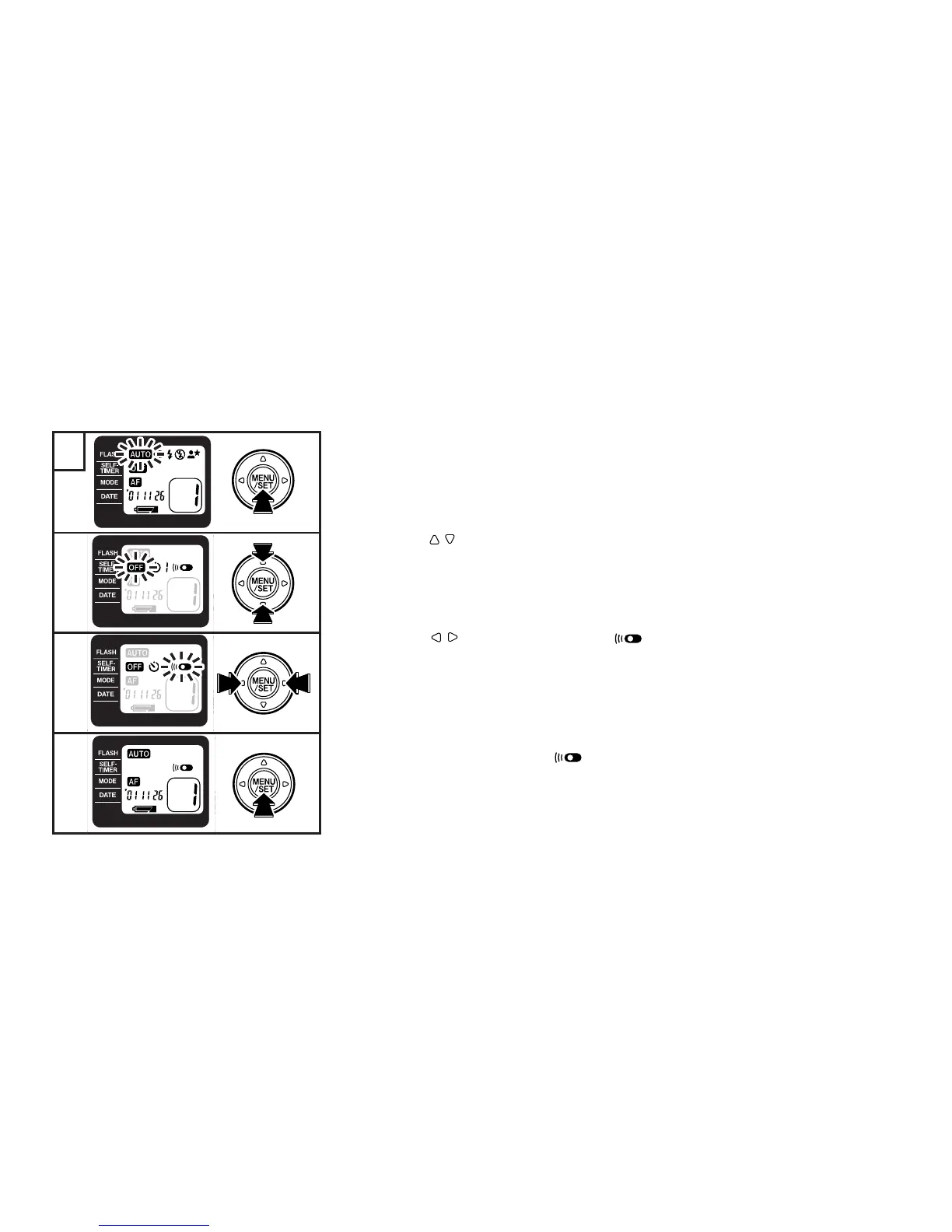
1 Turn the camera on and press the MENU/SET button.
☞
The LCD lights orange and the menu selection mode is entered.
2
3
4
1
1
2 Press the buttons to make the SELF-TIMER menu blink/light.
☞
The self-timer/remote controller mode selection mode is entered.
3 Press the buttons and select the mode.
☞
The selected mode blinks.
4 Press the MENU/SET button to complete the setting.
☞
The LCD changes to green and “ ” is displayed.





 To Next Page