EasyManua.ls Logo

FujiFilm 30i - User Manual

FujiFilm 30i
59 pages
Print Icon
To Next Page IconTo Next Page
Loading...
BL00088-200
(
1
)
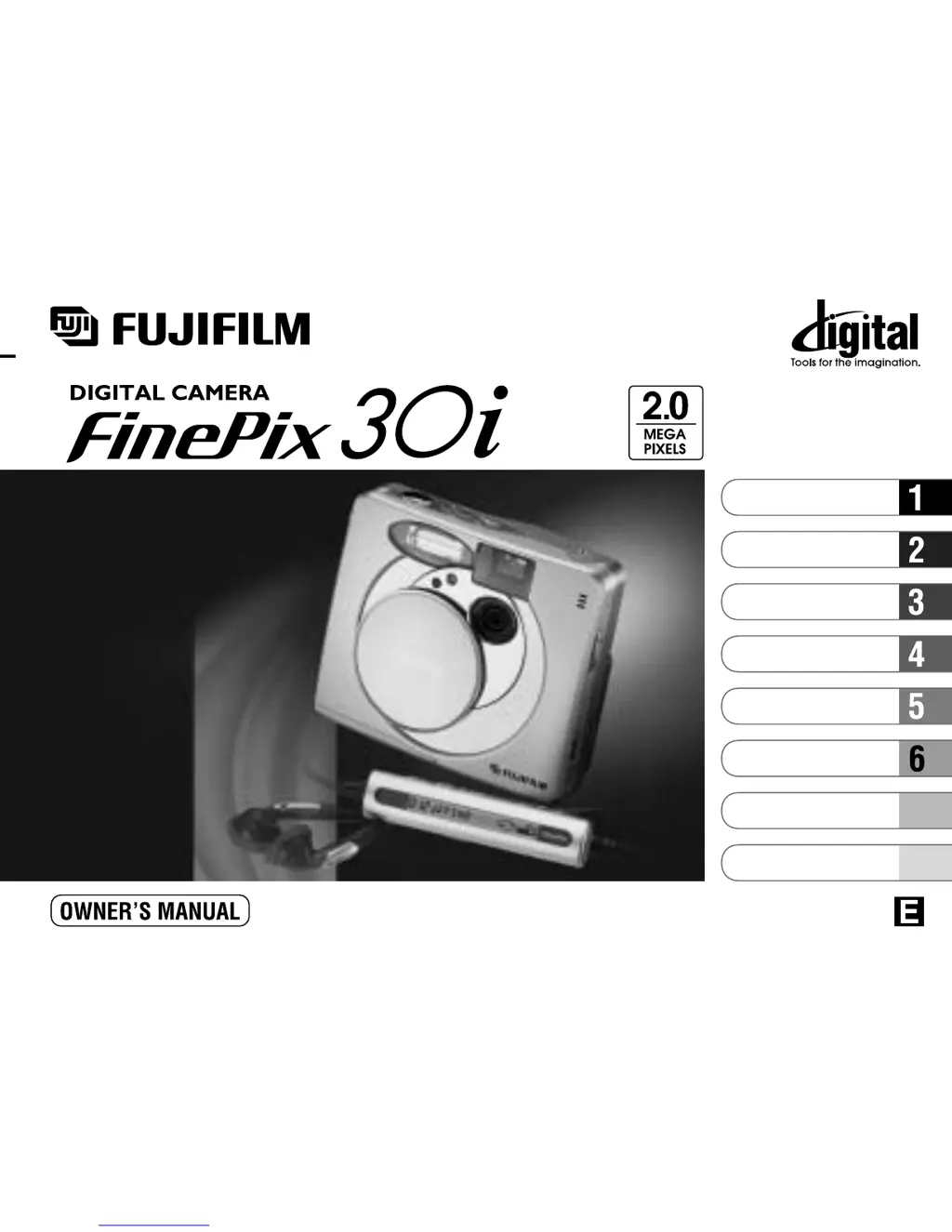
This manual will show you how to use your FUJIFILM DIGITAL CAMERA
FinePix30i correctly. Please follow the instructions carefully.
7
8
Getting Ready
Settings
PC Connection
Basic Photography
Advanced Features
Photography
Advanced Features
Playback
Remote Controller
Music

Table of Contents

Questions and Answers

  • J
    Jason ThomasAug 13, 2025
    What to do if my FujiFilm 30i Digital Camera won't take a photo when I press the shutter button?
    • A
      april75Aug 14, 2025
      If your FujiFilm Digital Camera isn't taking photos when you press the shutter button, consider these potential causes: * Ensure a SmartMedia card is loaded. * If the SmartMedia is full, insert a new one or erase unwanted frames. * Check if the SmartMedia is write-protected and remove the write-protection if necessary. * Format the SmartMedia if it hasn't been formatted yet. * Clean the SmartMedia contact area with a dry cloth. * If the SmartMedia is damaged, load a new one. * If the camera is off due to the Auto Power Off function, switch it back on. * Ensure the batteries are fully charged and replace them if exhausted.
  • S
    Shelly KellyAug 17, 2025
    Why does my FujiFilm 30i Digital Camera flash not work?
    • M
      Maria Morgan DDSAug 17, 2025
      If the flash on your FujiFilm Digital Camera isn't working, it could be due to a few reasons: * The flash might be set to Suppressed Flash mode. Change the flash setting to Auto, Red-Eye Reduction, or Forced Flash mode. Note that the flash is disabled in some modes. * You might be pressing the shutter button before the flash has finished charging. Wait until charging is completed before pressing the shutter button. * The batteries may be exhausted. Try loading fully charged batteries.
  • M
    Matthew VelezAug 20, 2025
    Why does my FujiFilm 30i power cut out during operation?
    • R
      Robert SawyerAug 21, 2025
      If your FujiFilm Digital Camera is losing power during operation, the batteries are likely exhausted. Try loading fully charged batteries to resolve this issue.
  • W
    Wanda RothAug 25, 2025
    Why is my FujiFilm 30i Digital Camera image blurred?
    • D
      David PetersonAug 25, 2025
      If your FujiFilm Digital Camera images are blurred, consider the following: * The lens may be dirty, so try cleaning it. * If photographing a distant subject, ensure the macro selector switch is not set to “5”; cancel Macro mode. * If taking a close-up shot, make sure the macro selector switch is set to “t”; set the camera to Macro mode.
  • A
    angelajonesAug 29, 2025
    Why do my FujiFilm 30i batteries run out quickly?
    • T
      Tyler TorresAug 29, 2025
      If the batteries in your FujiFilm Digital Camera are draining quickly, consider these factors: * If you're using the camera in extremely cold conditions, warm the batteries in your pocket before loading them into the camera. * The battery terminals might be soiled; wipe them with a clean, dry cloth. * The batteries may have reached the end of their operating life; load new, fully charged batteries.
  • T
    Terrance GuerreroSep 1, 2025
    What to do if my FujiFilm 30i has no power?
    • D
      Dr. Veronica FrenchSep 2, 2025
      If your FujiFilm Digital Camera has no power, check the following: * Ensure the batteries are not exhausted by loading fully charged batteries. * If using an AC power adapter, make sure it is securely plugged into the power outlet.
  • A
    Alisha SmithSep 4, 2025
    Why is my FujiFilm Digital Camera photograph dark even with the flash?
    • D
      David MatthewsSep 4, 2025
      If your FujiFilm Digital Camera photos are dark even when using the flash: * The subject might be too far away; move closer. * Your finger might be covering the flash or flash control sensor; hold the camera correctly.
  • A
    Angelica MillerSep 8, 2025
    Why is there speckling on my FujiFilm Digital Camera image?
    • A
      Angela JonesSep 9, 2025
      Speckling on images taken with your FujiFilm Digital Camera is a characteristic of CCDs when shooting with a slow shutter speed (long exposure) in a high-temperature environment. This does not indicate a camera fault.

Summary

Warnings and Safety

Electrical Safety and Compliance

Covers electrical shock risks, FCC, and Canadian compliance statements.

Getting Ready

Battery Charging and Loading Procedures

Details on compatible batteries, charging, and loading.

Loading Batteries

Step-by-step guide for inserting batteries into the camera.

Loading SmartMedia Cards

Instructions for inserting SmartMedia cards into the camera slot.

Basic Camera Operations

Powering the Camera On and Off

Steps to switch the camera's power on and off using the power switch.

Basic Photography

Taking Pictures in Auto Mode

Guide to taking photos using automatic settings for simplicity.

Advanced Features Playback

Viewing Images During Playback

How to navigate and view stored still images.

Playing Back Movie Files

How to play recorded video clips and control playback.

Advanced Features Photography

Understanding Flash Modes

Details on various flash modes like Auto, Red-Eye Reduction, and Forced Flash.

Audio;Movie Mode

Recording Movies

Steps for shooting video clips, including format and time limits.

Audio Recording Procedure

Guide to recording audio files, including format and time.

Playback Menu Operations

Erasing Frames and Formatting Media

Procedures for deleting files and formatting SmartMedia.

Music Playback

Remote Controller Usage

PC Connection

Setting Up PC Connection

Initial steps for connecting the camera to a personal computer.

DSC (Mass Storage) Mode Connection

Guide to connecting the camera as a mass storage device.

PC-CAM (Camera) Mode Connection

Instructions for connecting the camera for webcam functionality.

Safe PC Disconnection Procedures

Steps for safely disconnecting the camera from a PC.

Important Usage Notes

Power Supply and Battery Notes

Guidelines for using batteries and power adapters correctly.

Understanding Warning Displays

Explanation of error messages shown on the LCD and their remedies.

Troubleshooting

Interpreting Warning Displays and Errors

Detailed explanations of warning messages and troubleshooting steps.

Power and Operation Issues

Solutions for problems related to camera power and basic operation.

Image Capture and SmartMedia Issues

Troubleshooting steps for image capture and SmartMedia errors.

Specifications

Safety Notes

General Safety Warnings and Icons

Explanation of safety icons and general warnings for safe camera use.

Specific Usage and Handling Precautions

Detailed safety precautions for camera operation and handling.

FujiFilm 30i Specifications

General IconGeneral
BrandFujiFilm
Model30i
CategoryDigital Camera
LanguageEnglish

Related product manuals