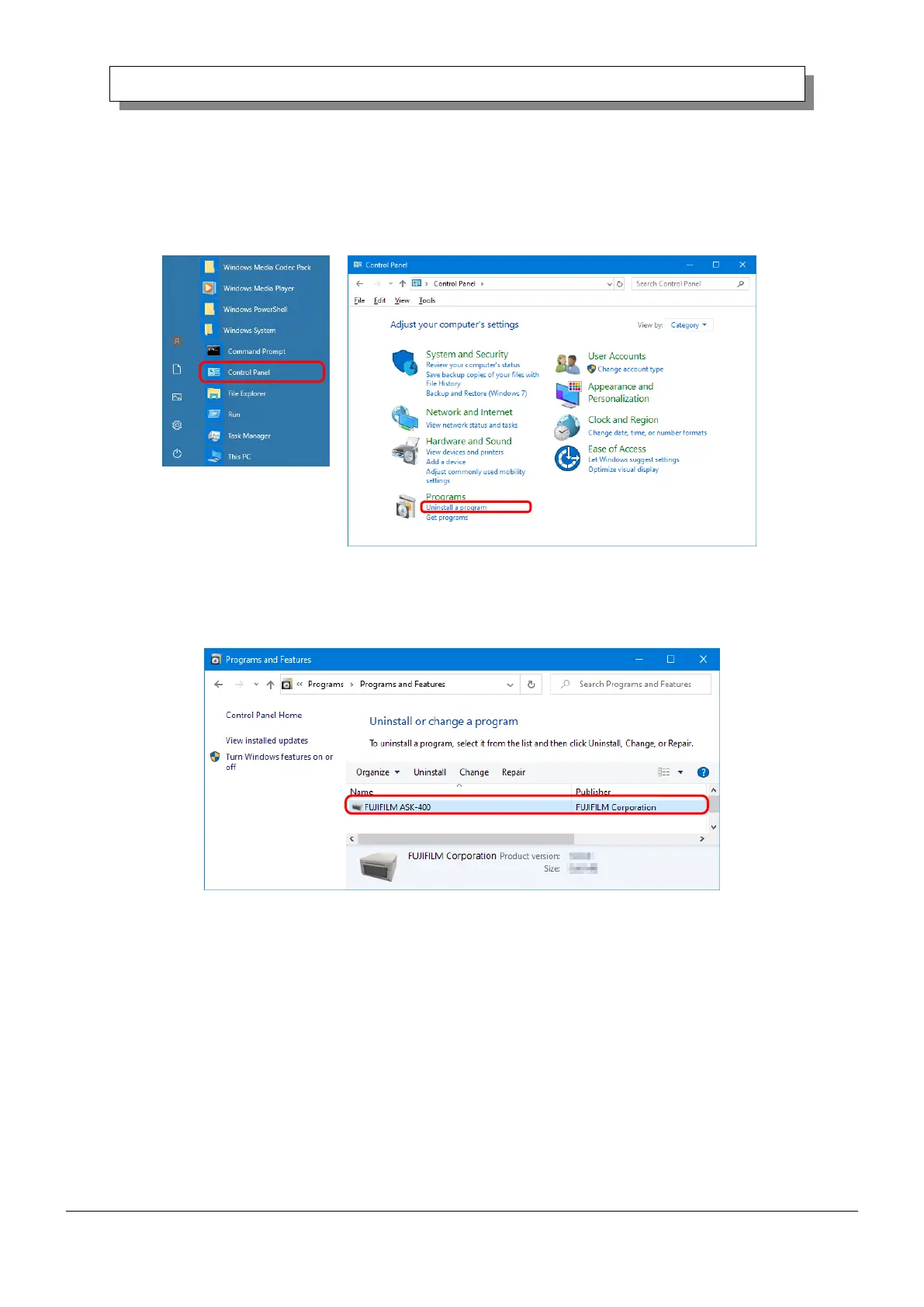
2. Uninstall the driver package
1) Click “Start”, and then click “Windows System” -> “Control Panel”. In the Control Panel, click
“Uninstall a program”.
In Windows 7, click “Start”, and then click “Control Panel”. In the Control Panel, click “Uninstall a
program”.
Figure 3.2 Control Panel
2) The Uninstall or change a program screen appears. In the list, double click “FUJIFILM ASK-400”.
Figure 3.3 Uninstall a program




 To Next Page