EasyManua.ls Logo

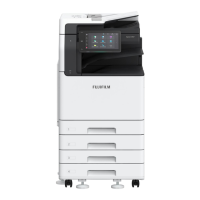
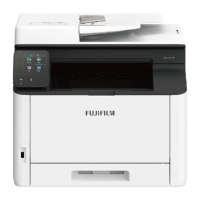
FujiFilm Apeos C2570 - User Manual

FujiFilm Apeos C2570
46 pages
Print Icon
To Next Page IconTo Next Page
Loading...
Reference Guide
Optional Units
Apeos C7070 Apeos C6570
Apeos C5570 Apeos C4570
Apeos C3570 Apeos C3070
Apeos C2570
March 2023 GM1048E2-5 Edition 1
FUJIFILM Business Innovation Corp.
Question and Answer IconNeed help?

Do you have a question about the FujiFilm Apeos C2570 and is the answer not in the manual?

Summary

2 High Capacity Feeder B1

2.3 High Capacity Feeder B1 Paper Jams

Procedures for removing jammed paper from the High Capacity Feeder B1.

3 High Capacity Feeder B2

3.3 High Capacity Feeder B2 Paper Jams

Procedures for removing jammed paper from the High Capacity Feeder B2.

4 Finisher A2

4.4 Finisher A2 Paper Jams

Steps to remove jammed paper from the Finisher A2 unit.

5 Finisher B

5.3 Finisher B Paper Jams

Procedures for removing jammed paper from the Finisher B unit.

6 Folder Unit

6.2 Folder Unit Paper Jams

Steps to remove jammed paper from the Folder Unit.

7 Finisher C

Summary

2 High Capacity Feeder B1

2.3 High Capacity Feeder B1 Paper Jams

Procedures for removing jammed paper from the High Capacity Feeder B1.

3 High Capacity Feeder B2

3.3 High Capacity Feeder B2 Paper Jams

Procedures for removing jammed paper from the High Capacity Feeder B2.

4 Finisher A2

4.4 Finisher A2 Paper Jams

Steps to remove jammed paper from the Finisher A2 unit.

5 Finisher B

5.3 Finisher B Paper Jams

Procedures for removing jammed paper from the Finisher B unit.

6 Folder Unit

6.2 Folder Unit Paper Jams

Steps to remove jammed paper from the Folder Unit.
7 Finisher C

FujiFilm Apeos C2570 Specifications

General IconGeneral
BrandFujiFilm
ModelApeos C2570
CategoryPrinter
LanguageEnglish

Related product manuals