EasyManua.ls Logo

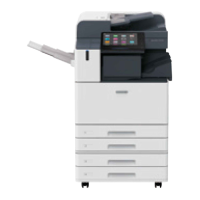
FujiFilm Apeos C6580 - User Manual

FujiFilm Apeos C6580
44 pages
Print Icon
To Next Page IconTo Next Page
Loading...
Quick User GuideQuick User Guide
Apeos C8180/7580/6580
Quick User Guide
Quick User Guide

Other manuals for FujiFilm Apeos C6580

Question and Answer IconNeed help?

Do you have a question about the FujiFilm Apeos C6580 and is the answer not in the manual?

Summary

Copy Operations

Copy: Reduce or Enlarge

Allows selection of copy ratio to enlarge or reduce the size of copies.

Copy: 2-Sided

Makes copies of 1-sided or 2-sided documents on one side or both sides of paper.

Copy: Booklet Creation

Copies documents and forms output sheets into a booklet layout.

Copy: ID Card

Copies both sides of an ID Card onto the same side of the paper.

Print Operations

Print: 2-Sided & Job Types

Prints 2-sided documents and sets secure print with a passcode.

Print: Secure Print Jobs

Describes how to print or delete secure print jobs by entering a passcode.

Print: Booklet Creation

Prints documents into a 2-side multi-page booklet layout with finishing options.

Scan Operations

Scan: To Email

Scans documents and sends scanned data as an email attachment.

Scan: To PC

Scans documents and sends data to a network computer via SMB/FTP.

Fax Operations

USB Operations

Machine Maintenance

Maintenance: Paper Jams

Provides instructions to remove jammed paper from various machine parts.

Maintenance: Replace Consumables

Guides on replacing toner cartridges, waste toner containers, and staple cartridges.

Device Status and Monitoring

Job Status Monitoring

Summary

Copy Operations

Copy: Reduce or Enlarge

Allows selection of copy ratio to enlarge or reduce the size of copies.

Copy: 2-Sided

Makes copies of 1-sided or 2-sided documents on one side or both sides of paper.

Copy: Booklet Creation

Copies documents and forms output sheets into a booklet layout.

Copy: ID Card

Copies both sides of an ID Card onto the same side of the paper.

Print Operations

Print: 2-Sided & Job Types

Prints 2-sided documents and sets secure print with a passcode.

Print: Secure Print Jobs

Describes how to print or delete secure print jobs by entering a passcode.

Print: Booklet Creation

Prints documents into a 2-side multi-page booklet layout with finishing options.

Scan Operations

Scan: To Email

Scans documents and sends scanned data as an email attachment.

Scan: To PC

Scans documents and sends data to a network computer via SMB/FTP.

Fax Operations

USB Operations

Machine Maintenance

Maintenance: Paper Jams

Provides instructions to remove jammed paper from various machine parts.

Maintenance: Replace Consumables

Guides on replacing toner cartridges, waste toner containers, and staple cartridges.
Device Status and Monitoring

Job Status Monitoring

FujiFilm Apeos C6580 Specifications

General IconGeneral
BrandFujiFilm
ModelApeos C6580
CategoryPrinter
LanguageEnglish

Related product manuals