CR-IR 357
Service Manual
PM-76
PM-76
E-Only
Capsula-
E
(CR-IR 35
7
)
014-204-01E
11.10.2005 FM4750
1.
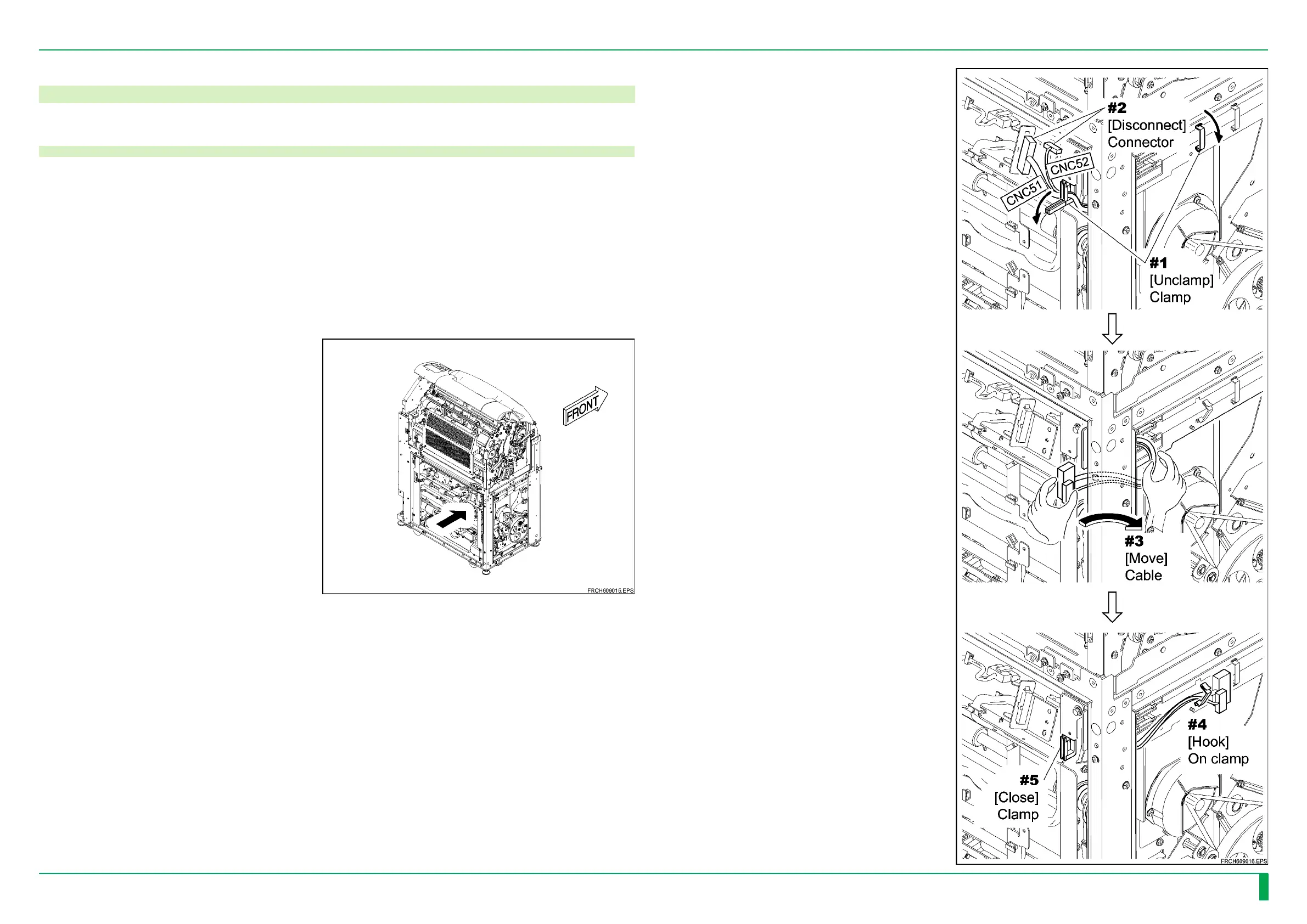
Take the procedure 2 from the
direction indicated by the arrow
in the figure.
2.
Unclamp the clamp, and
disconnect the connector.
Move the cable toward the side
face for the protection of the
cable, and hook it on the clamp.
Close the clamp.
9. Side-Positioning Conveyor Unit
9.1 Removing the Side-Positioning Conveyor Unit



 To Next Page