EasyManua.ls Logo

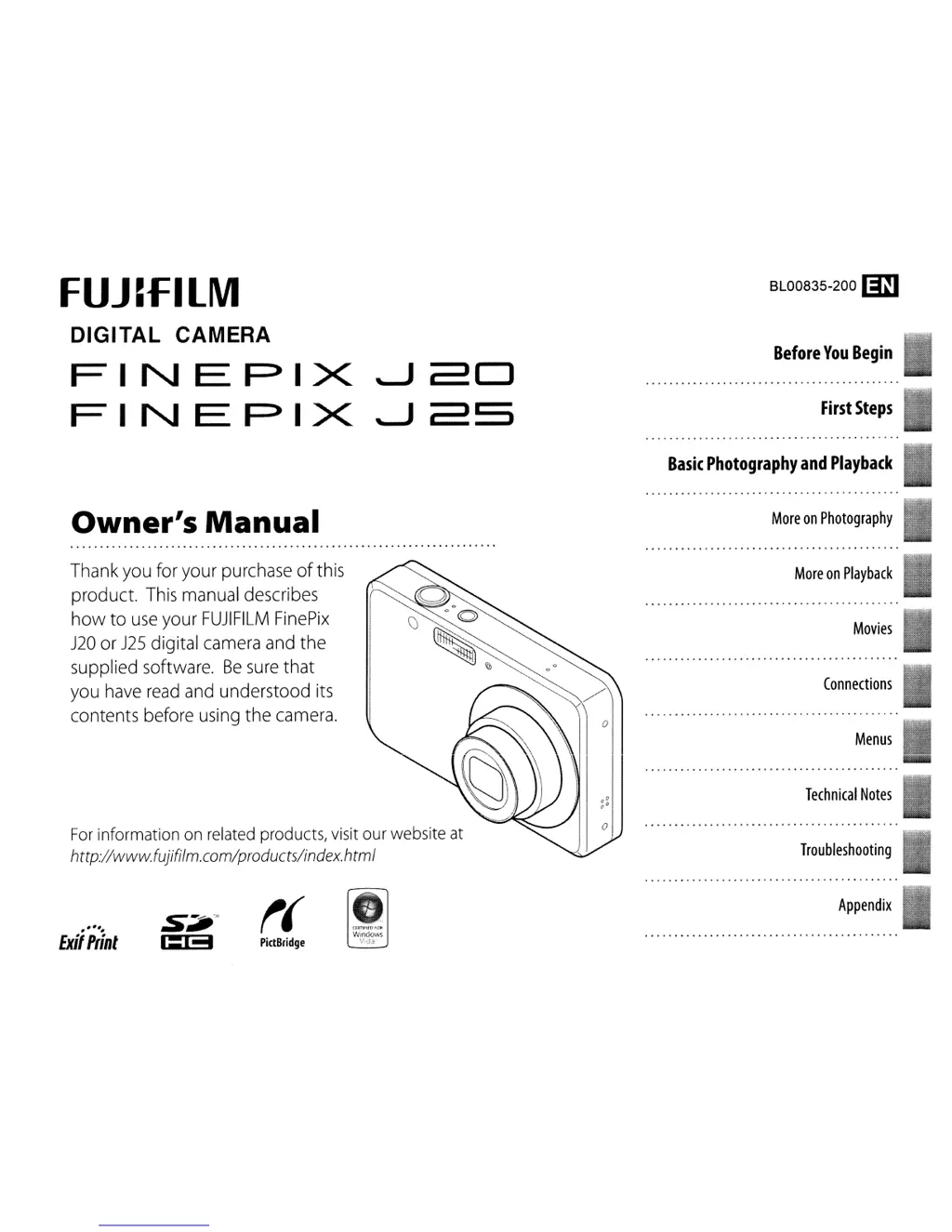
FujiFilm FinePix J20 - User Manual

FujiFilm FinePix J20
128 pages
Print Icon
To Next Page IconTo Next Page
Loading...
FUJ~f=ILM
DIGITAL
CAMERA
FINEPIX
~2D
FINEPIX
~2S
BL00835-200 ID
Before
You
Begin
First
Steps
Basic
Photography
and
Playback
Owner's
Manual
More
on
Photography
Menus
Connections
Movies
Technical
Notes
Troubleshooting
More
on
Playback
Thank
you
for your
purchase
of
this
product.
This
manual
describes
how to
use
your
FUJIFILM
FinePix
J20
or
J25
digital
camera
and
the
supplied software.
Be
sure
that
you
have
read
and
understood
its
contents before
using
the
camera.
,.-.#
Exit
Ptinl
PictBridge
(£RTlHfO;Qf'
V-iindows
V,~,13:··
Appendix

Table of Contents

Other manuals for FujiFilm FinePix J20

Questions and Answers

  • B
    Brian ComptonSep 10, 2025
    What to do if charging does not start on my FujiFilm FinePix J20?
    • B
      Brooke FischerSep 10, 2025
      If charging doesn't start on your FujiFilm Digital Camera, the battery might not be correctly inserted in the charger. Re-insert the battery in the charger. Also, ensure the battery is in the correct orientation.
  • L
    Lori MarshallAug 22, 2025
    Why does my FujiFilm FinePix J20 battery drain so fast?
    • W
      wandarodriguezAug 22, 2025
      Your FujiFilm Digital Camera battery might be draining quickly due to several reasons: it could be cold; there might be dirt on the battery terminals; the camera might be in G mode; or the battery may have reached the end of its charging life. To solve this, warm the battery by placing it in a pocket before re-inserting it, clean the terminals with a soft, dry cloth, choose a different shooting mode, or purchase a new battery if it has reached the end of its life.
  • L
    Lisa ShepherdAug 25, 2025
    How to fix blurred pictures on FujiFilm FinePix J20 Digital Camera?
    • B
      Brenda ElliottAug 25, 2025
      If your FujiFilm Digital Camera pictures are blurred, the lens might be dirty, so clean it. The lens could also be blocked, so keep objects away from it. If 'R' is displayed during shooting and the focus frame is red, check focus before shooting. If '0' is displayed during shooting, use the flash or a tripod.
  • J
    Jennifer BurnettAug 26, 2025
    What to do if my FujiFilm FinePix J20 Digital Camera does not focus?
    • M
      michellemendezAug 26, 2025
      If your FujiFilm Digital Camera does not focus, it could be because the subject is too close. Select macro mode. Alternatively, if the subject is too far away, cancel macro mode. If the subject isn't suited for autofocus, use focus lock.
  • T
    Teresa FisherAug 27, 2025
    Why does my FujiFilm FinePix J20 file numbering reset unexpectedly?
    • J
      Jose CummingsAug 27, 2025
      If the file numbering on your FujiFilm Digital Camera is resetting unexpectedly, it could be because the battery-chamber cover was opened while the camera was on. Turn the camera off before opening the battery-chamber cover to replace the battery or insert a memory card.
  • J
    Jon WilliamsAug 29, 2025
    Why is my FujiFilm FinePix J20 not functioning as expected?
    • T
      Trevor ClineAug 29, 2025
      If your FujiFilm Digital Camera is not functioning as expected, it could be due to a temporary camera malfunction. Remove and reinsert the battery.
  • C
    Christopher HicksSep 18, 2025
    Why is there no sound on my FujiFilm Digital Camera?
    • M
      Michelle HernandezSep 18, 2025
      If there is no sound on your FujiFilm Digital Camera, the camera is likely in silent mode. Turn silent mode off.
  • D
    dmillerSep 12, 2025
    Why are selected pictures not deleted from my FujiFilm FinePix J20?
    • J
      Jackie KingSep 12, 2025
      If selected pictures are not being deleted from your FujiFilm Digital Camera, some of them might be protected. Remove protection using the device with which it was originally applied.
  • C
    Carolyn KingSep 8, 2025
    Why is no face detected on my FujiFilm FinePix J20 Digital Camera?
    • R
      Rachel JohnsonSep 8, 2025
      If your FujiFilm Digital Camera isn't detecting a face, it might be because the subject’s face is obscured by sunglasses, a hat, long hair, or other objects; remove the obstructions. The subject’s face might occupy only a small area of the frame; change the composition. The subject’s head might be tilted or horizontal; ask the subject to hold their head straight. The camera might be tilted; hold the camera straight. Or the subject’s face might be poorly lit; shoot in bright light.
  • M
    Mary RodriguezSep 5, 2025
    What to do if my FujiFilm Digital Camera is charging slowly?
    • S
      Sarah KellerSep 5, 2025
      If your FujiFilm Digital Camera is charging slowly, the temperature may be too low. Charge the battery at room temperature.

Summary

First Steps

Charging the Battery

Instructions for charging the camera's battery, including charger connection and status.

Inserting the Battery

Inserting a Memory Card

Turning the Camera on and Off

Basic Setup

Choose Language

Guide to selecting the initial language for the camera setup.

Basic Photography and Playback

Taking Pictures in Auto Mode

Guide to taking photos using the camera's automatic shooting mode.

Viewing Pictures

More on Photography

More on Playback

Movies

Connections

Connecting the Camera

Menus

Troubleshooting

Troubleshooting: Power and Battery Issues

Solutions for common problems related to the camera's power supply and battery.

Troubleshooting: Menus, Displays, and Shooting Issues

Solutions for issues with menus, displays, shooting, and focus problems.

Troubleshooting: Flash and Image Quality Issues

Solutions for flash and image quality problems like blurred or mottled pictures.

Troubleshooting: Playback and Connection Issues

Solutions for problems during playback and camera connections to TVs or computers.

Troubleshooting: Computer, PictBridge, and Miscellaneous Issues

Solutions for computer, PictBridge, and other general camera malfunctions.

Warning Messages and Displays

Battery and Card Status Warnings

Explanations for battery, card errors, and initialization warnings.

Focus, Exposure, and Zoom Errors

Solutions for focus, exposure, and zoom errors, including AF/AE warnings.

Operational and Communication Warnings

Explanations for warnings related to execution, protection, communication, and printer errors.

Media and Printing Warnings

Solutions for memory full, write/read errors, and printing issues.

Caring for the Camera

FujiFilm FinePix J20 Specifications

General IconGeneral
Megapixel10 MP
Camera typeCompact camera
Sensor typeCCD
Image stabilizerYes
Image sensor size1/2.3 \
Maximum image resolution3648 x 2736 pixels
Digital zoom5.7 x
Optical zoom3 x
Focal length range6.3 - 18.9 mm
InterfaceUSB 2.0
Digital SLRNo
Memory typeSD, SDHC
Camera shutter speed1/4 - 1/2000 s
Focal length (35mm film equivalent)35.5 - 106.5 mm
Focus adjustmentAuto
Normal focusing range0.4 m
Macro focusing range (tele)0.4 - 0.8 m
Macro focusing range (wide)0.1 - 0.8 m
Normal focusing range (wide)0.4 - ∞ m
Flash modesauto, Red-eye reduction, Slow synchronization, suppressed
Flash range (tele)0.5 - 1.8 m
Flash range (wide)0.5 - 3.2 m
Internal memory20 MB
Compatible memory cardssd
Motion JPEG frame rate30 fps
Video formats supportedAVI
Maximum video resolution640 x 480 pixels
Display diagonal2.7 \
Display resolution (numeric)230000 pixels
Product colorBlack
Battery typeNP-45
Scene modesbeach, Children, Documents, Fireworks, Museum, Night, party (indoor), Portrait, Sports, Sunset, Landscape (scenery)
Image editingrotating, trimming
White balanceauto, daylight, Fluorescent, Incandescent, Shade
Camera playbackSlide show
Weight and Dimensions IconWeight and Dimensions
Depth17.4 mm
Width91 mm
Height56 mm
Weight96.5 g

Related product manuals