EasyManua.ls Logo

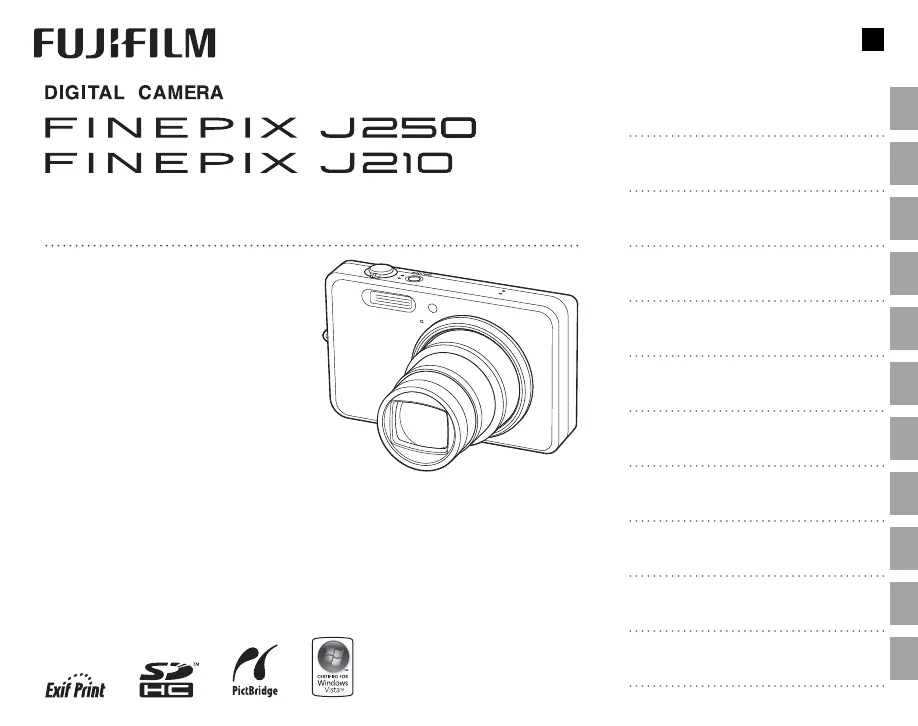
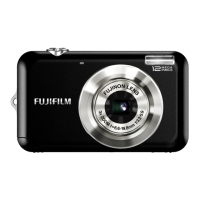
FujiFilm FinePix J250 - User Manual

FujiFilm FinePix J250
116 pages
Print Icon
To Next Page IconTo Next Page
Loading...
Before You Begin
First Steps
Basic Photography and Playback
More on Photography
More on Playback
Movies
Connections
Menus
Technical Notes
Troubleshooting
Appendix
For information on related products, visit our website at
http://www.fujifilm.com/products/index.html
Owners Manual
Thank you for your purchase of
this product. This manual de-
scribes how to use your FUJIFILM
FinePix J250 or J210 digital cam-
era and the supplied software.
Be sure that you have read and
understood its contents before
using the camera.
BL00830 -202
E

Table of Contents

Questions and Answers

  • E
    Eric StoneAug 17, 2025
    Why my FujiFilm FinePix J250 Digital Camera does not turn on?
    • C
      christopher10Aug 17, 2025
      If your FujiFilm Digital Camera doesn't turn on, it could be due to several reasons: the battery might be exhausted (charge it or insert a fully-charged spare battery), the battery might not be in the correct orientation (re-insert it correctly), the battery-chamber cover might not be latched (latch it), or the AC adapter and DC coupler might not be properly connected (ensure they are properly connected).
  • C
    Courtney ButlerAug 20, 2025
    What to do if my FujiFilm Digital Camera is not taking pictures?
    • T
      Theresa ValenciaAug 20, 2025
      If your FujiFilm Digital Camera isn't taking pictures when you press the shutter button, here's what to check: ensure the memory isn't full (insert a new memory card or delete pictures), verify the memory is formatted (format the memory card or internal memory), clean the memory card contacts (with a soft, dry cloth) if there's dirt, replace the memory card if it's damaged, ensure the battery isn't exhausted (charge or replace it), and confirm the camera is turned on.
  • N
    Nathan GarciaAug 23, 2025
    Why does my FujiFilm FinePix J250 Digital Camera battery run down so quickly?
    • D
      Deborah BrayAug 23, 2025
      If the battery of your FujiFilm Digital Camera runs down quickly, it might be due to the following reasons: the battery could be cold (warm it and re-insert it before taking a picture), the camera might be in M mode (select another shooting mode), there might be dirt on the battery terminals (clean them with a soft, dry cloth), or the battery may have reached the end of its charging life (purchase a new one).
  • G
    Gregory JohnsonAug 25, 2025
    What to do if my FujiFilm Digital Camera turns off suddenly?
    • S
      Sandra EllisAug 26, 2025
      If your FujiFilm Digital Camera turns off suddenly, the cause might be that the battery is exhausted (charge the battery or insert a fully-charged spare battery), or the AC adapter or DC coupler has been disconnected (make sure that the AC adapter and DC coupler are properly connected).
  • M
    Mitchell JonesAug 27, 2025
    Why is my FujiFilm Digital Camera flash not firing?
    • K
      Karen FisherAug 27, 2025
      If the flash on your FujiFilm Digital Camera isn't firing, it could be because the flash is charging (wait for it to charge), the flash is not available in the current shooting mode (choose a different mode), the battery is exhausted (charge it or insert a spare), the camera is in continuous mode (select OFF for R CONTINUOUS), or the flash is off (choose a different flash mode).
  • A
    ashleegreenAug 30, 2025
    Why is my FujiFilm FinePix J250 Digital Camera not focusing?
    • K
      Kyle CurtisAug 30, 2025
      If your FujiFilm Digital Camera is not focusing, it could be because the subject is too close to the camera (select macro mode), the subject is too far away from the camera (cancel macro mode), or the subject is not suited to autofocus (use focus lock).
  • C
    Christopher PhillipsSep 1, 2025
    What to do if my FujiFilm FinePix J250 is not charging?
    • E
      erin55Sep 1, 2025
      If your FujiFilm Digital Camera is not charging, make sure the battery is correctly inserted into the charger and in the correct orientation. Re-insert the battery in the charger, ensuring correct orientation.
  • M
    Melanie CamachoSep 4, 2025
    Why is there no sound in FujiFilm FinePix J250 movie playback?
    • J
      Julie AriasSep 4, 2025
      If there's no sound during movie playback on your FujiFilm Digital Camera, it could be due to the playback volume being too low (adjust it), the microphone being obstructed during recording (hold the camera correctly), or the speaker being obstructed during playback (hold the camera correctly).
  • C
    Christy StevensSep 6, 2025
    Why is face detection not available on my FujiFilm FinePix J250 Digital Camera?
    • W
      wilsongarySep 7, 2025
      Face detection might not be available on your FujiFilm Digital Camera because Intelligent Face Detection is not available in the current shooting mode. Choose a different shooting mode.
  • D
    David HarrisSep 9, 2025
    Why is my FujiFilm Digital Camera monitor going dark after shooting?
    • R
      Robert MitchellSep 9, 2025
      If the monitor on your FujiFilm Digital Camera goes dark after shooting, it's likely because the flash has fired. The monitor may darken while the flash charges; simply wait for the flash to charge.

FujiFilm FinePix J250 Specifications

General IconGeneral
BrandFujiFilm
ModelFinePix J250
CategoryDigital Camera
LanguageEnglish

Related product manuals