EasyManua.ls Logo

FujiFilm FinePix JV100 Series - User Manual

FujiFilm FinePix JV100 Series
116 pages
Print Icon
To Next Page IconTo Next Page
Loading...
Before You Begin
First Steps
Basic Photography and Playback
More on Photography
More on Playback
Movies
Connections
Menus
Technical Notes
Troubleshooting
Appendix
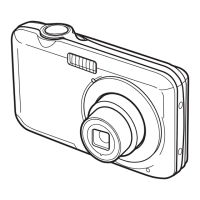
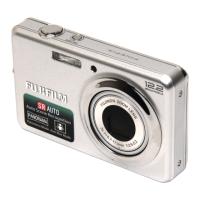
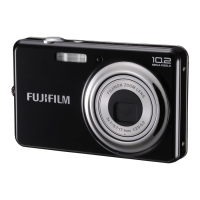
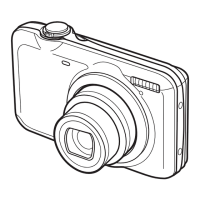
DIGITAL CAMERA
FINEPIX JX200 Series
FINEPIX JV100 Series
For information on related products, visit our
website at
http://www.fujifilm.com/products/digital_cameras/index html
Owner’s Manual
Thank you for your purchase
of this product. This manual
describes how to use your
FUJIFILM FinePix JX200 series,
JV100 series digital camera
and the supplied software. Be
sure that you have read and
understood its contents before
using the camera.
YF07802-121
EN

Table of Contents

Questions and Answers

  • J
    Jennifer LeeSep 10, 2025
    Why is no face detected by my FujiFilm Digital Camera?
    • C
      Colleen GarzaSep 10, 2025
      If no face is detected by your FujiFilm Digital Camera, remove any obstructions like sunglasses, hats, or hair. Adjust the composition so the subject’s face occupies a larger area. Ensure the subject faces the camera and holds their head straight. Hold the camera straight and shoot in bright light.
  • T
    Taylor GordonAug 22, 2025
    What to do if my FujiFilm FinePix JV100 turns off suddenly?
    • W
      wangtrevorAug 22, 2025
      If your FujiFilm Digital Camera suddenly turns off, the battery may be exhausted. Try inserting a fresh or fully charged spare battery.
  • P
    Parker WelchAug 25, 2025
    Why is my FujiFilm FinePix JV100 not taking pictures?
    • L
      Lisa PhillipsAug 25, 2025
      If your FujiFilm Digital Camera isn't taking pictures when you press the shutter button, check the following: * Ensure the memory isn't full by inserting a new memory card or deleting existing pictures. * Format the memory card or internal memory if it is not already formatted. * Clean the memory card contacts with a soft, dry cloth. * Replace a damaged memory card with a new one. * Insert a fresh or fully-charged battery if the current one is exhausted. * Turn the camera on if it has turned off automatically.
  • D
    Denise KellerAug 26, 2025
    Why are my FujiFilm FinePix JV100 pictures blurred?
    • B
      Brandon BaldwinAug 26, 2025
      If your FujiFilm Digital Camera pictures are blurred, clean the lens and ensure nothing is blocking it. If 'R' is displayed with a red focus frame, check focus before shooting. If '0' is displayed, use the flash or a tripod.
  • M
    Melissa GrahamAug 27, 2025
    Why does the flash not fire on my FujiFilm FinePix JV100 Digital Camera?
    • H
      Hunter SmithAug 27, 2025
      If the flash on your FujiFilm Digital Camera doesn't fire, wait for it to charge. If that doesn't work, the flash may not be available in the current shooting mode, so select a different mode. Also, ensure the battery isn't exhausted by inserting a fresh, fully-charged spare battery. Finally, check if 'OFF' is selected for E CONTINUOUS; if not, turn E CONTINUOUS off.
  • E
    Elizabeth Thornton MDAug 29, 2025
    How to fix FujiFilm FinePix JV100 that does not focus?
    • L
      Latoya StoneAug 29, 2025
      If your FujiFilm Digital Camera is not focusing, and the subject is close, select macro mode. If the subject is far away, cancel macro mode. If the subject isn’t suited to autofocus, use focus lock.
  • M
    matthewfoxSep 18, 2025
    How to fix temporary camera malfunction on FujiFilm FinePix JV100 Digital Camera?
    • G
      gpaulSep 18, 2025
      To resolve a temporary malfunction of your FujiFilm Digital Camera, remove and reinsert the battery, or disconnect and reconnect the AC adapter/DC coupler. If the battery is exhausted, insert a fresh or fully-charged spare battery.
  • G
    Gabriella GambleSep 12, 2025
    What to do if the flash does not fully light the subject on my FujiFilm FinePix JV100 Digital Camera?
    • D
      Destiny ColeSep 12, 2025
      If the flash on your FujiFilm Digital Camera does not fully light the subject, position the subject within the flash range. Also, ensure that the flash window is not obstructed and hold the camera correctly.
  • N
    Norma BakerSep 8, 2025
    Why does the monitor go dark after shooting with my FujiFilm FinePix JV100?
    • M
      Madison McintoshSep 8, 2025
      If the monitor on your FujiFilm Digital Camera goes dark after shooting, it may be because the flash has fired. The monitor may darken while the flash charges, so wait for the flash to charge.
  • D
    Dr. Jacqueline NashSep 5, 2025
    Why is face detection not available on my FujiFilm Digital Camera?
    • R
      rothmichaelSep 5, 2025
      If face detection is not available on your FujiFilm Digital Camera, it may be because Intelligent Face Detection is not available in the current shooting mode. Try choosing a different shooting mode.

Summary

Notes and Cautions

IMPORTANT SAFETY INSTRUCTIONS

Critical safety guidelines for product operation and handling.

Safety Notes

General safety precautions and warnings for using the camera.

Power Supply and Battery

Rechargeable Lithium-ion Battery

Details on using, charging, and maintaining the rechargeable lithium-ion battery.

AA-size Batteries

Guidance for using AA-size alkaline or Ni-MH batteries.

First Steps

Charging the Battery

Step-by-step guide to charging the camera's battery before first use.

Inserting a Memory Card

Instructions for inserting SD and SDHC memory cards into the camera.

Basic Photography and Playback

Taking Pictures in SR AUTO (SCENE RECOGNITION) Mode

How to take photos using the camera's automatic Scene Recognition mode.

More on Photography

Shooting Mode

Overview of various shooting modes available on the camera.

Using the Flash (Intelligent Flash)

Guide to using the camera's intelligent flash system and modes.

More on Playback

Playback Options

Features for viewing and managing pictures after they have been taken.

Deleting Pictures

Instructions for deleting individual or all pictures from the camera.

Movies

Recording Movies

Instructions for shooting video clips with the camera.

Menus

Troubleshooting

Power and Battery

Common problems and solutions related to camera power and battery.

Menus and Displays

Troubleshooting issues related to menus and display indicators.

Shooting

Solutions for problems encountered during the shooting process.

Intelligent Face Detection

Troubleshooting tips for issues with face detection functionality.

Warning Messages and Displays

List of camera warnings and displays with their meanings and solutions.

FujiFilm FinePix JV100 Series Specifications

General IconGeneral
BrandFujiFilm
ModelFinePix JV100 Series
CategoryDigital Camera
LanguageEnglish

Related product manuals